
Wireless NVR, 8 Channel - All Questions
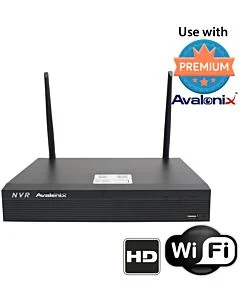
Does the unit allow for multiple logins from remote PC's to monitor the cameras?
Does the unit have the concept of different user accounts for monitoring and administration tasks?
Does the unit have the concept of different user accounts for monitoring and administration tasks?
Question asked at Hot Swap 64 Channel 4K NVR
Question by: Alan Brown on Feb 23, 2026, 10:49 AMYes, all Avalonix Premium Series recorders allow multiple remote logins using our free smartphone app as well as our Windows and Mac viewing software.
You can create multiple user accounts with different permission levels. The system supports both administrator and standard user roles, and you can assign access at a granular level per camera channel. For example, you can create a user account that only has live view and/or playback rights for specific cameras while restricting access to system settings.
The number of users who can log in simultaneously depends on your available network and internet bandwidth, as well as the number of camera streams and their resolution being viewed.
When viewing multiple cameras in grid view, the software automatically uses the sub-stream to reduce bandwidth usage. When a single camera is viewed full screen, it switches to the main stream for full-resolution viewing. The main stream is the camera’s full recording resolution, while the sub-stream is a lower-resolution stream (typically around 480P) used for efficient remote monitoring.
You can create multiple user accounts with different permission levels. The system supports both administrator and standard user roles, and you can assign access at a granular level per camera channel. For example, you can create a user account that only has live view and/or playback rights for specific cameras while restricting access to system settings.
The number of users who can log in simultaneously depends on your available network and internet bandwidth, as well as the number of camera streams and their resolution being viewed.
When viewing multiple cameras in grid view, the software automatically uses the sub-stream to reduce bandwidth usage. When a single camera is viewed full screen, it switches to the main stream for full-resolution viewing. The main stream is the camera’s full recording resolution, while the sub-stream is a lower-resolution stream (typically around 480P) used for efficient remote monitoring.
Answer by: CCTV Camera World on Feb 23, 2026, 11:02 AM
Does this camera have audio detection?
Question asked at Two -Way Talk 2K WiFi Bullet Camera, Mic, Speaker
Question by: Frank on Mar 13, 2026, 10:21 AMYes. Our professional Avalonix IP cameras support audio detection, and this setting can be managed through the camera’s built-in web interface.
To access these options, the user would open a web browser such as Chrome or Firefox on a Mac or PC that is connected to the same local network as the camera. After logging into the camera through the browser, they can go into the settings menu and turn audio detection on or off as needed.
In simple terms, audio detection lets the camera listen for sound changes in the area and respond when noise reaches a level you set. Through the web interface, the user can enable the feature, adjust how sensitive it is, set the threshold for what should count as an audio event, and choose what the camera should do when sound is detected. For example, the camera can be set to trigger recording or capture a snapshot when an audio event occurs.
To access these options, the user would open a web browser such as Chrome or Firefox on a Mac or PC that is connected to the same local network as the camera. After logging into the camera through the browser, they can go into the settings menu and turn audio detection on or off as needed.
In simple terms, audio detection lets the camera listen for sound changes in the area and respond when noise reaches a level you set. Through the web interface, the user can enable the feature, adjust how sensitive it is, set the threshold for what should count as an audio event, and choose what the camera should do when sound is detected. For example, the camera can be set to trigger recording or capture a snapshot when an audio event occurs.
Answer by: CCTV Camera World on Mar 13, 2026, 11:12 AM
How do I remotely view the Avalonix Premium Series DVR or NVR via iphone, ipad, android phone or tablet, laptop, etc?
Question asked at 8 Channel 4K Security DVR
Question by: Sanders on Apr 21, 2026, 5:15 PMYou can remotely view an Avalonix Premium Series DVR or NVR from an iPhone, iPad, Android phone, Windows PC, or Mac as long as the DVR is connected to the internet through your router.
For mobile remote viewing, including iPhone and iPad, please see this guide:
https://www.cctvcameraworld.com/dummies-guide-watching-security-camera-system-internet/
For Windows PC and Mac remote viewing software, please see this guide:
https://www.cctvcameraworld.com/cmsoftware/
In general, remote viewing works by connecting the DVR to your network, then using the free mobile app or computer software to scan the DVR’s QR code or add the system. Once set up, you can watch live video, play back recorded footage, and receive alerts remotely.
If you are using an Avalonix Premium Series DVR or NVR with compatible cameras, internet is optional for local recording, but it is required for remote viewing away from the property.
For mobile remote viewing, including iPhone and iPad, please see this guide:
https://www.cctvcameraworld.com/dummies-guide-watching-security-camera-system-internet/
For Windows PC and Mac remote viewing software, please see this guide:
https://www.cctvcameraworld.com/cmsoftware/
In general, remote viewing works by connecting the DVR to your network, then using the free mobile app or computer software to scan the DVR’s QR code or add the system. Once set up, you can watch live video, play back recorded footage, and receive alerts remotely.
If you are using an Avalonix Premium Series DVR or NVR with compatible cameras, internet is optional for local recording, but it is required for remote viewing away from the property.
Answer by: CCTV Camera World on Apr 22, 2026, 9:53 AM
Related Products
Check items to add to the cart or
-

-
-
- Wireless WiFi Two-Way Audio Camera, Indoor, Speaker, MicrophoneSpecial Price $149.99 Regular Price $299.99 50% off
- 2K WiFi Pan Tilt Zoom Camera, 4X ZoomSpecial Price $389.99 Regular Price $479.99 19% off


