

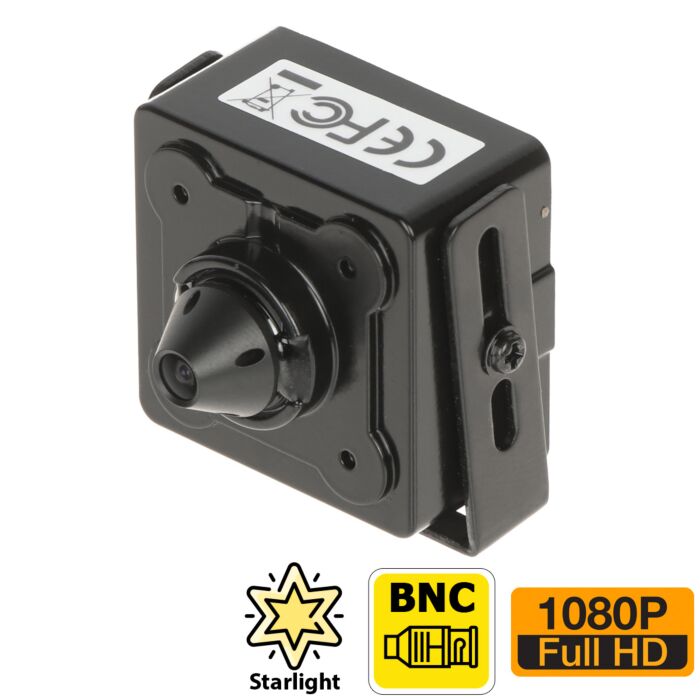

Mini Pinhole Camera
Special Price
$99.99
Regular Price
$119.99
17% off
Overview
Mini Pinhole Analog Camera - Compact indoor BNC camera for specialty installations where only a small lens opening is available.
1080P HD Over Coax - Supports full 1080P video in HDCVI, HDTVI, and AHD modes with compatible HD DVRs.
4-in-1 Video Output - Switchable HDCVI, HDTVI, AHD, and CVBS output supports both newer HD DVRs and older analog systems.
103 Degree View - The 2.8mm fixed pinhole lens provides a wide view for close-range indoor scenes.
Audio Input - RCA audio line-in allows connection of an external microphone when used with a compatible DVR.
This mini pinhole security camera is a compact analog BNC camera designed for discreet indoor installations where a standard camera housing would be too large or too visible. Its cone-style pinhole lens allows only the very tip of the lens to remain exposed, while the rest of the camera body can stay concealed inside a wall, panel, enclosure, kiosk, call box, or other custom housing.
The MP2449A is a versatile 4-in-1 HD-over-coax security camera that supports HDCVI, HDTVI, AHD, and standard analog CVBS video output. This makes it a practical choice for replacing failed mini cameras on older coax-based CCTV systems while also allowing installation on newer HD security DVRs that support 1080P analog cameras. Explore more 4-in-1 analog security cameras here.
This type of camera is commonly used in ATM machines, security gate call boxes, intercom housings, kiosks, equipment cabinets, and other discreet surveillance applications where only a small visible opening is available for the lens. Because it uses a standard BNC video connection, it is especially useful for installers and property owners who want to keep an existing coax cable run and DVR setup instead of converting the system to IP.
To take full advantage of the camera's 1080P video resolution, it should be used with a HD security DVR that supports HD analog security cameras. It can also be switched to CVBS mode for compatibility with older standard definition DVRs, either upon request at the time of order or by using a UTC controller. By default, the camera ships in 1080P HDCVI mode, so please confirm DVR compatibility before purchasing.
Watch the MP2449A setup and video demonstration: In the video below, Ray from CCTV Camera World gives a hands-on overview of the MP2449A, explains its HDCVI, HDTVI, AHD, and CVBS video modes, shows the BNC video, 12V DC power, and optional audio connections, and connects the camera to both a monitor and a compatible security DVR. The demonstration also shows what an incompatible HD-over-coax signal looks like on an older analog monitor and how the camera produces clear 1080P video when connected to the proper DVR.

Read Video Transcript
MP2449A Mini Pinhole Camera Overview
Ray: Hi, my name's Ray. I'm the manager at CCTV Camera World. In this video, I'll be doing an overview of the MP2449A, which is a mini pinhole lens camera.
It's an HDCVI output video signal. It can also do TVI and AHD if you switch it using a compatible DVR, or you can tell us before we ship it out. It can also do CVBS, which is your standard-definition video signal.
You can buy this camera and hook it up with a DVR and get an HD video signal, but make sure your DVR is compatible with the HD signal types: CVI, TVI, and AHD. The fourth type, CVBS, is for older-style DVRs and monitors.
CVBS and Older Analog Equipment
If you purchase this and need it set to CVBS, you have to let us know before we ship it out. We usually email customers and ask if they want it set to CVBS before shipping. You have to reply to those emails before we ship it out. Otherwise, as stated in the product description, it will be sent out in CVI mode.
If you do not have an HD DVR, you will not be able to see those HD signals. If you have a CVBS monitor or DVR, an older analog CCTV system, you have a few options.
You can purchase a compatible DVR and use the camera with the new DVR. Secondly, you can buy a UTC controller, which you hook up to the camera. We have another video on that. It lets you switch certain 1080P cameras from the Avalonix series to a different signal, such as CVBS. You can switch it from CVI or TVI to CVBS.
Third, you can buy a BNC-to-HDMI converter. Instead of buying a DVR, it's a device that lets you take the HD signal over BNC and output it to an HDMI monitor. So if you don't want to buy a DVR, you can use one of those.
So you have three options: buy a compatible DVR, use a UTC controller, or use a BNC-to-HDMI converter.
Camera Connections
Now, how do we use this camera? It's a great little camera. It has a lot of resolution and good clarity from the image sensor. You can hook an audio cable to it too.
As you can see, it's probably about an inch and a half to two inches in size. Pretty tiny.
On the back of this camera there are two connection ports. This one is for your pigtail that has the 12V connector and BNC video, and this one is for the audio. You don't need to hook up both, but you certainly need to hook up the one with the BNC video and 12V DC.
On the other end of that cable you've got the 12V DC input and BNC video output. If you're trying to connect this to a longer cable, you'll need a BNC female-to-female coupler.
Connecting the Camera Pigtail
Here on the back, let me connect this cable. There are slots on the bottom of it. You can look at the pins and match them. There are also teeth that slide into the notches or slots.
I'm going to do that now with the pins down and the slots down. Insert it this way, hold it tight, make sure it's seated properly, and press it with your fingers. Don't use pliers on this. That's good.
Connecting an External Microphone
If you wanted to connect the audio cable, this is the audio input for connecting an external microphone. You'll have to power that microphone too with a different 12V DC power supply.
The notch is on the top of this cable and the notch is on the top of the connector. You just push them in, and that's it.
I've got my audio cable connected, and I've got my 12V DC and BNC connected. Now let me hook it up to a DVR.
Testing the Camera on an Analog Monitor
Now I have the camera sitting on my table. I'm going to connect the video connection first, and I'm going to show you what happens if you don't have an HD monitor or DVR.
Here I'm going to take a BNC female connection and connect it to the BNC connection going to my monitor. I'm going to switch the input to AV mode, which is the regular yellow RCA input.
Now I'm going to connect my 12V DC power. Make sure you're using 12V DC power. These are low-power devices.
I'll show you what kind of video signal I get. I get these lines happening. This is what you'll get if your camera is set to one of the HD modes such as HDCVI, HDTVI, or AHD and you're trying to view it on equipment that doesn't support that HD signal.
If you don't tell us or reply to our email asking what mode you need, as mentioned in the product description, our HD cameras are sent out in HD mode. That's how they come from the factory.
You need to make sure you have a proper DVR, a BNC-to-HDMI converter, or a UTC controller when you need to change the signal type.
Connecting the MP2449A to a DVR
Now I'm going to take that same camera and connect it into my DVR, switch my monitor back to my DVR, and connect the power supply again.
On the DVR you usually have a camera grid. Here you go. You've got the video: perfectly clear HD 1080P video coming from this camera.
Changing the Camera Video Format
If you need it set to a different mode, you need a compatible DVR like this one where you can go to the PTZ controls and open what's called the on-screen display menu. From there you can change it to different modes.
For example, if you wanted this camera to be compatible with a composite monitor at standard resolution, we would go into the Advanced setting and set its video type to CVBS, then hit Enter.
I'm not going to do that because I don't want to set my camera to CVBS. To change it back, I would need a compatible controller. But that's what you would do, and then you could plug it back into your monitor and it would work.
Troubleshooting Rolling Lines or No Usable Video
If you have a camera and you're getting those rolling lines, use a compatible DVR, a UTC controller, or a BNC-to-HDMI converter depending on the equipment you're connecting it to.
Hopefully this gives you good information about how to use the Avalonix MP2449A mini pinhole lens camera.
You can also follow this video to learn what to expect when working with HD coax cameras that use BNC connections, especially if you don't have the right type of DVR.
Thanks for watching. If you're watching on YouTube, don't forget to like, comment, and subscribe.
Equipped with a 2MP image sensor, this mini pinhole camera records in full 1080P when used in HDCVI, HDTVI, or AHD mode. The fixed 2.8mm lens provides a wide 103-degree field of view, making it a good fit for close-range monitoring of entry points, transaction areas, access panels, and similar indoor scenes. When recorded in full 1080P HD mode, it can capture facial detail up to 28 feet away.
The camera also supports automatic day and night switching. In normal lighting it records in color, and in low light it can remain in color longer thanks to its Starlight image sensor. In very dark conditions, it switches to black and white mode for improved visibility. True WDR helps balance bright and dark areas of the image, which is useful in mixed lighting environments such as lobbies, vestibules, and entrance areas.
In addition to video output, the camera includes one RCA audio line-in connection for use with an external security camera microphone. When paired with a compatible HD DVR, audio and video can be transmitted together over coax, making it easier to add sound recording to a compact concealed installation.
Common applications
- ATM camera replacement
- Security gate call boxes
- Intercom and entry system housings
- Kiosks and transaction stations
- Equipment cabinets and machine enclosures
- Discreet indoor surveillance where only a small lens opening can be exposed
Features
- Indoor pinhole lens mini security camera
- Compact housing for concealed installations
- Only the pinhole lens tip needs to be exposed
- 1080P resolution in HDCVI, TVI, and AHD modes
- Analog CVBS mode for legacy DVR compatibility
- 2MP video sensor
- 2.8mm lens with 103° horizontal angle of view
- True WDR (120dB)
- Starlight technology for low-light video
- BNC video connector
- HDCVI, TVI, AHD, and CVBS switchable output using OSD menu or UTC Controller
- 1 RCA audio input for external microphone
- 12V DC power input
- Metal case with mounting bracket included
What's included?
- (1) Pinhole Lens Mini Security Camera
- (1) 8ft 7" Pigtail with BNC Video, DC Power, Audio RCA inputs.
Specifications
| Image Sensor | 1/2.8" 2MP CMOS |
| Effective Pixels | 1920 (H) x 1080 (V) |
| Electronic Shutter Speed | 1/4 - 1/100000s |
| Minimum Illumination | 0.004 Lux (Color), 0.0004 Lux (B/W) |
| IR LEDs | None |
| S/N Ratio | More than 65dB |
| Focal Length | 2.8mm |
| Angle of View | Horizontal: 103° |
| Focus Control | Fixed |
| Distance to Detect* | 138ft |
| Distance to Recognize* | 28ft |
| Distance to Identify* | 15ft |
| Close Focus Distance | 8 inches |
| Resolution | 1080P (1920x1080) |
| Frame Rate | 30fps |
| Day/Night | Auto (ICR), Color, B/W |
| BLC Mode | BLC/HLC/True WDR(120 dB) |
| Noise Reduction | 3D DNR |
| Audio Input | Yes, external Mic via RCA |
| Audio Compression | Requires compatible DVR |
| Alarm | None |
| Power Input | 12V DC |
| Power Consumption | 2W |
| Operating Conditions | -22°F to 140°F, Less than 95% RH |
| Weather Protection | None |
| Vandal Resistance | None |
| Casing | Metal |
| Dimensions | 1.7" x 1.4" x 1.2" |
| Net Weight | 2 oz |
| Camera Type | Analog |
|---|---|
| Image Sensor | 1/2.8" CMOS Sensor |
| Video Encoding | Analog, H.264, H.265 |
| Resolution | 1080P |
| Lens | 2.8mm |
| Field of View | 104° |
| Optical Zoom | No |
| Wide Dynamic Range (WDR) | No |
| IR Night Vision | None |
| Audio | Audio Line-in |
| SD Card Slot | No |
| Pan Tilt Zoom | No |
| Power Input | 12V DC |
| Operating Temperature | -22°F to +140°F |
| Dimensions | 1.4 x 1.2 x 1.7 inches (W x D x H) |
| Weather Proof | Indoor Use |
| Camera Color | Black |
| Warranty | 1 Year |
| Brand | CCTVCameraWorld |
| Series | Avalonix |
| Return Policy | 30 Days Return Policy |
Write Your Own Review
Product Questions
Related Products
-
Hidden Motion Detector Camera - ClearanceSpecial Price $39.99 Regular Price $149.99 73% off