

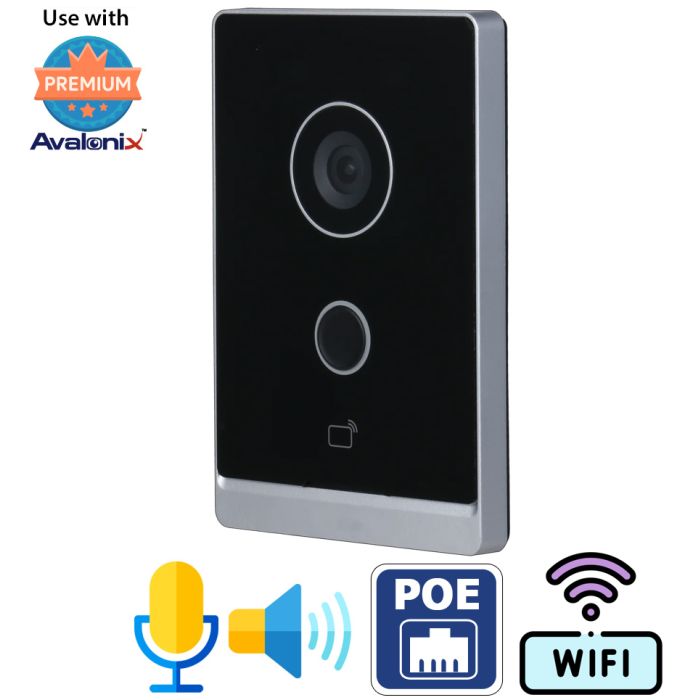

WiFi and PoE Video Doorbell Intercom with Mobile App and Door Strike Control
Special Price
$339.99
Regular Price
$399.99
15% off
Overview
Professional Video Doorbell Intercom - Avalonix WiFi and PoE doorbell intercom for homes, offices, storefronts, warehouses, and controlled entry points.
Two-Way Audio - Built-in microphone and speaker let you talk with visitors through the mobile app or optional ICM7 indoor station.
125 Degree Door View - The built-in 2MP camera provides 720P video with a wide view for doorways, packages, and visitors near the entrance.
PoE or WiFi Setup - Use PoE for wired power and data, or 12V DC power when connecting to a 2.4GHz WiFi network.
Door Strike Control - Supports remote unlock control for up to two electronic door strikes when properly wired and configured.
Local NVR Recording - Records to an Avalonix NVR for local storage and fast playback without relying on a third-party cloud plan.
No Monthly Subscription - Built for local recording and app access without a required cloud storage subscription.

The Avalonix IC1080POE is a professional PoE and WiFi video intercom that lets you see and speak with a visitor from a mobile phone or optional ICM7 indoor touchscreen, then remotely unlock one compatible electric door strike. It is designed for secure office doors, storefronts, reception areas, warehouses, covered residential entrances, and other controlled-access doors.
When a visitor presses the illuminated call button, the intercom can call the free mobile app, the optional ICM7 7-inch indoor monitor, or both. The person answering can view live video, have a two-way conversation, and press an unlock button after confirming that the visitor should be allowed inside.
The IC1080POE supports wired PoE networking, optional 2.4GHz WiFi, direct control of one electric door strike, and local recording to an Avalonix NVR. It does not require a paid cloud video-storage subscription.
Quick Answer
The IC1080POE is a PoE video intercom for one secure door. It lets an authorized user see and speak with a visitor from a smartphone or optional indoor monitor and remotely release one compatible electric door strike. It can also record locally to an Avalonix NVR without a required monthly cloud-storage fee.
See, talk, and remotely unlock a secure door
The IC1080POE combines a video doorbell, two-way intercom, and basic door-release controller in one device. A typical visitor call works as follows:
- A visitor presses the call button at the locked entrance.
- The mobile app, optional ICM7 indoor monitor, or both notify the user of the incoming call.
- The user views the live camera image and speaks with the visitor through the built-in microphone and speaker.
- After confirming the visitor's identity, the user presses the on-screen unlock button to release the connected electric door strike.
This makes the system especially useful for reception desks, secure interior office doors, storefront entrances, warehouses, shipping and receiving areas, home offices, apartment entrances, and other doors where access should only be granted after visual and verbal confirmation.
Answer visitors and unlock the door from your phone
The mobile app lets authorized users answer an intercom call even when they are away from the indoor monitor. In the mobile app demonstration below, you can see an actual call from this IC1080POE intercom, the push notification received by the phone, live video from the entrance, two-way talk, and remote door-release control.
The app also allows users to switch between available video streams, capture a snapshot, and save a short video clip to the phone. Internet access is required for remote calls, push notifications, and off-site viewing through the mobile app.
How to wire an electric door strike to the PoE video intercom
The newer video below provides a detailed, real-world demonstration of connecting a 12VDC electric door strike to the IC1080POE and controlling it from the optional ICM7 indoor monitor. It is particularly useful for customers asking how to build a small access-control system for a secure door without paying an installer or committing to recurring software fees.
The video clearly demonstrates:
- How to connect a 12VDC electric door strike to the IC1080POE intercom
- Why the electric strike connects to the intercom rather than the ICM7 monitor
- How the PoE intercom and indoor monitor communicate over the local network
- Why the IC1080POE and ICM7 require compatible static IP addresses
- How to answer a visitor and press the on-screen unlock button
- How to adjust the unlock duration and interval between consecutive unlocks
The demonstration uses a 12VDC power-to-unlock electric strike. Electric locks and strikes vary, so confirm the voltage, current, fail-safe or fail-secure operation, wiring method, and power-supply requirements of the specific door hardware before installation.
How the IC1080POE controls an electric door strike
The IC1080POE contains a relay connection that opens or closes the strike circuit when an authorized user presses the unlock button. The intercom switches the circuit, but it does not supply the operating power required by the electric strike.
The electric strike must have its own compatible power supply. In the video demonstration, the strike is powered by a separate 12VDC power adapter and connected through the Door 1 common and normally open relay wires on the intercom harness.
The demonstrated power-to-unlock strike remains locked while the circuit is open. When the IC1080POE closes the circuit, power reaches the strike and temporarily releases the latch. After the configured unlock period ends, the circuit opens and the strike returns to its locked state.
The default demonstration settings include a two-second door-unlock duration and a 15-second interval between consecutive unlock commands. These settings can be adjusted through the IC1080POE web interface by an authorized user on the local network.
Use the optional ICM7 as a dedicated indoor answering station
The mobile app is not the only way to answer the door. The optional ICM7 home station gives a receptionist, employee, resident, or homeowner a dedicated 7-inch touchscreen inside the building.
When the door button is pressed, the ICM7 displays the incoming call. The user can answer, view the visitor, carry on a two-way conversation, and press the Door 1 button to release the connected electric strike. The monitor can also display the intercom camera without waiting for someone to press the call button.
The electric strike must be wired to the IC1080POE intercom. It does not connect directly to the ICM7 monitor. The ICM7 sends the unlock command over the network to the intercom, and the intercom operates the Door 1 relay.
When the IC1080POE and ICM7 are purchased together, CCTV Camera World can configure compatible static IP addresses and pair the two devices before shipment. This reduces the network setup normally required before the units can communicate.
Short ICM7 intercom and door-release demonstration
The shorter video below provides a quick overview of the IC1080POE calling the ICM7, two-way communication through the indoor monitor, and release of a connected electric door strike.
What is needed to control an electric door strike?
The IC1080POE provides the relay contact used to switch a compatible strike circuit, but the intercom does not provide operating power to the electric strike itself. A complete door-release installation normally requires:
- One IC1080POE video intercom
- One compatible electric door strike or supported release device
- A separate power supply matched to the voltage and current requirements of the strike
- Appropriate low-voltage wire, terminals, connectors, and installation hardware
- A standard network PoE switch or PoE injector when using wired Ethernet
- A properly configured local network
- Internet service when mobile app calls, push notifications, or off-site access are required
- The optional ICM7 monitor when a dedicated indoor touchscreen is desired
The electric strike, strike power supply, PoE switch, installation wire, connectors, and ICM7 monitor are sold separately unless they are specifically identified as included in a package.
PoE, Ethernet, and WiFi connection options
For the most reliable professional installation, connect the intercom to a standard network PoE switch using CAT5e or CAT6 cable. PoE 802.3af carries power and network data over the same Ethernet cable, eliminating the need for a separate electrical outlet at the intercom.
When mobile app functionality is required, the intercom should be connected to a PoE switch on the main local network rather than only to the isolated camera ports on the back of an NVR. This allows the intercom, ICM7, router, mobile app service, and optional NVR to communicate correctly.
WiFi operation is also available. To use WiFi, power the intercom with the included 12VDC adapter and manually connect it to a 2.4GHz wireless network. The wired Ethernet connection is used when the unit is powered directly through PoE.
Connection options and wiring diagram
The diagram below shows common ways to connect the IC1080POE to a wired or WiFi network, including the use of a PoE switch, 12VDC power, the optional indoor monitor, and door-access hardware.
Local NVR recording without a required cloud-storage plan
The IC1080POE can be added to an Avalonix NVR so its camera records alongside the rest of your security camera system. This gives you local control of recorded video without requiring a paid cloud video-storage subscription.
Depending on the recording schedule selected on the NVR, the intercom can record continuously or on a schedule. Continuous recording captures activity at the entrance even when the visitor never presses the intercom button.
Local playback is available directly from your recorder without waiting for recorded footage to download from a paid cloud-storage service. Your available recording time depends on the NVR hard-drive capacity, selected recording schedule, resolution, frame rate, and bitrate.
The intercom provides an RTSP stream and may also be recorded by compatible third-party RTSP-capable recorders. Basic video recording may work with third-party equipment, but doorbell calls, two-way audio, app notifications, and door-release control are separate functions and should not be assumed to transfer through an unrelated NVR.
Wide doorway view with built-in two-way audio
The built-in 2MP CMOS sensor provides a 720P video stream at up to 30 frames per second. Its 125-degree horizontal viewing angle gives a wider look at the entrance than a narrow fixed camera, helping the user see a person standing near the doorway or slightly off to one side.
A built-in microphone and speaker provide two-way communication through the mobile app or optional ICM7 monitor. Dual video streams allow the intercom to provide a higher-quality stream for local recording while using a lower-bandwidth stream for remote viewing when appropriate.
The intercom uses an automatic IR-cut filter for day and night operation. It does not contain built-in infrared LEDs, but its low-light sensor can benefit from compatible exterior infrared illumination when additional nighttime light is needed.
Indoor and covered outdoor installation
The aluminum housing is rated IP65 and can be installed indoors or in a properly protected outdoor location. For exterior installations, place the intercom under a porch, overhang, or other covered area and seal the mounting surface with silicone as directed.
The unit should not be installed where it will be subjected to direct, sustained water contact. Proper sealing around the mounting surface and cable entry points is important for an exterior installation.
A built-in tamper switch can trigger an audible warning if someone attempts to pull the intercom away from the wall. The warning sound may also be heard during handling or initial setup when the tamper switch is not held in its normal installed position.
Why choose this over a consumer video doorbell?
Consumer doorbells from companies such as Ring, Arlo, Nest, and SimpliSafe are usually designed around an app and cloud service. The IC1080POE is designed more like a professional IP camera, intercom, and door-release controller.
- PoE power and wired Ethernet - Use one Ethernet cable for both network data and 802.3af PoE power.
- Direct electric-strike control - Release one compatible electric strike after viewing and speaking with the visitor.
- Optional indoor touchscreen - Use the ICM7 as a dedicated answering and unlock station instead of relying only on mobile phones.
- Local NVR recording - Store video on your own Avalonix recorder without a required paid cloud video-storage plan.
- Continuous recording - Record the entrance even when nobody presses the call button.
- Professional installation options - Use PoE switches, static IP addresses, SIP, RTSP, and dedicated door hardware.
- Technical support - Get assistance from CCTV Camera World with network configuration, NVR integration, and basic intercom setup.
If you need a secure-door solution that lets someone see the visitor, talk to them, and press an unlock button, the IC1080POE is a more complete option than a typical app-only doorbell.
Who this video intercom is best for
- Businesses with a locked interior or exterior entrance that must be released by staff
- Reception desks that need to see and talk to a visitor before allowing entry
- Storefronts and offices that want a PoE video intercom with an indoor monitor
- Warehouses, loading docks, and receiving areas where delivery personnel must call for access
- Homes that want a professional wired video intercom instead of an app-only consumer doorbell
- Properties that want local NVR recording without a mandatory cloud video-storage fee
- Users who want to answer and remotely unlock a door from a cell phone
- Small access-control applications involving one compatible electric door strike
When this may not be the right product
- It is not a battery-powered or wire-free video doorbell.
- It is not a multi-tenant directory intercom for a large apartment building.
- It controls one electric door strike, not multiple independent doors.
- It does not supply operating power directly to the electric strike.
- It should not be installed in a location exposed to direct, continuous water contact.
- Remote mobile app operation requires a properly configured network and internet connection.
Features
- Professional IP video intercom and door-release station
- 2MP CMOS image sensor
- 720P video resolution up to 30fps
- 125-degree horizontal angle of view
- Built-in microphone and speaker
- Two-way audio through the mobile app or optional ICM7
- Remote live view and visitor-call notifications
- Controls one compatible electric door strike through Door 1
- Optional 7-inch ICM7 indoor touchscreen monitor
- Local recording to an Avalonix NVR
- 24/7 or scheduled NVR recording capability
- No required paid cloud video-storage subscription
- H.264 video compression
- Main stream and substream support
- RTSP video streaming
- SIP support
- Up to 10 authorized users
- 802.3af PoE power and wired Ethernet
- 2.4GHz WiFi when powered by 12VDC
- Built-in tamper alarm
- Aluminum IP65 housing
- Indoor or properly covered outdoor wall-mount installation
What is included?
- (1) Avalonix IC1080POE IP video intercom
- (1) 12VDC 1 Amp power adapter
- (1) Intercom connection harness
Not included: ICM7 indoor monitor, PoE switch or injector, electric door strike, strike power supply, NVR, network cable, lock wiring, and installation accessories.
Frequently Asked Questions
What does the IC1080POE video intercom do?
The IC1080POE lets an authorized user see and speak with a visitor from a smartphone or optional ICM7 indoor monitor and remotely unlock one compatible electric door strike.
Does the IC1080POE require a monthly subscription?
No. The mobile app and local NVR recording do not require a paid video-storage subscription. An internet connection is required for remote mobile app calls, push notifications, and off-site access.
Can I see and talk to a visitor from my cell phone and unlock the door?
Yes. When properly networked and configured, the mobile app can receive the intercom call, show live video, provide two-way talk, and operate the connected electric door strike.
Will this work for a secure interior office door?
Yes. It is a good fit for a secure interior door or a covered exterior entrance where staff need to see and speak with a visitor before remotely releasing a compatible electric door strike.
How many electric door strikes can this intercom control?
One. The IC1080POE uses its Door 1 relay connection to control one compatible electric door strike.
Does the electric door strike connect to the intercom or the ICM7 monitor?
The electric door strike connects to the IC1080POE intercom. The ICM7 sends the unlock command to the intercom over the network, and the intercom operates the Door 1 relay.
Does the intercom provide power to the electric door strike?
No. The IC1080POE switches the strike circuit, but the electric strike requires its own compatible power supply. Match the power supply to the voltage and current requirements of the specific strike.
Is the electric door strike included?
No. The intercom and one 12VDC 1A power adapter are included. The electric strike, strike power supply, wiring accessories, PoE switch or injector, and optional ICM7 monitor are sold separately unless specifically listed in a bundle.
Is the ICM7 indoor monitor required?
No. You can use the mobile app without the ICM7. The optional ICM7 provides a dedicated 7-inch indoor touchscreen for answering calls, viewing the door station, speaking with visitors, and pressing the on-screen unlock button.
Can the intercom record continuously to an NVR?
Yes. The intercom can stream to an Avalonix NVR for local 24/7 or scheduled recording. For reliable mobile app functionality, connect the intercom to a standard network PoE switch rather than placing it only behind an NVR's isolated PoE ports.
Does the intercom support both PoE and WiFi?
Yes. For wired operation, use 802.3af PoE for power and Ethernet. For WiFi operation, power the intercom with 12VDC and pair it to a 2.4GHz WiFi network.
Can multiple users answer intercom calls?
Yes. The IC1080POE supports access for up to 10 users, allowing authorized homeowners, employees, or staff members to use the system.
Can CCTV Camera World preconfigure the intercom and ICM7?
When the intercom and ICM7 are purchased together, CCTV Camera World can configure their static IP addresses and pair them before shipment. Confirm the requested network settings when ordering.
Can I record the intercom on a third-party NVR?
The intercom provides an RTSP video stream and may record to compatible RTSP-capable NVRs. Doorbell calling, two-way audio, mobile notifications, and door-release behavior can vary with third-party equipment, so an Avalonix NVR is recommended for supported integration.
Specifications
| Image Sensor | 1/2.8" 2MP CMOS | ||||||||||||||||||||||||||||||||||
| Effective Pixels | 1920 (H) x 1080 (V) | ||||||||||||||||||||||||||||||||||
| IR Distance | N/A | ||||||||||||||||||||||||||||||||||
| IR On/Off Control | Auto, Manual | ||||||||||||||||||||||||||||||||||
| IR LEDs | None | ||||||||||||||||||||||||||||||||||
| Lens Type | Fixed | ||||||||||||||||||||||||||||||||||
| Angle of View | Horizontal: 125° | ||||||||||||||||||||||||||||||||||
| Focus Control | Fixed | ||||||||||||||||||||||||||||||||||
| Compression | H.264 | ||||||||||||||||||||||||||||||||||
| Streaming Capability | 2 Streams (Main Stream, Sub Stream) | ||||||||||||||||||||||||||||||||||
| Resolution | 720P (1280x720), D1 (704x480), VGA (640x480), CIF (342x240) | ||||||||||||||||||||||||||||||||||
| Frame Rate |
Main Stream: 720P/WVGA/D1 (3, 25, 30fps) Sub Stream: 1080P/WVGA/D1/QVGA/CIF (3, 25, 30fps) |
||||||||||||||||||||||||||||||||||
| Bit Rate | H.264: 265K - 4096Kbps | ||||||||||||||||||||||||||||||||||
| Day/Night | Auto (ICR), Color, B/W | ||||||||||||||||||||||||||||||||||
| Motion Detection | No | ||||||||||||||||||||||||||||||||||
| Digital Zoom | None | ||||||||||||||||||||||||||||||||||
| Flip | 0°, 180° | ||||||||||||||||||||||||||||||||||
| Mirror | On / Off | ||||||||||||||||||||||||||||||||||
| Audio Input | Built-in Microphone | ||||||||||||||||||||||||||||||||||
| Audio Output | Built-in Speaker | ||||||||||||||||||||||||||||||||||
| Audio Compression | G.711Mu, G.711u, PCM | ||||||||||||||||||||||||||||||||||
| Bidirectional Talk | Two-way Talk Supported | ||||||||||||||||||||||||||||||||||
| Buttons | 1 | ||||||||||||||||||||||||||||||||||
| Door Control | 1 Door Control Relay | ||||||||||||||||||||||||||||||||||
| Alarm Connections | 1 ch unlock button, 1 ch feedback, 1 Door Control, 1 RS485 | ||||||||||||||||||||||||||||||||||
| Ethernet | RJ-45 100Mbps, WiFi 2.4GHz (IEEE 802.11b/g/n) | ||||||||||||||||||||||||||||||||||
| Protocols | HTTP, TCP/IP, DHCP, UPnP, SIP, RTSP, RTP | ||||||||||||||||||||||||||||||||||
| Maximum User Access | 10 Users | ||||||||||||||||||||||||||||||||||
| Recording Method | Avalonix NVR | ||||||||||||||||||||||||||||||||||
| Web Viewer | Chrome, Edge, Safari for settings configuration | ||||||||||||||||||||||||||||||||||
| Smartphone Support | iPhone, iPad, Android Phone | ||||||||||||||||||||||||||||||||||
| Power Supply | 12VDC or PoE 802.3af | ||||||||||||||||||||||||||||||||||
| Power Consumption | 7W while on, 1W while idle | ||||||||||||||||||||||||||||||||||
| Operating Conditions | -22°F to +140°F, Less than 90% RH | ||||||||||||||||||||||||||||||||||
| Installation | Wall Mounted | ||||||||||||||||||||||||||||||||||
| Ingress Protection | IP65, no direct contact with water; silicone sealant required | ||||||||||||||||||||||||||||||||||
| Vandal Resistance | N/A | ||||||||||||||||||||||||||||||||||
| Casing | Aluminum | ||||||||||||||||||||||||||||||||||
| Dimensions | 5.9" x 3.9" x 1.0" | ||||||||||||||||||||||||||||||||||
| Net Weight | 1.08 lbs | ||||||||||||||||||||||||||||||||||
| Camera Type | IP |
|---|---|
| Image Sensor | 1/2.8" 2MP CMOS |
| Video Encoding | H.264 |
| Resolution | 1080P |
| Lens | 1.9mm |
| Field of View | 125° |
| Optical Zoom | No |
| Wide Dynamic Range (WDR) | WDR |
| IR Night Vision | 30ft |
| Audio | Built-in Mic & Speaker |
| SD Card Slot | Yes |
| Video Analytics | No |
| Pan Tilt Zoom | No |
| Power Input | 12V DC / PoE |
| Operating Temperature | -22°F to +140°F |
| Dimensions | 5.91'' × 3.94'' × 0.98'' |
| Weather Proof | Yes, IP65 |
| Camera Color | Black |
| Warranty | 1 Year |
| Brand | CCTVCameraWorld |
| Series | Avalonix |
| Return Policy | 30 Days Return Policy |
Write Your Own Review
Product Questions
Does this camera have audio detection?
Question by: Frank on Mar 13, 2026, 10:21 AM
Yes. Our professional Avalonix IP cameras support audio detection, and this setting can be managed through the camera’s built-in web interface.
To access these options, the user would open a web browser such as Chrome or Firefox on a Mac or PC that is connected to the same local network as the camera. After logging into the camera through the browser, they can go into the settings menu and turn audio detection on or off as needed.
In simple terms, audio detection lets the camera listen for sound changes in the area and respond when noise reaches a level you set. Through the web interface, the user can enable the feature, adjust how sensitive it is, set the threshold for what should count as an audio event, and choose what the camera should do when sound is detected. For example, the camera can be set to trigger recording or capture a snapshot when an audio event occurs.
To access these options, the user would open a web browser such as Chrome or Firefox on a Mac or PC that is connected to the same local network as the camera. After logging into the camera through the browser, they can go into the settings menu and turn audio detection on or off as needed.
In simple terms, audio detection lets the camera listen for sound changes in the area and respond when noise reaches a level you set. Through the web interface, the user can enable the feature, adjust how sensitive it is, set the threshold for what should count as an audio event, and choose what the camera should do when sound is detected. For example, the camera can be set to trigger recording or capture a snapshot when an audio event occurs.
Answer by: CCTV Camera World on Mar 13, 2026, 11:12 AM
Is the unit capable of recording to any DVR/NVR using ONVIF when hardwired (POE), while maintaining full use of the mobile app?
Question by: Mario Morales on Feb 18, 2026, 8:08 PM
Yes, the intercom is ONVIF compliant and provides an RTSP stream, so it can be added to a compatible ONVIF NVR or to an NVR that allows manual RTSP stream addition. In that configuration, you should be able to record video to the NVR.
However, please note the following:
• For 2-way audio functionality and the doorbell call feature to the mobile app, the intercom must be deployed on a network with internet connectivity and used through the dedicated mobile app.
• The unit should be connected to a standard PoE switch on the network, not to the built-in PoE switch ports on the back of an NVR, as that may prevent proper mobile app functionality.
In short:
• Yes, you can record via ONVIF/RTSP.
• Full intercom and app functionality requires proper network deployment and internet access.
Let me know if you need clarification on integration with a specific NVR model.
However, please note the following:
• For 2-way audio functionality and the doorbell call feature to the mobile app, the intercom must be deployed on a network with internet connectivity and used through the dedicated mobile app.
• The unit should be connected to a standard PoE switch on the network, not to the built-in PoE switch ports on the back of an NVR, as that may prevent proper mobile app functionality.
In short:
• Yes, you can record via ONVIF/RTSP.
• Full intercom and app functionality requires proper network deployment and internet access.
Let me know if you need clarification on integration with a specific NVR model.
Answer by: CCTV Camera World on Mar 2, 2026, 12:06 PM
Related Products
Check items to add to the cart or