
Uniview Replacement Systems, NVRs & Cameras
Replacing Uniview or UNV equipment? CCTV Camera World offers AvaEye NVRs and IP cameras that can replace compatible Uniview NVRs and cameras without requiring you to replace your entire system. In many installations, you can keep the Ethernet wiring and equipment that still works and replace only the failed camera or recorder.
 Look for this AvaEye logo in the product description. Products marked with this logo are the AvaEye cameras and NVRs we identify for use as compatible replacement options for Uniview and UNV equipment.
Uniview and UNV Replacement Cameras and NVRs
CCTV Camera World has tested AvaEye cameras and NVRs with Uniview/UNV equipment in both directions. A Uniview camera can be used with an AvaEye NVR, and an AvaEye camera can be used with a Uniview NVR. This gives homeowners and small businesses a practical way to replace failed equipment without automatically replacing the entire system.
- Replace a Uniview NVR: An AvaEye NVR with built-in PoE ports can work plug-and-play with Uniview and UNV IP cameras.
- Replace a Uniview IP camera: An AvaEye IP camera can work plug-and-play with a Uniview or UNV NVR that has built-in PoE ports.
- Use cameras over your network: Compatibility is not limited to cameras plugged directly into built-in PoE ports. Uniview and AvaEye cameras can also be added over the local network to a compatible NVR.
- Keep your Ethernet wiring: Existing network cabling can usually remain in place when replacing a Uniview/UNV camera or recorder.
- ONVIF compatibility: In our testing, compatible AvaEye and Uniview equipment can exchange video, supported audio, and standard video-based motion detection through ONVIF.
Advanced smart detection and VCA features require more care. ONVIF is less consistent at passing features such as line crossing, intrusion detection, and other analytics between different cameras and NVRs. These features may need to be configured directly through the camera's web interface, and event propagation can depend on the firmware running on the Uniview/UNV camera or NVR.
Shop Uniview Replacement Equipment
Shop AvaEye IP cameras and NVR recorders below, or contact us with your Uniview or UNV model numbers if you would like us to confirm the appropriate replacement before you order.
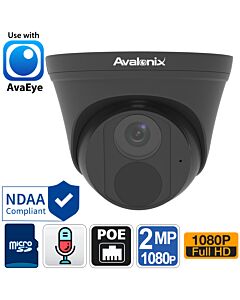
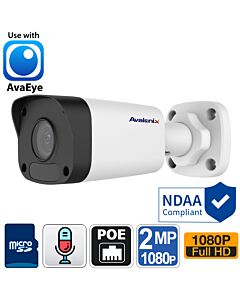 2MP 1080P PoE Bullet Camera with built-in Mic, Weather Proof, AvaEyeSKU: IP2MPBLA
- 1080P
- Built-in mic
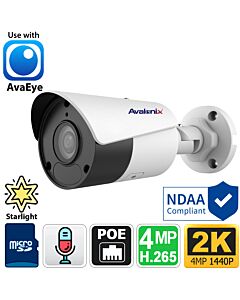
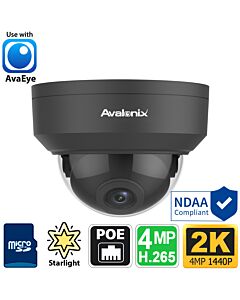
- Outdoor 4K PoE Turret Dome Camera with Mic, Starlight, 100ft Night Vision, AvaEyeSKU: IP4K1TG
- 4K · 8MP
- Built-in mic
- 2K 4MP Starlight Bullet Camera with Motorized Zoom, built-in microphone, AvaEyeSKU: IP2KBMZA
- 4MP
- Built-in mic
- 4K Two-way Audio AI Smart Camera, Bullet Style, Active Deterrence, AvaEyeSKU: IP4KBEYE4
- 4K · 8MP
- Mic + speaker
- 180 Degree Panoramic Camera, Outdoor PoE, Color Night Vision, 2-Way Audio, AvaEyeSKU: AEPANO4K
- 4K · 8MP
- Mic + speaker
- AvaEye 5MP WiFi Mini Pan Tilt Zoom with 2-Way Audio, 5X Zoom, Starlight, AvaEyeSKU: PTZ5MP5XS
- 5MP
- Mic + speaker
- Starlight 4K Motorized Zoom PoE Bullet IP Camera with Audio Support, 164ft Night Vision, AvaEyeSKU: IP4KBMZ
- 4K · 8MP
- Audio in/out
- Outdoor 2-Way Audio Mini PTZ with Active Deterrence, Auto Tracking, AvaEyeSKU: PTZ5MP4X
- 5MP
- Mic + speaker


Tested AvaEye Compatibility with Uniview and UNV Equipment
Our technical staff at CCTV Camera World has tested AvaEye cameras and NVRs with Uniview/UNV equipment. Compatibility works in both directions: Uniview cameras can be used with AvaEye NVRs, and AvaEye cameras can be used with Uniview NVRs.
Plug-and-Play Compatibility with Built-In PoE Ports
When the NVR has built-in PoE camera ports, compatible AvaEye and Uniview equipment can work plug-and-play. A Uniview or UNV camera connected to the PoE ports of an AvaEye NVR can be automatically discovered and added without manually assigning an IP address or selecting ONVIF. The same applies in the other direction when a compatible AvaEye camera is connected to the built-in PoE ports of a Uniview NVR.
This makes replacing one failed camera or NVR much easier for homeowners and small businesses. You can keep compatible equipment and existing Ethernet cabling instead of being forced to replace an entire system just because one component failed.
Compatibility Also Works Over a Local Network
The compatibility is not limited to direct connections through built-in PoE ports. AvaEye and Uniview cameras can also work with compatible NVRs when the cameras are connected elsewhere on the same local network.
In a networked installation, the camera can be added to the NVR using its network connection and ONVIF. This is useful when cameras connect through a separate PoE switch, when replacing equipment in a larger networked installation, or when the camera is not physically connected to one of the NVR's built-in PoE ports.
What Works Between AvaEye and Uniview Using ONVIF?
In our testing, compatible AvaEye and Uniview equipment can communicate through ONVIF for the functions most customers need from a security camera system. This includes live and recorded video, supported audio, and standard video-based motion detection.
This compatibility works in both directions. A Uniview camera can provide these functions to a compatible AvaEye NVR, and an AvaEye camera can provide them to a compatible Uniview or UNV NVR.
Smart Detection and VCA Features
Advanced smart video detection features are different. Features such as line crossing, intrusion detection, and other VCA or camera analytics are not handled as consistently through ONVIF as video, audio, and standard motion detection.
These functions may need to be configured directly through the individual camera's web interface. Whether a smart event can also be received and used by the NVR depends on the ONVIF implementation and the firmware installed on the Uniview/UNV camera or NVR. If a particular smart detection feature is important to your installation, contact us with your model numbers so we can help you understand what to expect.
AvaEye Cameras and NVRs - Free Remote Viewing
AvaEye systems combine professional cameras and local recording with remote access through the free AvaEye mobile app and Windows or Mac software. Choose from a broad range of 2K, 4K, and 12MP IP security cameras, including night-vision and Starlight models, cameras with microphones for audio recording, and models with smart detection features for easier event review.
Buy the cameras and NVR together when replacing a complete Uniview system, or purchase only the recorder or individual cameras when the rest of your existing equipment can still be used. Be sure to select the appropriate recording storage for your needs. Browse our PoE security camera systems for complete system choices, or shop 4K security cameras if you are upgrading individual cameras.
Order from CCTV Camera World with Confidence
We can help you find the right compatible replacement, including checking the model numbers of any Uniview or UNV equipment you want to keep. Send us your existing camera and NVR model numbers when requesting a recommendation so our technicians can help you choose the appropriate replacement.
After your purchase, our fast, free email support and video guides are available to help you set up your new equipment. Most items are in stock and ready to ship within 2–3 business days, with faster shipping options available.
Contact CCTV Camera World for help with your Uniview or UNV replacement.
Uniview Replacement FAQs
Is UNV the same as Uniview?
UNV is the branding commonly seen on Uniview cameras and NVRs. If your security camera or recorder has a UNV logo, it is Uniview equipment. CCTV Camera World can help with compatible replacement options for both Uniview and UNV branded cameras and NVRs.
Can I replace my Uniview NVR and keep the existing cameras?
Yes, in most cases. CCTV Camera World's technical staff has tested Uniview IP cameras with AvaEye NVRs. With an AvaEye NVR that has built-in PoE ports, compatible Uniview or UNV cameras can work plug-and-play. They can also be added to the NVR when connected over the local network.
Can I replace a Uniview or UNV IP camera without replacing the NVR?
Yes. CCTV Camera World has tested AvaEye IP cameras with Uniview NVRs. Compatible AvaEye cameras can work plug-and-play when connected to the built-in PoE ports of a Uniview NVR, or they can be added when connected elsewhere on the same network. This allows you to replace an individual failed camera while keeping the existing NVR and Ethernet wiring.
Do AvaEye cameras work with UNV NVRs?
Yes, with compatible UNV NVRs. AvaEye IP cameras can work plug-and-play with Uniview/UNV NVRs that have built-in PoE ports. They can also communicate with compatible UNV NVRs when connected over the local network.
Do Uniview cameras work with AvaEye NVRs?
Yes. Compatible Uniview and UNV IP cameras can work plug-and-play with AvaEye NVRs that have built-in PoE ports. Uniview cameras connected elsewhere on the same network can also be added to a compatible AvaEye NVR.
What works between AvaEye and Uniview using ONVIF?
Based on testing by CCTV Camera World's technical staff, compatible AvaEye and Uniview equipment can use ONVIF for video, supported audio, and standard video-based motion detection. This functionality works with Uniview cameras on AvaEye NVRs and AvaEye cameras on compatible Uniview NVRs.
Will smart detection from my Uniview cameras work with an AvaEye NVR?
It may, but advanced smart detection and VCA event propagation should not be assumed to work the same way as video, audio, and standard motion detection. ONVIF support for features such as line crossing and intrusion detection varies with the firmware installed on the Uniview/UNV camera or NVR. These features may need to be configured directly through the camera's web interface.
Can I keep my existing Ethernet wiring?
Yes, in most installations. Both Uniview and AvaEye IP cameras use standard Ethernet networking, so existing network cabling can normally remain in place when replacing a compatible camera or NVR. If your cabling needs to be expanded or replaced, you can also browse our network cabling for IP security cameras.
How do I choose a complete Uniview system replacement?
Start with the number of cameras you need and how long you want to retain recorded video. Also consider whether you need audio recording, smart detection, 2K, 4K, or 12MP resolution, or specialized cameras for certain locations. You can browse our complete PoE security camera systems or contact us with your requirements and we can help you select the appropriate AvaEye cameras, NVR, and storage capacity.
Will I have to set up phone viewing again?
Yes. When you replace a Uniview recorder with an AvaEye NVR, you will need to add the new recorder to the free AvaEye mobile app.