

Affordable 4K video has changed what homeowners and businesses can expect from a security camera. With 8 megapixels or more of recorded detail, a well-placed 4K camera makes it easier to review faces, clothing, vehicles, and other evidence. And Power over Ethernet (PoE) technology simplifies installation by carrying power and data over one Ethernet cable.
If you are unsure whether 4K is worth the cost, how to view or record it, or which camera style fits your property, this guide is here to help. You'll find a comparison between seven of our AvaEye cameras for home and business use, learn about the technical differences that matter, and find answers to common questions about 4K and Ultra HD surveillance.
Whether you are building a complete surveillance system, adding a standalone 4K IP camera, or upgrading an older recorder, the right model depends on the job. Viewing distance, field of view, mounting location are just some of the factors that determine what's best for you.
The term “4K” describes a video resolution of 3840 × 2160 pixels. That higher pixel count provides more detailed recorded images, but resolution alone does not guarantee useful evidence. The quality of the image sensor, lens selection, camera placement, lighting, and settings are equally important. The sections below will help you balance those factors and choose a professional 4K PoE camera at the right price for your needs.
Quick Picks: Best 4K PoE Cameras
Here's our list of Quick Picks to take a look at. For more information on these cameras and why we picked them continue reading.
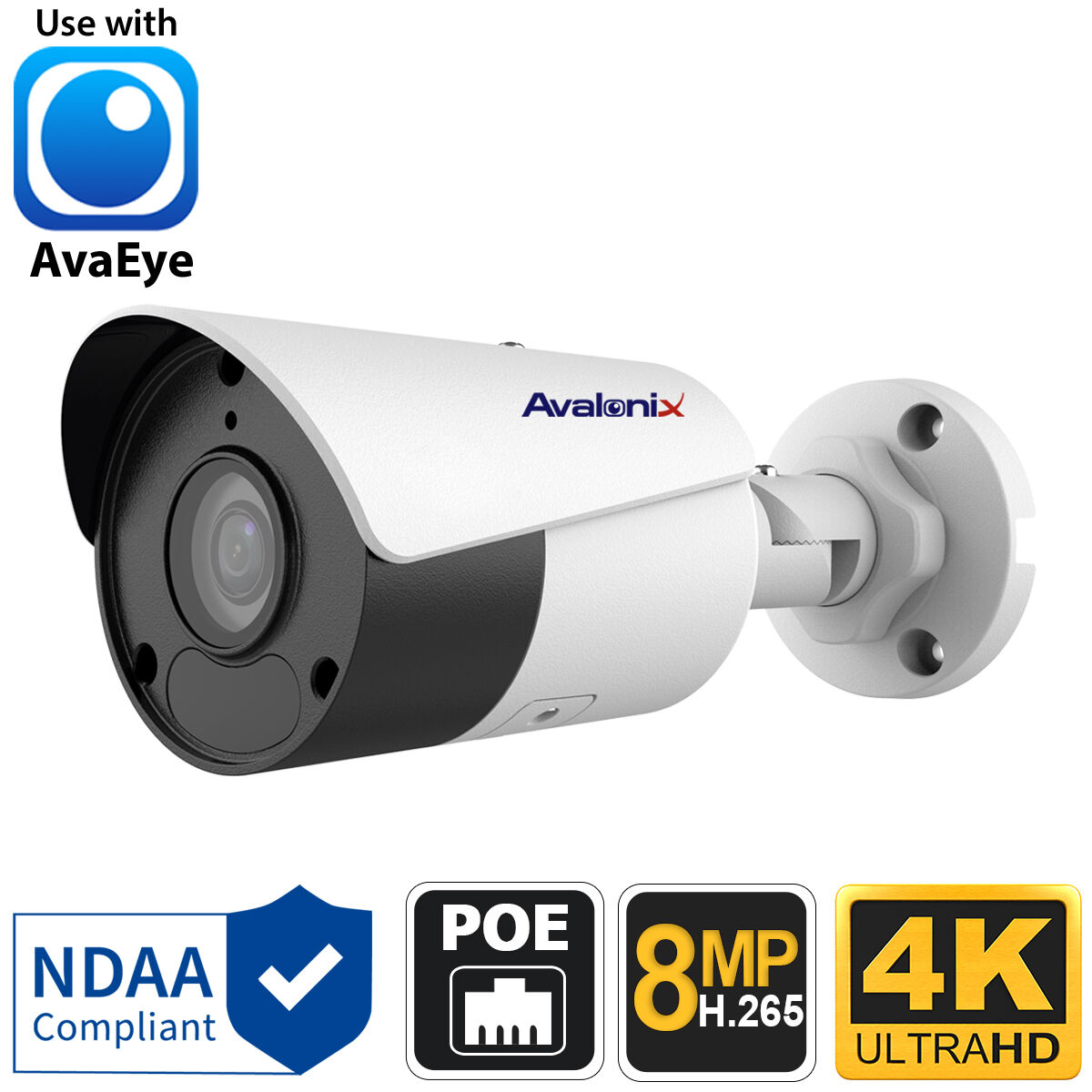
AvaEye 4K Fixed-Lens Bullet
IP4K1BLGA focused 4mm view, strong image detail, built-in microphone, and IR reach make it a balanced choice for most surveillance needs.
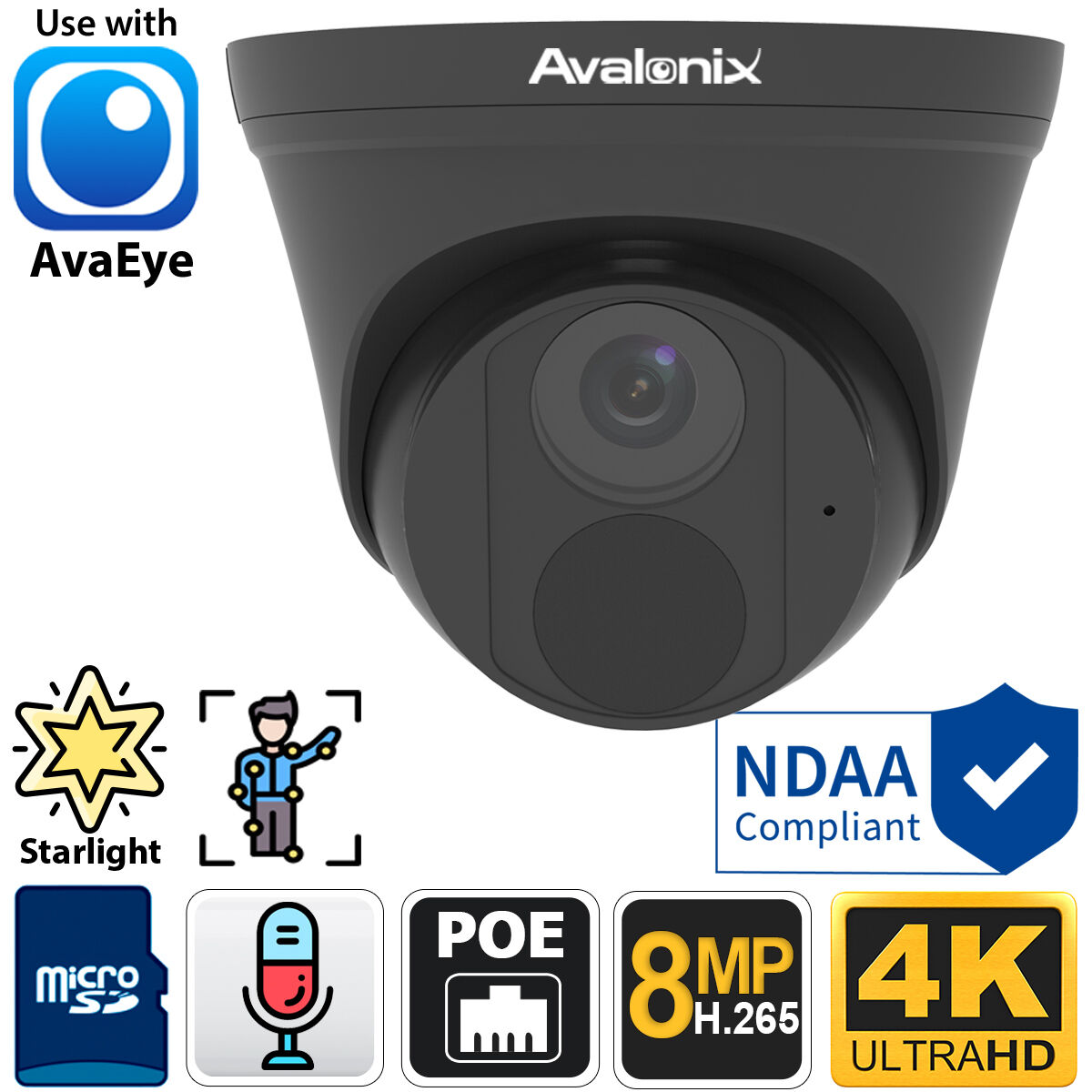
Compact 4K Turret with Microphone
IP4K1TGThe compact turret is an easy choice for placing around a property with 4K detail, Starlight performance at night, and a practical 91° view.
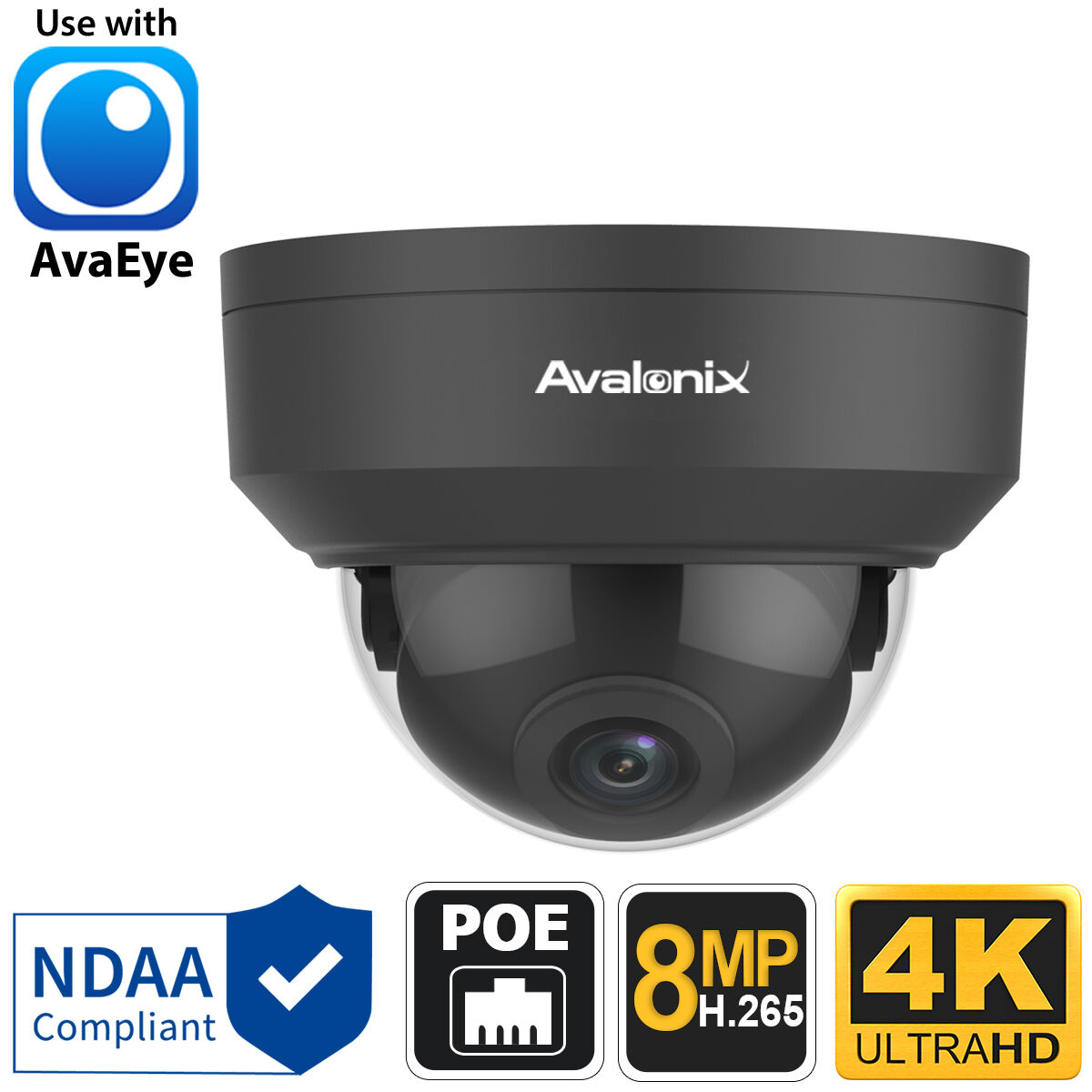
Low-Profile Vandal-Resistant 4K Dome
IP4K1D28A dark, low-profile housing blends into dark ceilings while its IK10 vandal resistant construction is valuable for exposed indoor or outdoor locations.
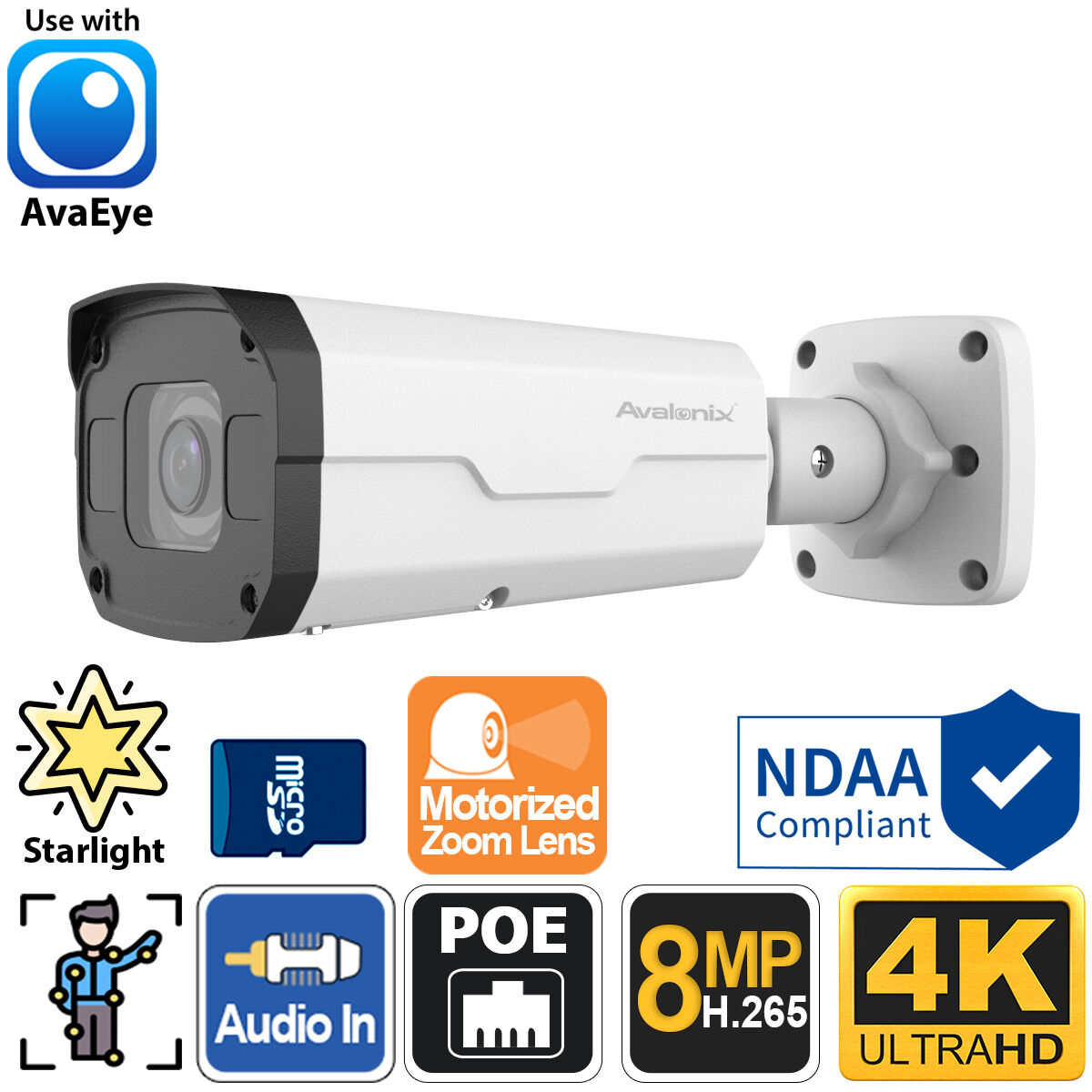
4K Motorized-Zoom Bullet
IP4KBMZThe 2.8–12mm motorized zoom lens allows you to bring a distant target closer using the app and gathers more detail at a distance than a wide fixed lens.
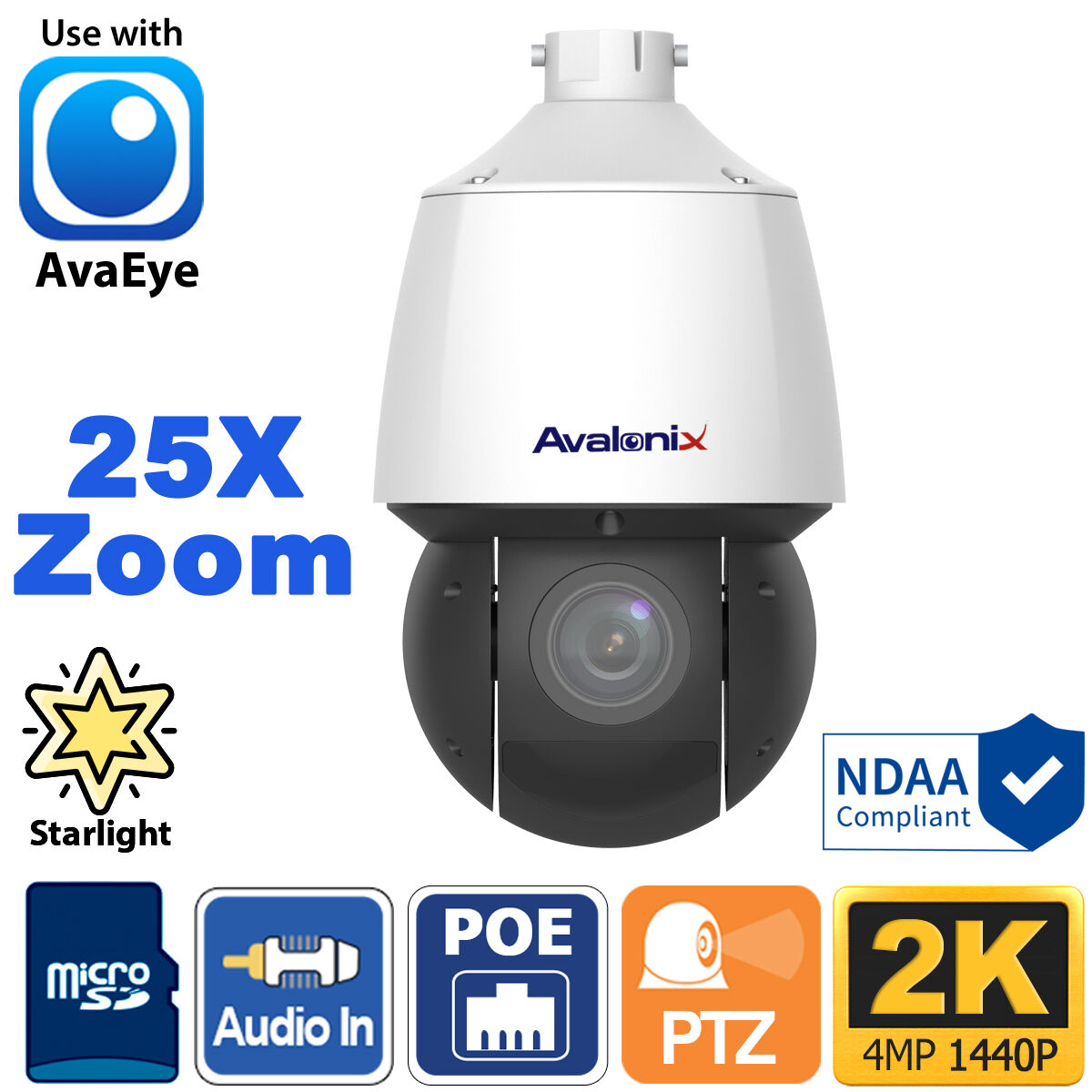
2K 25X Auto-Tracking PTZ
PTZIR2K25Although not 4K this camera packs a punch with 25X optical zoom, and very long IR reach.
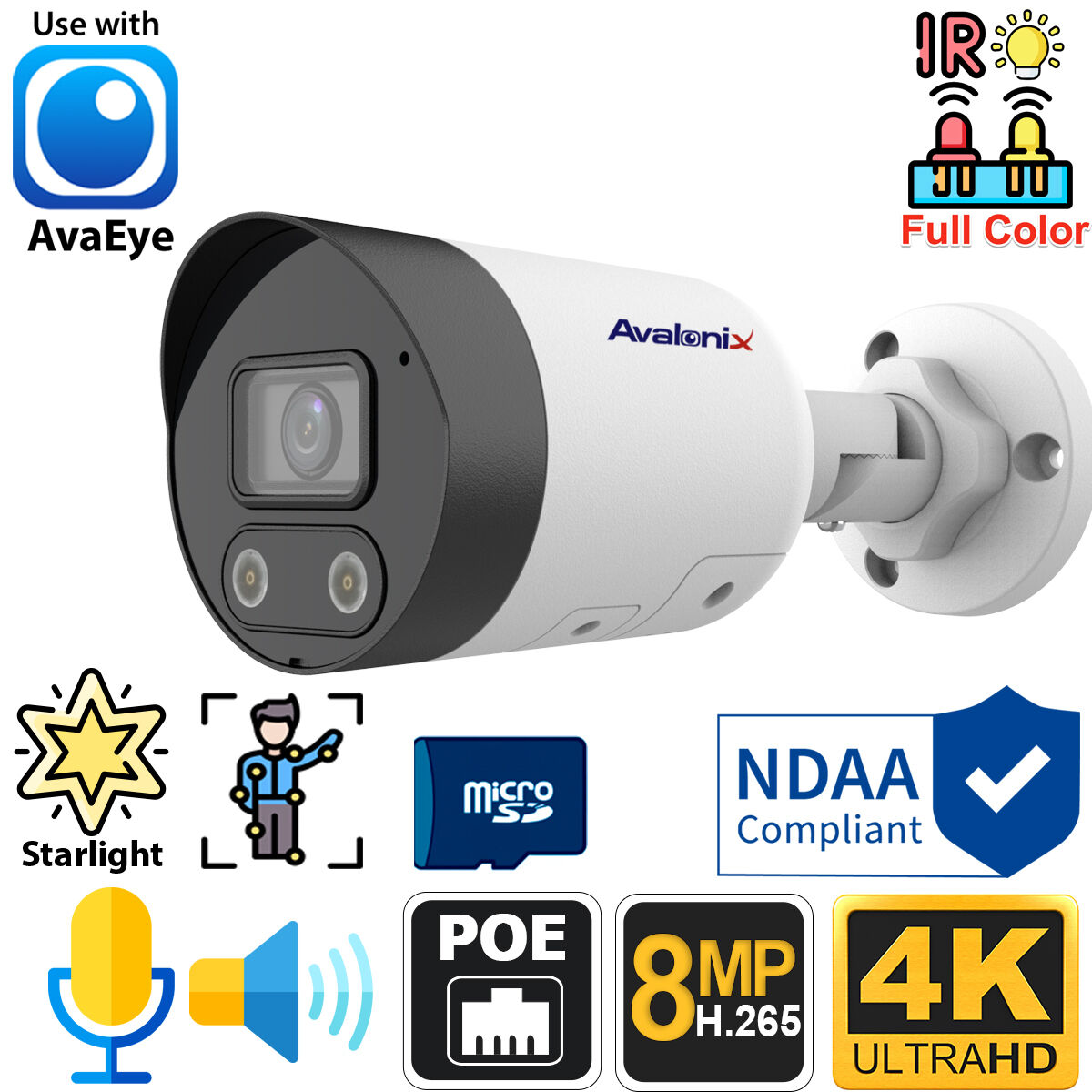
4K Active-Deterrence Bullet
IP4KBEYE4The built-in warning light, siren, and two-way audio make this camera an excellent choice for deterring unwanted activity.
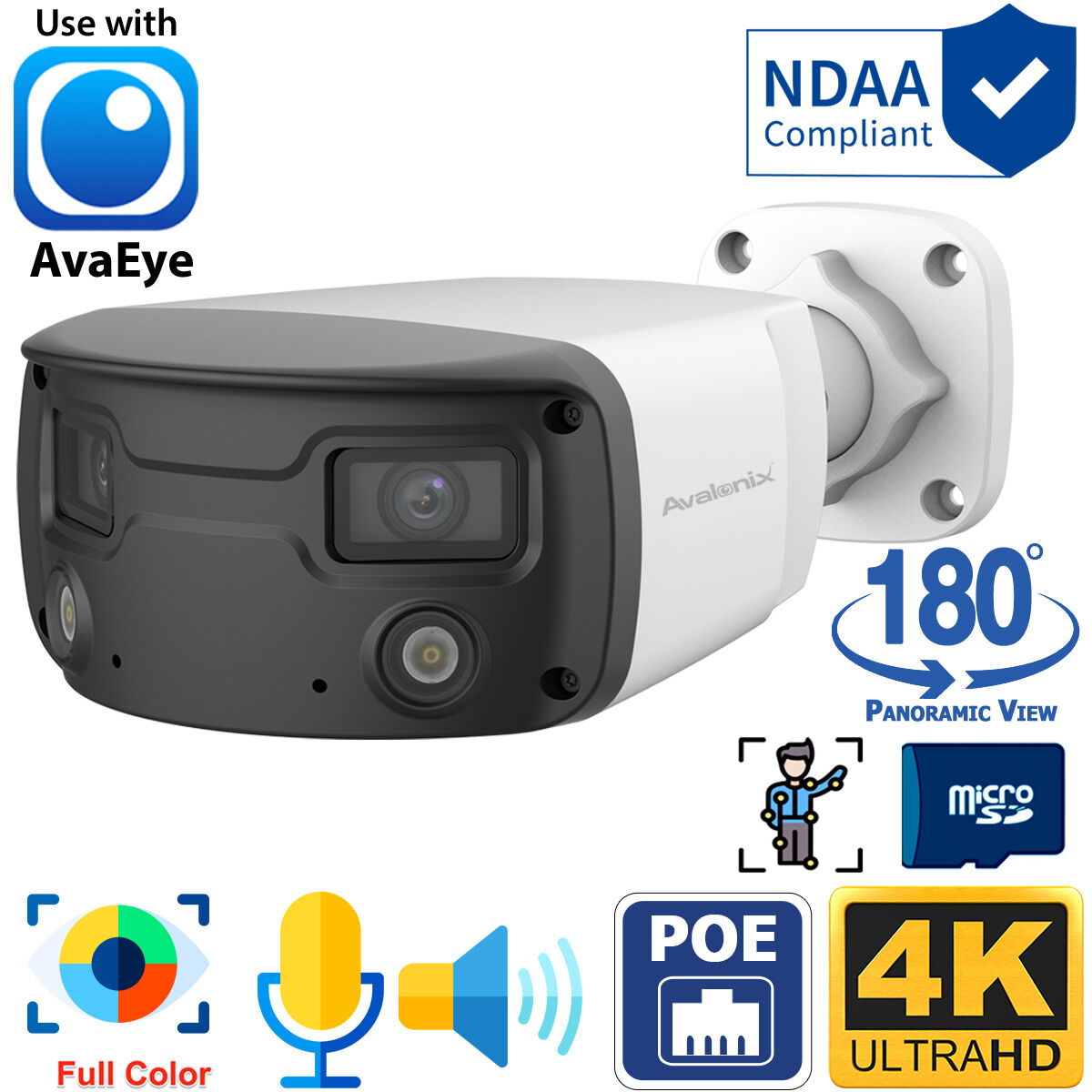
180° 4K Panoramic Camera
AEPANO4KDual sensors create a seamless 180° panoramic view to cover wide spaces, while the white-light color night vision and a built-in speaker offer an extra layer for security.
Contents
- Quick Picks: Best 4K PoE Cameras
- Security Camera Resolution Comparison
- Why Choose a 4K Security Camera?
- AI Detection with CCTV Camera World 4K Cameras
- NDAA-Compliant Camera Options
- How to Choose the Right 4K PoE Camera
- Detailed Camera Recommendations
- 4K PoE Cameras in Action: Sample Videos
- 4K IP Camera Frequently Asked Questions
Security Camera Resolution Comparison: 4K vs. 2K vs. 1080p
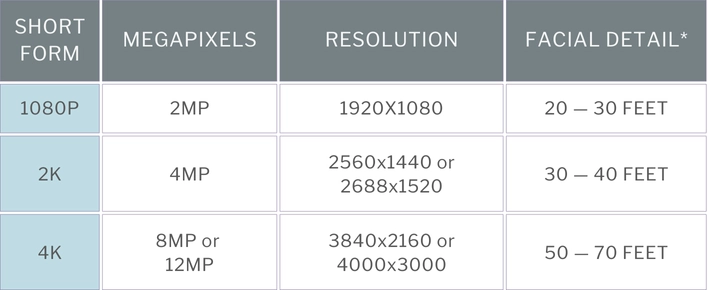
*Keep in mind the facial detail listed is based on the professional high-resolution PoE cameras we sell, which are fixed-lens cameras with an 85-degree view and daytime capture. During the night, you can expect each resolution to see faces roughly 15 to 25 feet less than during the day depending on conditions.
Real-Life Security Camera Resolution Comparison
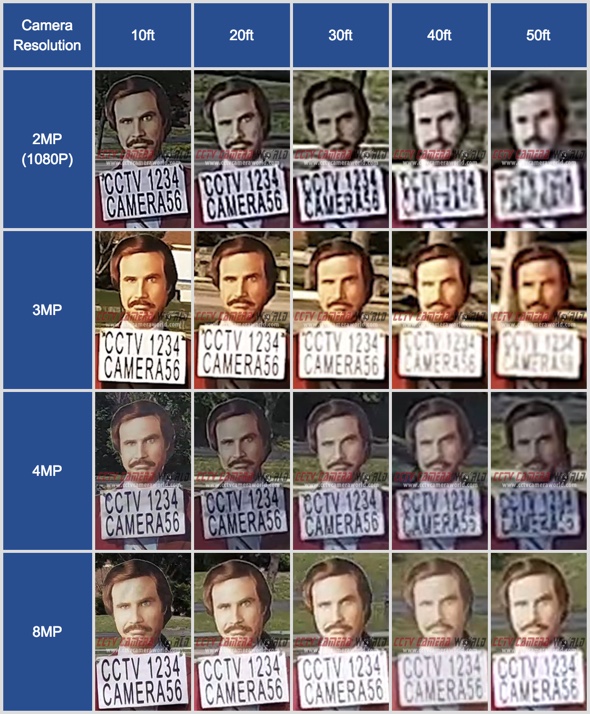
We could go on and on about video resolution, but it’s easier to understand the differences by showing examples. We made the following infographic showcasing real-life images of video captured directly from security cameras. You'll notice how 4K looks crystal clear at most distances and provides enough detail to recognize a face and read text at 50 feet!
Consideration for the Lower Resolutions
While we're focusing on the benefits of 4K security cameras, they might not always fit your budget or be absolutely necessary, even though many buyers now assume they are the right choice for every location. 4K can provide meaningful advantages in areas where detail matters, but resolution alone does not guarantee better results.
If you don't need to see faces from a distance or are simply watching wildlife, a budget-friendly 2K security camera or even a 5MP 3K camera might do the trick. Camera placement, lighting, and field of view often have a greater impact on usable video than resolution by itself.
That's the fantastic thing about buying a customizable PoE camera system from CCTV Camera World—you can mix and match camera resolutions to utilize 4K where it's important to capture as much detail as possible and save money by using lower resolutions in areas where you don't need the best detail.
Not All Security Cameras are Made Equal
By now, you understand the differences between 4K and lower-resolution cameras. You concluded that 4K cameras are the best option for your home or business, and you've also done some research to find the lowest price. You've found some "deals" on Amazon or at your local Best Buy, and you're thinking of walking out with a system that says it's 4K but only costs a couple hundred bucks. Don’t do it! As the saying goes, “You get what you pay for.”
Although a system or cameras may claim they are 4K and while they might spit out a video size of 3840x2160 pixels, there are huge differences in picture quality because of a particularly important part of a camera: the image sensor! The electrical components in cameras, known as image sensors, transform the light we see into a digital image for viewing or recording.
Many of the low-quality cameras and systems available from big box stores and giant e-commerce retailers have lower resolution image sensors (typically 4 or 5 MP) and use "interpolation" technology to upscale the lower resolution and produce "4K" video in order to keep costs low. This process results in low-cost camera recordings that are not truly 4K in quality.
While the difference in quality may not be apparent to the naked eye when comparing videos side-by-side, the difference is extremely obvious when digitally zoomed in. With true and good-quality 4K image sensors, there isn't as much pixelation when you enlarge the video using digital zoom. On a cheap camera that uses upscaled 4K, you’ll immediately notice that the video is blocky and pixelated, and it may even have glitches as the upscaling technology tries to fill in the blanks.
Image sensors aren’t the only thing that low-cost systems compromise on. We dive deeper into the image sensor problem and other significant differences in quality in our aptly named “Why Not to Buy Cheap Security Cameras” article.
At CCTV Camera World, we take quality very seriously. We test our security cameras for their image and build quality before they even make it onto the website.
The image below compares a video from one of our 4K bullet cameras, located on the left, with a low-cost camera from a system available on Amazon and Big Box Stores. They are both 4K resolution cameras, but as you can see, finer detail is missing from the cheaper camera on the right. In real-world use, having a cheap 4K camera is not going to provide the video you'll need when something happens.
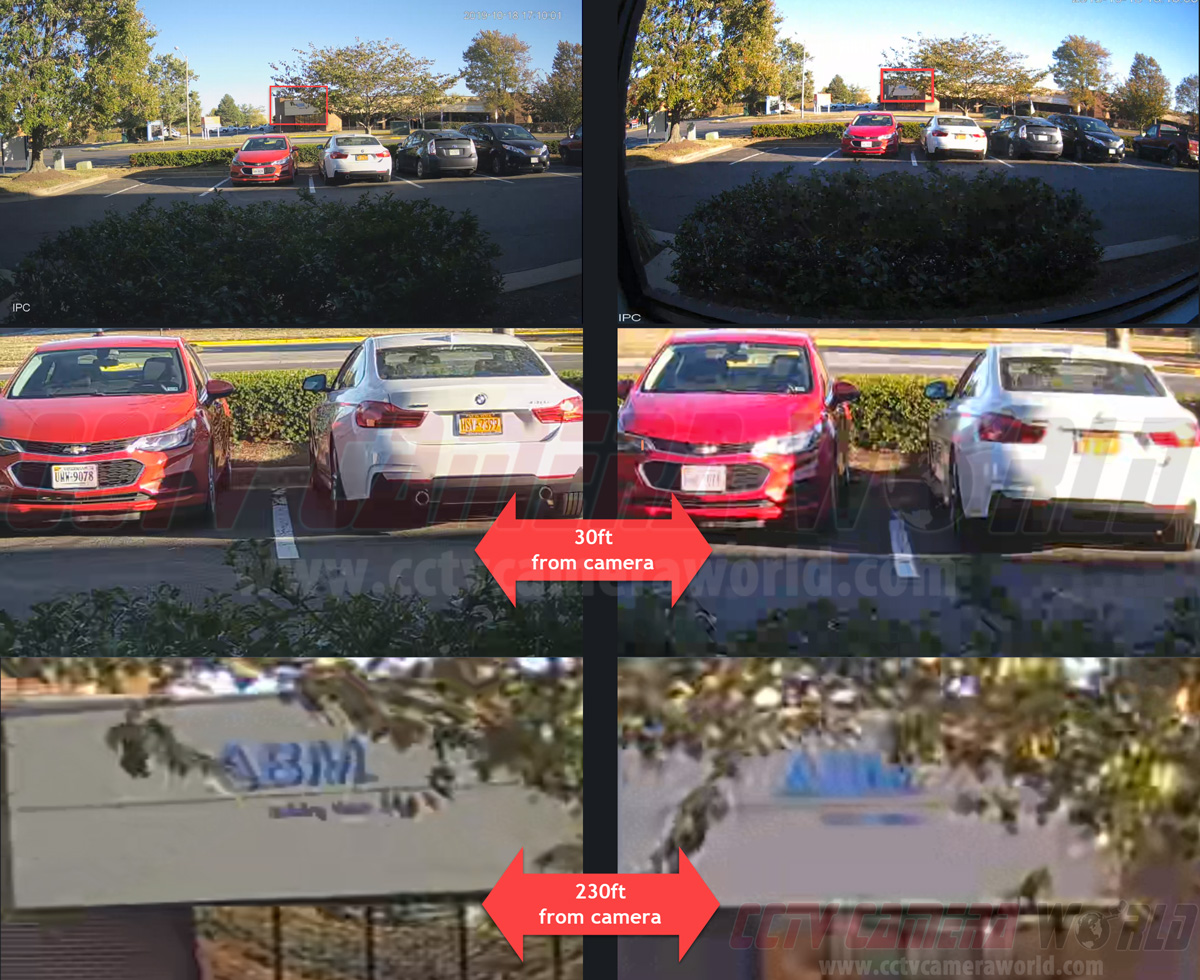
If budget is a concern, the takeaway is not to avoid affordable cameras altogether, but to avoid poorly built or misleading ones. In many situations, a well-chosen 2K or 3K camera with a quality image sensor can deliver more usable detail than a low-end, upscaled “4K” model. We break down how to choose affordable home security cameras that prioritize real image quality, proper sensors, and practical use cases in our guide to the best cheap home security cameras.
Reaping the Benefits: Why Choose a 4K Security Camera?
After confirming that 4K is the best security camera resolution, we can discuss in more detail why 4K video is so excellent for surveillance, as well as the other benefits that our UltraHD security cameras provide.
Enhanced Detail and Image Clarity
As we pointed out earlier, 4K PoE cameras come equipped with 8MP image sensors, allowing them to capture ultra-high-resolution video. Think about it like painting: it's a lot harder to add details on a small 4x6 postcard than on a big 30x40 canvas. Higher resolution means a bigger 'canvas' for catching all those details. With a 4K surveillance camera, you're getting a huge 'canvas' of 3840x2160 pixels, compared to 1920x1080 or 2560x1440.
4K video's high detail density results in noticeably better image clarity, especially when using the digital zoom feature present in our 4K security camera systems. Digital zoom allows you to choose a segment of the video and enlarge it using software.
When compared to lower resolutions, digital zoom is quite different. With lower resolutions, using digital zoom results in pixelated and blurry images. The reason is that stretching the image simply doesn't retain enough detail or have enough pixels to maintain image clarity. The beauty of 4K cameras is that they retain finer detail even when digitally zoomed in, making them a superior choice for surveillance needs.
Clearer Video at Night
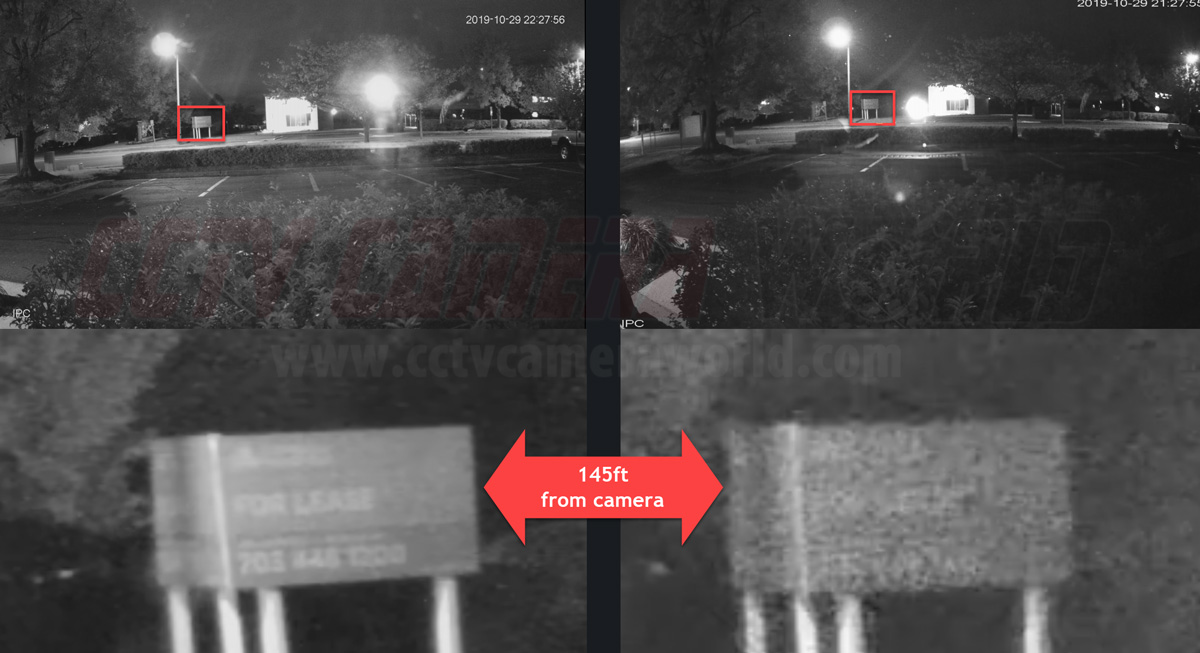
It might seem obvious by now, but 4K security cams also really shine at night compared to lower-res ones (pun intended). In low light, every pixel counts. When night falls, 4K cameras really step up their game, capturing clear video. Lower-res cameras often produce grainy, noisy video at night that makes it more difficult to see the details that matter.
Besides high resolution, many 4K cameras come with advanced nightcapture technology. They use low-lux Starlight imaging sensors to work better in low light. These low-light sensors mean 4K cameras can still record in color mode with ambient lighting. Take advantage of the improved contrast and nighttime clarity to ensure you don't miss out on any vital details.
Improved Facial Recognition
Capturing facial details accurately is key when you have security cameras. Sure, it's useful for seeing who's at the door, but it can also be crucial in legal situations. This is where 4K cameras really come into play, with enough detail to capture unique features and facial expressions from a greater distance than lower resolutions. The level of detail can make all the difference when trying to identify someone for prosecution.
Faces are key evidence to show someone was there during a crime, fight, or accident. If things go to court, 4K camera footage can be the clear evidence you need. Unlike lower-res cameras that give you pixelated or blurry images, 4K cameras produce sharp, detailed images that hold up in court.
Additionally, with their high-res video, 4K cameras are ideal for today’s advanced facial recognition technology. AI technology helps identify threats and control access to secure areas. If capturing facial details with clarity is a priority, 4K cameras are your best bet.
CCTV Camera World's 4K Cameras Have AI Motion Detection
In addition to their high resolution, our 4K cameras feature AI detection that integrates seamlessly with our Network Video Recorders (NVRs). This isn't ordinary motion detection; it's a whole lot smarter and more accurate, resulting in fewer false alerts to your phone and less bogus recording compared to traditional video-based motion detection that can only look for changes in pixels.

Professional network-based surveillance cameras
Shop professional-grade IP cameras with crystal-clear 4K video, color night vision, and easy PoE or WiFi setup—built for reliable home and business security.
Shop IP CamerasWhile AI detection has become popular on security cameras, it’s important to understand what it can and cannot do. In professional surveillance systems, AI detection is best thought of as a filtering tool, not a decision-maker. It works by classifying objects, such as people and vehicles, to reduce unnecessary alerts and recordings.
Putting cameras in the right places, with proper lighting and a clear field of view, is one of the best ways to make AI detection work more effectively in the real world. Poor angles, heavy backlighting, and cluttered scenes will impact accuracy, regardless of the camera’s resolution.
Smart Motion Detection
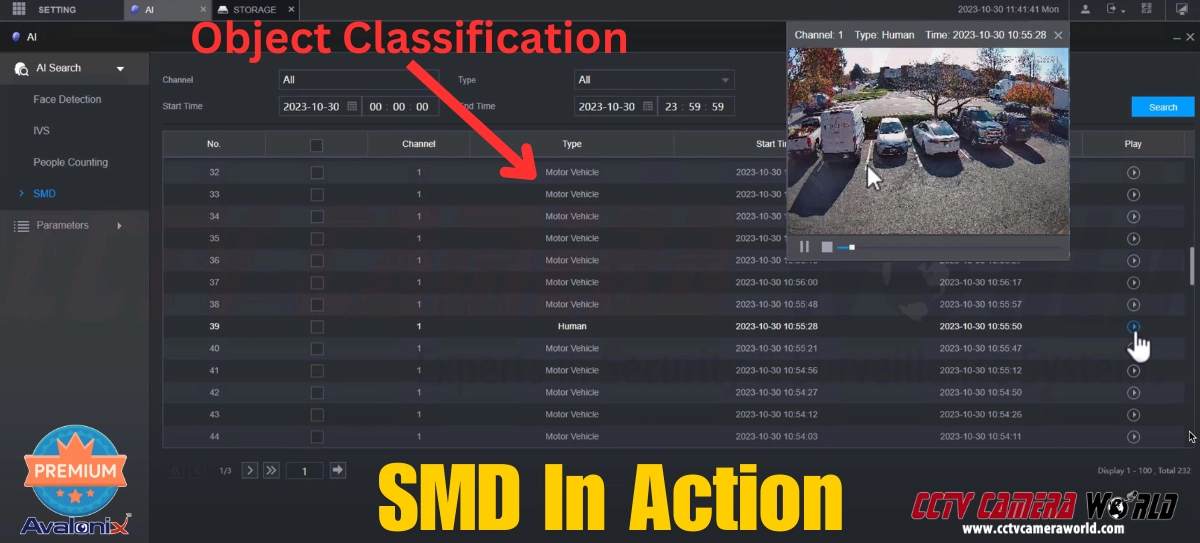
Smart Motion Detection (SMD) is similar to traditional video-based motion detection but with a huge improvement. SMD only alerts you when it detects a human or vehicle, rather than triggering when any pixels change in the video. With SMD, you won't have as many false motion detection alerts and recordings caused by things like shadows, insects, or swaying branches as you would with old-school pixel-based motion detection.
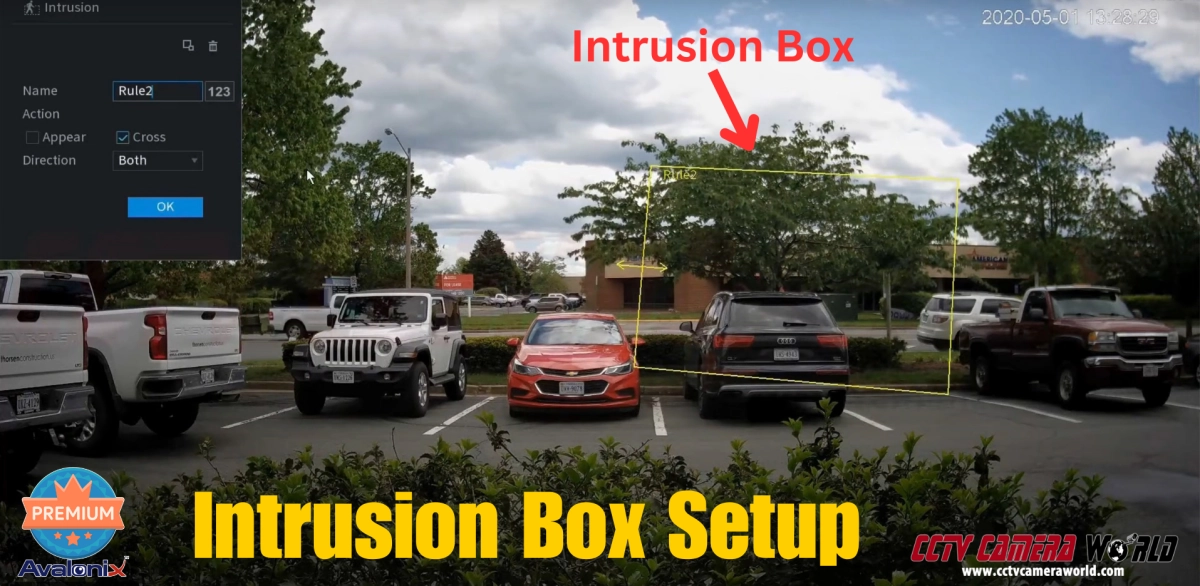
Intrusion Detection and Tripwire
The most popular AI technologies our 4K cameras have include Intrusion Detection and Digital Tripwire features. These features provide the ability to draw digital boundaries on your camera's view, depending on the specific camera model. This type of AI is akin to having a virtual guard monitor your custom boundaries and trigger recording as soon as an object violates your rules.
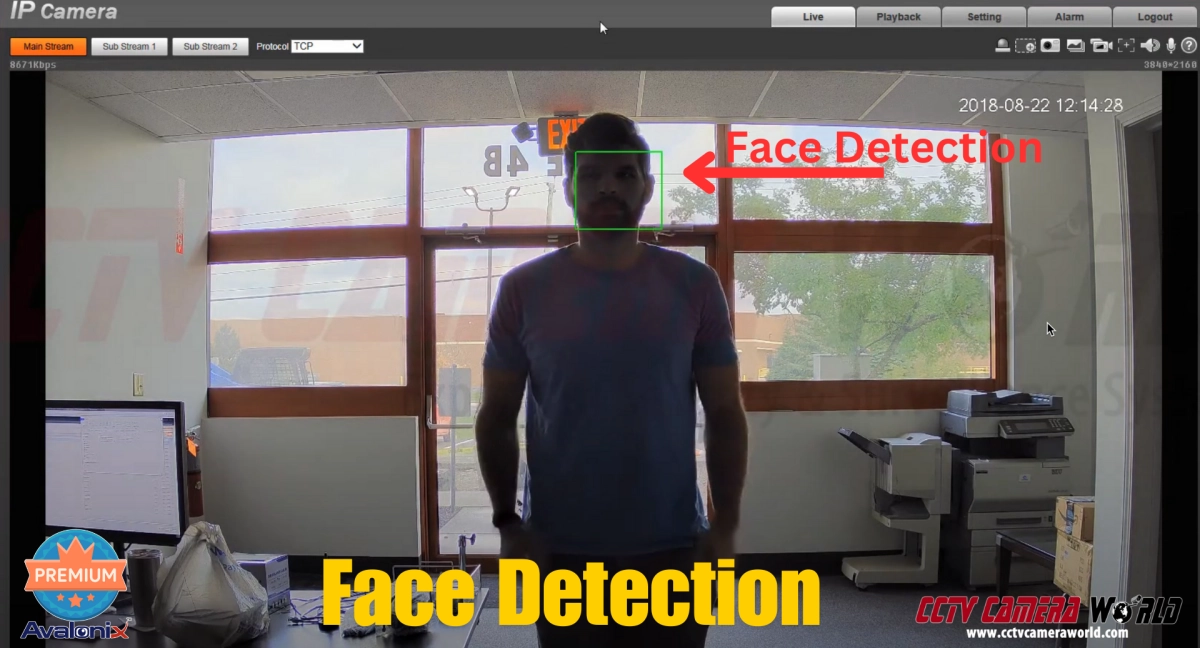
Face Detection
Some models also offer face detection as a feature. Cameras with this feature can detect when a face is present in the video. Face detection is particularly useful for verifying visitors and identifying employees or banned patrons.
Commercial Analytics
Some 4K models also come with several analytic features that are useful in commercial settings. These features include:
- Abandoned/Missing Object Detection: This feature can alert you if an object has been left unattended or if something has gone missing.
- People Counting: an excellent tool for businesses looking to track and plan around customer traffic.
- Heat Mapping: provides information about foot traffic patterns over time by showing areas of high and low activity.
NDAA-Compliant Camera Options
Every camera in our AvaEye line is NDAA compliant. That matters for federal and military projects and may also matter to organizations that receive federal funding or work under federal contracts.
Shop NDAA-compliant equipment or read what NDAA compliance means for security cameras.
How to Choose the Right 4K PoE Camera
These recommendations focus on PoE cameras from our AvaEye line. Base your decision on what you want the camera to see, not the longest feature list. Fixed-lens cameras are best for consistent coverage, motorized zoom is best when the target area is farther away and needs magnified, PTZ is best for actively surveilling a large area, and last but not least panoramic cameras are best when one mounting point must cover a very wide scene.
4K PoE Camera Comparison
Advanced analytics and two-way audio require a matching AvaEye recorder using the app.
| Product | Best for | Shape | Lens / field of view | Night vision | Resolution / FPS | Smart detection | Audio | Price |
|---|---|---|---|---|---|---|---|---|
| IP4K1BLG 4K Fixed Bullet | Balanced detail and reach | Bullet | 4mm fixed 86.5° | Starlight up to 164-ft IR | 4K / 20fps | Human line crossing and intrusion | Built-in mic | $229.99 In stock View |
| IP4K1TG Compact 4K Turret | Value and flexible placement | Turret | 4mm fixed 91.2° | Starlight 100-ft IR | 4K / 20fps | Human line crossing, intrusion, SMD | Built-in mic | $229.99 In stock View |
| IP4K1D28 Vandal- Resistant 4K Dome | Dark ceilings and exposed mounting | Dome | 2.8mm fixed 112.7° | 100-ft IR | 4K / 20fps | Human line crossing and intrusion | None | $229.99 In stock View |
| IP4KBMZ 4K Zoom Bullet | Long range and precise framing | Bullet | 2.8–12mm motorized 107.4°–29.2° | Starlight 164-ft IR | 4K / 20fps | Line, intrusion, enter/leave, counting, face, SMD | Audio in/out | $499.99 In stock View |
| PTZIR2K25 2K 25X PTZ | Active coverage of large areas | PTZ dome | 4.8–120mm 25X optical / 52.2°–2.7° | Starlight 330-ft IR | 2K / 30fps | Auto tracking plus advanced analytics | Audio in/out | $949.99 In stock View |
| IP4KBEYE4 4K Deterrence Bullet | Siren, warning light, and talk-back | Bullet | 4mm fixed 86.5° |
100-ft IR or white-light | 4K / 20fps | Human/vehicle SMD plus advanced analytics | Built-in mic and speaker | $308.00 In stock View |
| AEPANO4K 180° Panoramic | Wide storefronts, yards, and open areas | Dual-sensor bullet | 4mm fixed 180° | 100-ft white-light color | 5120×1440 / 20fps | Line, intrusion, enter/leave, counting, SMD | Built-in mic and speaker | $487.99 In stock View |
Choose by Property Type
Most PoE cameras can usually serve most settings, but priorities often differ.
For a Home
- Use the compact IP4K1TG around doors, porches, and general exteriors.
- Choose the IP4K1BLG for a more focused driveway or side-yard view.
- Use IP4K1D28 when a low-profile, impact-resistant dome is needed.
For a Business
- Use IP4KBEYE4 where visible and audible deterrence is important.
- Choose IP4KBMZ or PTZIR2K25 for gates, lots, and perimeters.
- Use AEPANO4K for wide storefronts, loading areas, or open spaces.
Detailed Camera Recommendations
The product pages contain more information, current warranty and return terms, and any configuration options.
AvaEye Outdoor 4K PoE Bullet Camera
SKU: IP4K1BLGA strong pick for driveways, entrances, gates, and building sides where a fixed, focused view is more useful than an ultra-wide scene.
- 4K detail at 20fps for clear recorded evidence.
- 4mm fixed lens balances coverage and detail.
- Starlight imaging, built-in mic, and advanced analytics.
AvaEye Compact 4K PoE Turret with Microphone
SKU: IP4K1TGThis compact turret can mount under an eave or to a ceiling and offers 4K/20fps recording.
- Small housing fits a wide variety of mounting locations.
- 91° view works well for porches, offices, and general exterior coverage.
- Starlight low-light performance and Smart Motion Detection.
AvaEye Vandal-Resistant 4K PoE Dome
SKU: IP4K1D28The black low-profile dome blends into dark ceilings and is harder to damage or tamper with than an exposed bullet or turret camera.
- IK10 impact resistance rating for exposed and high-risk locations.
- Ultra-wide 112.7° view covers lawns, entrances, retail areas, and hallways.
- 4K/20fps video with human-body line and intrusion detection.
AvaEye 4K Motorized-Zoom PoE Bullet
SKU: IP4KBMZThe adjustable 2.8–12mm lens can be zoomed into distant targets instead of recording a scene that is too wide to see detail at a distance.
- 4X motorized optical zoom, adjustable from the compatible NVR, app, or software.
- Up to 150 feet of facial detail at full zoom in ideal daylight conditions.
- Advanced analytics include people counting, face detection, and SMD.
AvaEye 2K 25X Auto-Tracking PTZ
SKU: PTZIR2K25 · 4MP 2K cameraThis is intentionally a 2K alternative in a 4K guide. It is a better fit when controllable pan/tilt, 25X zoom, auto tracking, and exceptional IR range are more important than 8MP resolution.
- 25X optical zoom covers distant gates, lots, yards, and perimeters.
- Auto tracking can follow people until they leave the scene after rules are configured.
- 330-foot IR range and Starlight imaging provide good detail in large dark areas.
AvaEye 4K Active-Deterrence Bullet
SKU: IP4KBEYE4Choose this model when you need a camera that does more than just record. Motion and Smart Detection can trigger its warning light and built-in speaker, while the built-in two-way audio lets you talk through the camera.
- Built-in warning lights, siren, and two-way talk.
- 4K at 20fps with an 86.5° view for useful detail.
- IR or warm-light color night modes both reach up to 100 feet.
*ONVIF can provide compatibility for video , but it does not guarantee analytics, active deterrence, or two-way audio.
AvaEye 180° 4K Panoramic PoE Camera
SKU: AEPANO4KDual sensors stitch a broad 180° image without the curved look of a fisheye lens, making this a good one-camera option for streetviews, storefronts, loading areas, yards, and parking lots.
- 5120×1440 video at 20fps covers an ultra-wide scene.
- White-light LEDs provide up to 100 feet of color night vision.
- Built-in mic and speaker for audio recording, listening, or two-way talk.
Witnessing 4K PoE cameras in Action: Seeing the Benefits
As the saying goes, “A picture is worth a thousand words.” We’re not here to simply talk about the power of 4K security cameras; we’ll also show you video taken from one. We recorded this video directly from our Ultimate Series 4K camera; it’s not just a stock video sample. You'll see how clearly it captures our cutout's face and the characters on the paper hanging around his neck. In this example, you can see what our 4K cameras provide. That's the kind of top-notch surveillance quality you can expect with our 4K cameras at your home or business. If the video looks blurry, it’s because YouTube is showing a lower resolution. Make sure you set the YouTube video quality to the highest possible using the gear icon at the bottom right of the video.
It’s also worth noting that while 4K cameras record video at a much higher resolution, most people view live and recorded footage scaled to fit their screen. The real advantage of 4K becomes apparent when digitally zooming into recorded video or exporting footage for review, which is where the additional detail is. Even when viewed on standard 1080p displays, higher-resolution recordings provide less pixelated video when it matters most.

Frequently Asked Questions
Are 4K PoE cameras worth the investment?
The answer really depends on your budget and the objectives you've set for your surveillance system. Indeed, 4K cameras are the pinnacle of new security camera systems. However, if you choose to purchase a system from CCTV Camera World, you'll have the flexibility to mix and match resolutions to design the ideal system that not only fits your budget but also meets your specific needs. In areas where you need more than 40 feet of facial detail, opt for 4K cameras. For areas where detailed surveillance isn't as necessary, 2MP or 4MP cameras should be more than enough.
Can I use a 4K camera indoors and outdoors?
Most of the 4K security cameras on our website have a weather-resistant rating for outdoor use. You can use them both indoors and almost anywhere outdoors. An overhang is typically necessary for IP65 or IP66 cameras to prevent water pooling and weather-resistant gasket wear. However, not all cameras are designed for outdoor use, so be sure to review their specifications. Every camera on our website includes a feature list and specification sheet that provide information about its weather resistance rating.
What's the difference between a 4K camera and a standard 1080p camera?
As outlined in the Security Camera Resolution Comparison section of this article, 4K IP or PoE cameras record video that is roughly four times the size of 1080p cameras. The specifics can vary with each camera, but generally a 4K camera can identify faces from 50 to 70 feet away, while 1080p cameras can only see faces from 20 to 30 feet away. The section also includes a table illustrating the difference in resolution: 4K video has a resolution of 3840 x 2160, while 1080p video offers a resolution of 1920 x 1080.
Do 4K IP cameras require special wiring or installation?
Installing 4K IP security cameras is not too difficult. They don't require any special wiring, though the process will vary depending on the type of camera you purchase. You can run standard CAT5e or CAT6 Ethernet cables up to 328 feet, and they are compatible with 4K IP cameras. Equipment is also available to extend beyond 328 feet. While bullet cameras are usually easier to install than dome cameras, neither type is exceptionally difficult to install.
How much storage space does 4K surveillance require?
It’s difficult to give specific recommendations for the amount of storage space needed to record and store 4K video. A number of factors influence how much storage you may need, including, but not limited to:
- How many cameras?
- Before overwriting occurs, how long do you want the system to record?
- Do you want to record continuously, 24/7? Or only when AI, or motion detection, is activated?
Our Security NVR and DVR Hard Drive Calculator is an excellent tool to estimate the size of the internal drive you'll need. Simply input the number of cameras, their resolution, and the number of days you want to record continuously. The calculator will then display the "Total HDD Required."
You can round this number up or down to the nearest terabyte (TB) to determine what drive to purchase. If you plan to record only when motion or AI detection triggers, your required hard drive should be approximately 30–50% of the calculated size. For example, if the calculator recommends a 2TB drive for continuous recording from 4 cameras for 7 days, but your intention is to record only during motion detection for up to 7 days, a 1TB internal drive should suffice.
Do I need a 4K monitor to benefit from a 4K security camera?
No. Although 4K cameras record video at a much higher resolution, footage is usually scaled to fit the viewing screen through an NVR, PC software, or mobile app. The primary advantage of 4K is the ability to digitally zoom into recorded video or export footage with more detail and less pixelation. Even when viewed on standard 1080p displays, higher-resolution recordings from 2K and 4K cameras provide more usable detail when reviewing incidents.
Is AI detection reliable enough to replace traditional motion detection?
As of 2026, AI detection is still best used as an enhancement to traditional motion detection rather than a complete replacement. It helps filter alerts by identifying people and vehicles, reducing false notifications caused by shadows, animals, or weather. For best results, proper camera placement, lighting, and aiming should be your priority.