


Matthew Rossi

-
Comcast Router Port Forwarding
 In order for your security system to be accessible from your phone or computer, you must make port forwarding rules in your home router to allow traffic from the internet. You must first make a physical connection between your security DVR and your router with a network cable. These “port rules” tell your router to […]
 -
Zhone 1512-A1 Router Port Forwarding
 To be able to access your security system while you are away from the physical location of the DVR, you will need to enable port forwarding with your network router. Within your router you must create what are called “port rules” to allow traffic from the internet access your security system. To create port rules […]
 -
Bell Router 2Wire 2701HG-G Gateway Port Forwarding
 Port forwarding with your Bell router is a little different then other types of routers but still very familiar and simple. To enable internet access to your DVR unit, you will need to create “port rules” within your router. What these rules do is instead of your firewall completely blocking all traffic trying to access […]
 -
Motorola NVG510 Port Forwarding Guide
 Port forwarding with your router is a process of making “port rules” within your router that point internet traffic to your DVR. This in turn makes your DVR accessible and viewable from online for offsite viewing. In this guide we are demonstrating the port forwarding process on the AT&T Motorola NVG510 router.
 -
Port Forwarding for your Security DVR and NVR
 Port forwarding is essential to making your security DVR or NVR accessible from online using either your computer or mobile device. It is a configuration setting in your router that must be set properly in order to view your security camera system from the internet. This guide will take you through the steps of configuring […]
 -
UBEE DDW365 Router Port Forwarding for Time Warner Cable Customers
 Port forwarding with the UBEE model DDW365 TWC is a very simple and easy process. There is a port forwarding section within this router that you access to make what are called “port rules.” These rules allow select traffic from the internet to access certain devices on your network that the rules are being made […]
 -
Netgear Genie Nighthawk R7000 Port Forwarding for Security DVR
 Within the Netgear Genie Nighthawk R7000, there is a port forwarding section you will need to access for port forwarding. To enable port forwarding on your system you will need to make “port rules” in your router to allow select traffic from the internet to allow access to devices on your network. Without this configuration […]
 -
Frontier Netgear B90-75502 Router Port Forwarding for DVR Camera System
 Frontier Netgear router port forwarding is also called Enable Applications. Using this port forwarding feature you can instruct the router firewall to allow select traffic from the internet to access a device on your local network. In security camera systems this is very important, without it you cannot see your security cameras when away from […]
 -
BLC vs HLC vs WDR
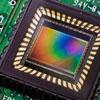 There are many different features that go into security cameras that the average consumer is simply not knowledgeable about. Manufacturers take advantage of this fact and mislabel products they offer, promising features and quality that their cameras can simply not provide. The aim of this article is to educate users about these different features and enable […]
 -
New for November - Analog and IP Cameras
 We’ve had a lot of requests from our customers to start alerting everyone of new products through our blog instead of just via social media. This will be the first of many new articles that will give you a brief overview and demonstration of our newest products hitting our website. Stay tuned for more new […]
 -
Brand Name IP Camera Compatibility List
 We are frequently asked by customer migrating their existing network camera systems to our NVRs whether their IP security cameras would be compatible with our video recorders. After extensive research, we have compiled the list below. It applies to CCTV Camera World NVRs, Hybrid NVRs, and Tribrid DVRs. If you don’t see your camera on […]
 -
Smart PSS Monitoring Software Guide
Smart PSS is a computer software that will allow you to access your DVR with a multitude of functionalities. To be able to access your live video feeds, stored video, and download recorded video brings a whole new element of security. To new users, this program may seem intimidating to master. We assure you that […] -
How to Crimp RJ45 on CAT5e Network Cable
This video will show how to crimp RJ45 connects to either Cat5e or Cat6 network cable. You can find the CAT5/6 crimping tool here. It has an RJ-45 crimping jack, RJ-11 crimping jack, wire stripper, and wire cutter. Briefly, here is how you crimp network cable: -
720p Indoor IP Camera with WiFi and Two-Way Radio
This video shows the IP100CM; a 1.3 megapixel IP camera. The camera has a 3.6mm lens for an eighty-degree angle of view, one IR LED for up to 33 feet of night vision, real time 30 frames per second 720p video streaming, and is PC, Mac, iPhone, iPad, and Android compatible. This camera also offers […] -
HDCVI – 720p Pan Tilt Zoom (PTZ) Security Camera
This camera has a 1.3 megapixel CMOS image sensor which provides a 720p HD resolution which equals 1280 by 960 pixels. The larger image size and increased resolution allows for better detail and zoom during playback. This camera has a set function which allows you to select an area on screen using the mouse and […] -
HDCVI - 1080P 4/8 Channel DVR
The front face the HDCVi HD DVR has numeric and playback keys, and an LED display for power, network, hard drive, and channels. The rear face at the DVR has 4/8 BNC video inputs, four audio inputs, one audio output, one BNC video output, RS 232 and VGA outputs, a network cable port, HDMI out […]