

Best Security Cameras Without Subscriptions for 2026

Monthly cloud plans and storage fees are some of the most common hidden costs in home security. Most cameras work without a subscription, but features such as video history, storage longer than a few days, and sometimes even smart alerts may require a subscription. If your goal is reliable coverage and the ability to review footage when it matters, those recurring fees can add up quickly.
This guide focuses on security cameras you can use without paying monthly fees. In most cases, that means local recording, either to a microSD card in the camera, a local recorder (NVR), or both. The upsides are simple: you control your footage, it records on-site, and your cameras keep recording even when your internet goes down.
Next, we will lay out our top subscription-free picks for 2026 and then explain what "no subscriptions" really means, including common misunderstandings, and when an NVR makes more sense than a standalone camera.
Before we get into our top picks, here is a quick real-world example of what a no-subscription security camera setup actually looks like. This short shows a standalone PoE camera recording locally to a memory card, with phone viewing and playback, all without a cloud plan.

Our Picks


If you are trying to avoid monthly fees, the biggest decision is not brand; it is the recording method. Some cameras can record locally to a microSD card, others work best when paired with a local recorder (NVR), and most of our options can do both. The picks above focus on cameras that don’t require a cloud plan, with clear local recording options and realistic expectations about what you get without paying any additional subscriptions or fees.
If you want an affordable and simple camera for a single area, start with the Best Overall pick. Check out the 4K option if you care most about digital zoom or fine detail. If smart alerts matter, the Smart Detection pick is the best fit for cutting down on false alerts and nuisance notifications. The Outdoor pick's sleek design and IP67 weather resistance make it a solid option if you need dependable low-profile coverage outside.
What are the Best Security Cameras Without Subscriptions?
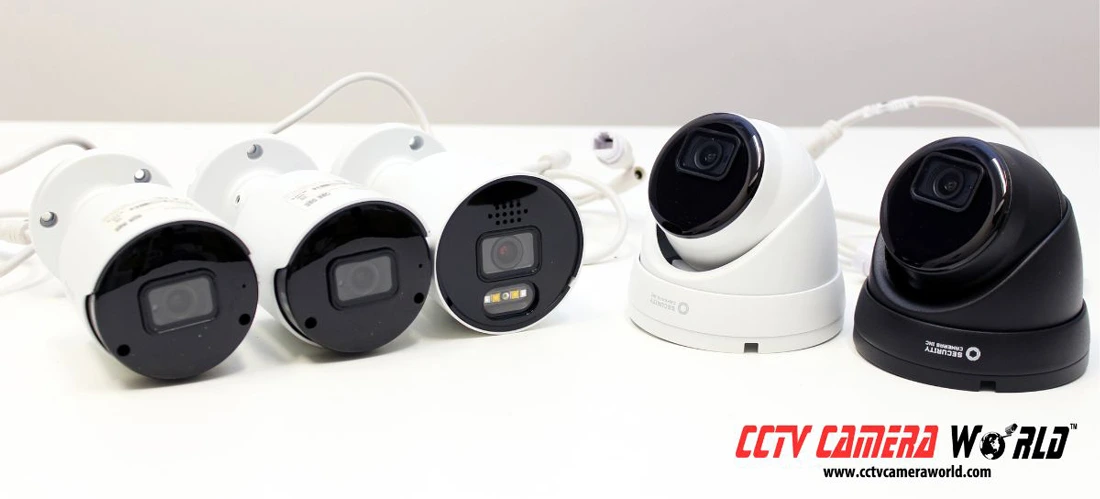
The best security cameras without subscriptions are the ones that have full recording and playback features without requiring a storage, cloud, or maintenance plan. After extensive testing, our top subscription-free picks are the Security Cameras Inc SC5BL, SC4KBL, SC4KBLADAI, and SC4KT, which were selected to give you local recording options and practical day-to-day usability without monthly storage fees.
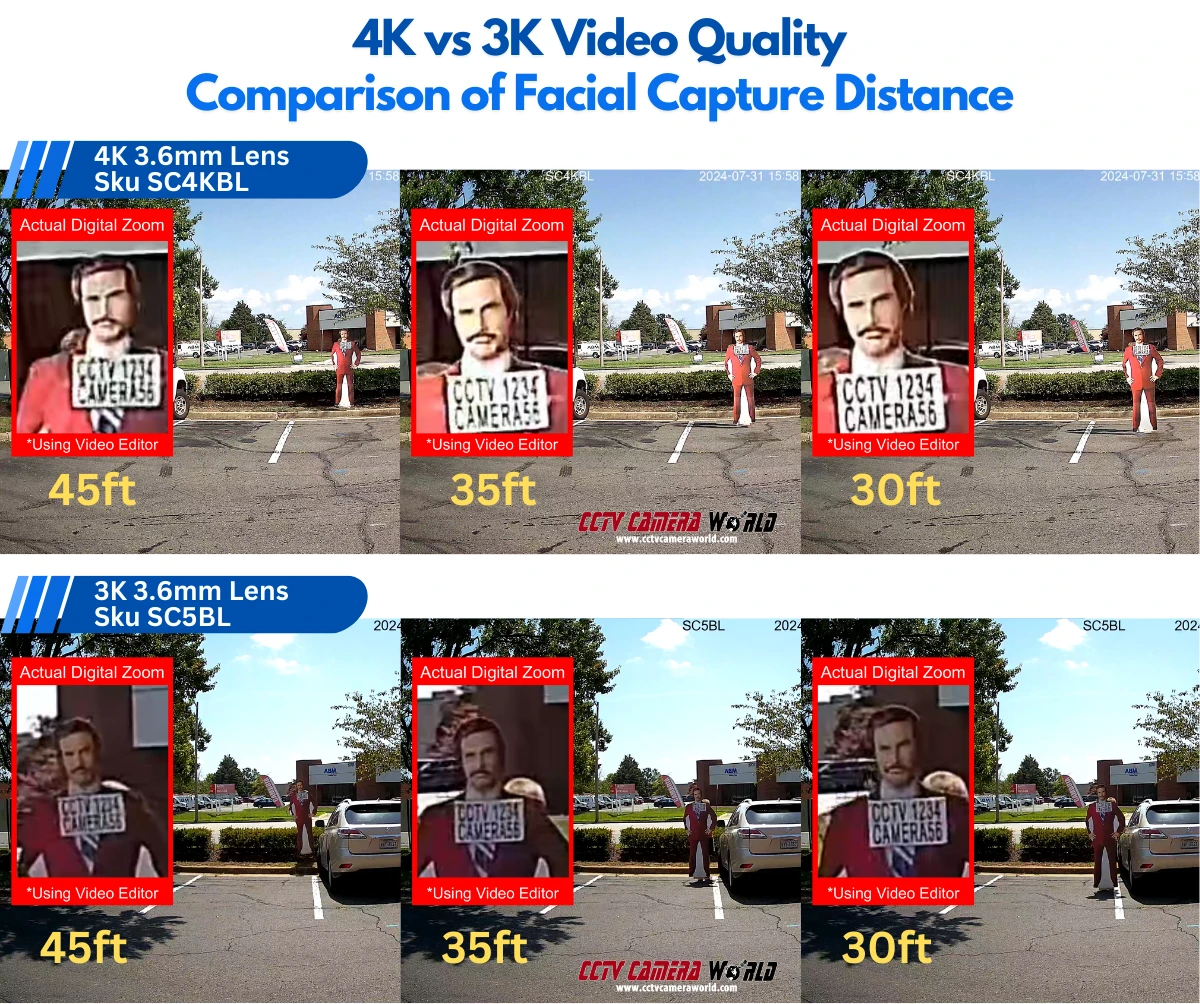
Are you looking for a simple and affordable camera that can cover a single area and are not worried about capturing extreme detail? The Security Cameras Inc SC5BL is a strong contender. It uses a 5MP sensor to deliver crisp 3K video with a fixed 91-degree field of view, giving you a clean, wide overview. In daytime conditions, you can typically make out faces clearly at distances up to about 35 feet. It is also available in a 5MP turret style with the same core specifications.
If you want to see a bit farther and capture more usable detail, a 4K camera like the Security Cameras Inc SC4KBL is the better choice. It is an affordable, professional-grade option that uses an 8MP sensor to record true 4K (3840x2160) video. In daytime conditions, it can capture facial detail at distances up to about 45 feet with a wide 91-degree view. It is also available in a 4K turret dome version.
The image below compares screenshots taken from real video testing of our two best budget security cameras. The top displays screenshots from the SC4KBL 4K camera, while the bottom displays those from the SC5BL 3K camera. It highlights the differences in facial clarity at 45 feet, 35 feet, and 30 feet.
If you’re curious to learn about our other cameras with various options while still avoiding monthly fees, take a look at our selection of microSD security cameras and PTZ cameras. Whether you are covering a small space with a single camera or planning a more capable setup, those pages can help you compare options and get more out of your system.
In the sections below, we break down each camera and why we picked it. For a quick side-by-side comparison of our subscription-free picks, we have laid out the key features in the table below.
Compare the Best Security Cameras Without Subscriptions
| Camera Model | Resolution | Price | Key Features | Best For | Facial Distance |
|---|---|---|---|---|---|
| SC5BL | 5MP (3K) | $74.99 | AI Detection Audio IR 100ft | Basic Security | 35 feet |
| SC4KBL | 8MP (4K) | $99.99 | 4K 8MP Smart Detection Audio IR 100ft | Budget 4K | 45 feet |
| SC4KBLADAI | 8MP (4K) | $79.99 | Active Deterrence Red/Blue LEDs White Light 66ft IR 82ft Two-way Audio | 4K Active Deterrence | 50 feet |
| SC4KT | 8MP (4K) | $99.99 | 4K 8MP Smart Detection Audio IR 100ft | Low-profile 4K Security | 40 feet |
Best Overall Security Camera Without a Subscription
The Security Cameras Inc™ SC5BL 5MP PoE Bullet is our top pick for the best overall security camera without subscriptions because it delivers professional-grade coverage without recurring fees. It is an affordable PoE camera that costs well under $100 and does not require monthly subscriptions to record locally and review footage.
The SC5BL uses a 5MP image sensor to record full 3K video (2880x1620) at a smooth 30 frames per second. It pairs that resolution with a 3.6 mm lens and a 91-degree field of view, giving you a wide, practical angle for entries, driveways, and general-purpose coverage. At night, its built-in infrared LEDs provide up to 100 feet of night vision for general detail in darkness. It also has a starlight sensor with low-light performance down to 0.004 lux, so with enough ambient lighting it may stay in color mode longer before switching to infrared.
Why we picked the SC5BL
It is hard to beat the SC5BL on value. For under $80 with no subscription costs, you get clear 3K video, Smart Detection AI, audio recording, and IP67 weather resistance in a camera that is straightforward to set up and easy to use.
Pros:
- 5MP 3K video resolution
- Real-time 30 frames per second
- Built-in microphone
- Weather-resistant for indoor or outdoor use
- AI Smart Detection features
- Wired PoE
- ONVIF Support
- No monthly fees or subscriptions
Cons:
- No optical zoom or PTZ features
- Not WiFi
- Not Battery-powered
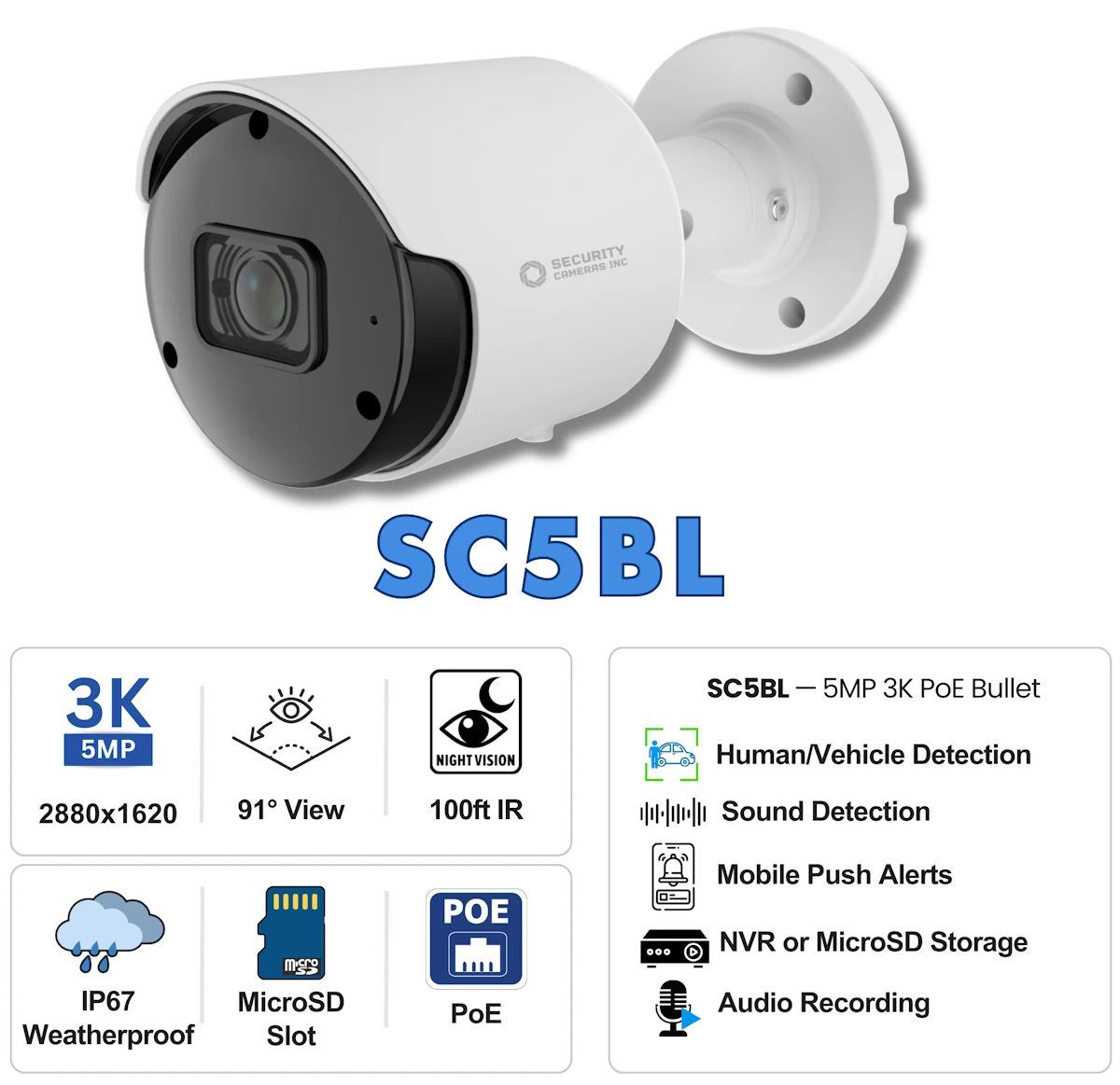
The value is not just what it can capture; it is how much it includes for the price. For under $100, the SC5BL packs in modern essentials like a built-in microphone for audio recording (up to about 25 feet), plus AI-based Smart Detection options that let you create rules and schedules to fine-tune alerts and recording behavior. On top of that, its IP67 rating makes it a solid choice for indoor or outdoor use.
We recommend pairing it with a compatible Security Cameras Inc NVR for the best recording experience, but it can also be used as a standalone camera with support for up to a 256GB microSD card. It also supports ONVIF for sending video to third-party NVRs or software.
If you prefer a lower-profile shape closer to a dome, the same core features are available in the SCI 3K Turret Camera, with a wider 110-degree view and facial detail up to about 30 feet
Best 4K Security Camera Without a Subscription
For $100, the Security Cameras Inc SC4KBL is one of the most affordable ways to get true 4K video without getting pushed into monthly cloud fees. It is built for local recording, so you can review footage when it matters without paying for a storage plan.
The SC4KBL uses an 8MP image sensor to capture UltraHD 4K (3840x2160) video at 20 frames per second through a 3.6mm lens with a 91-degree field of view. At night, its infrared LEDs provide black-and-white night vision with general detail out to about 100 feet. With enough ambient lighting, it can stay in color down to 0.009 lux. It is also a rugged metal camera with an IP67 weather rating for indoor or outdoor use, and it includes a built-in microphone for audio recording.
Why we picked the SC4KBL
The SC4KBL delivers true 4K clarity and Smart Detection features at a price that still makes sense for a subscription-free setup. It is a strong choice if you want higher resolution footage for digital zoom and better playback detail, without stretching your budget or paying ongoing fees.
Pros:
- 8MP 4K video resolution
- 20 frames per second
- Built-in microphone
- Weather-resistant for indoor or outdoor use
- AI Smart Detection features
- Wired PoE
- ONVIF Support
- No monthly fees or subscriptions
Cons:
- No optical zoom or PTZ features
- Not WiFi
- Not Battery-powered
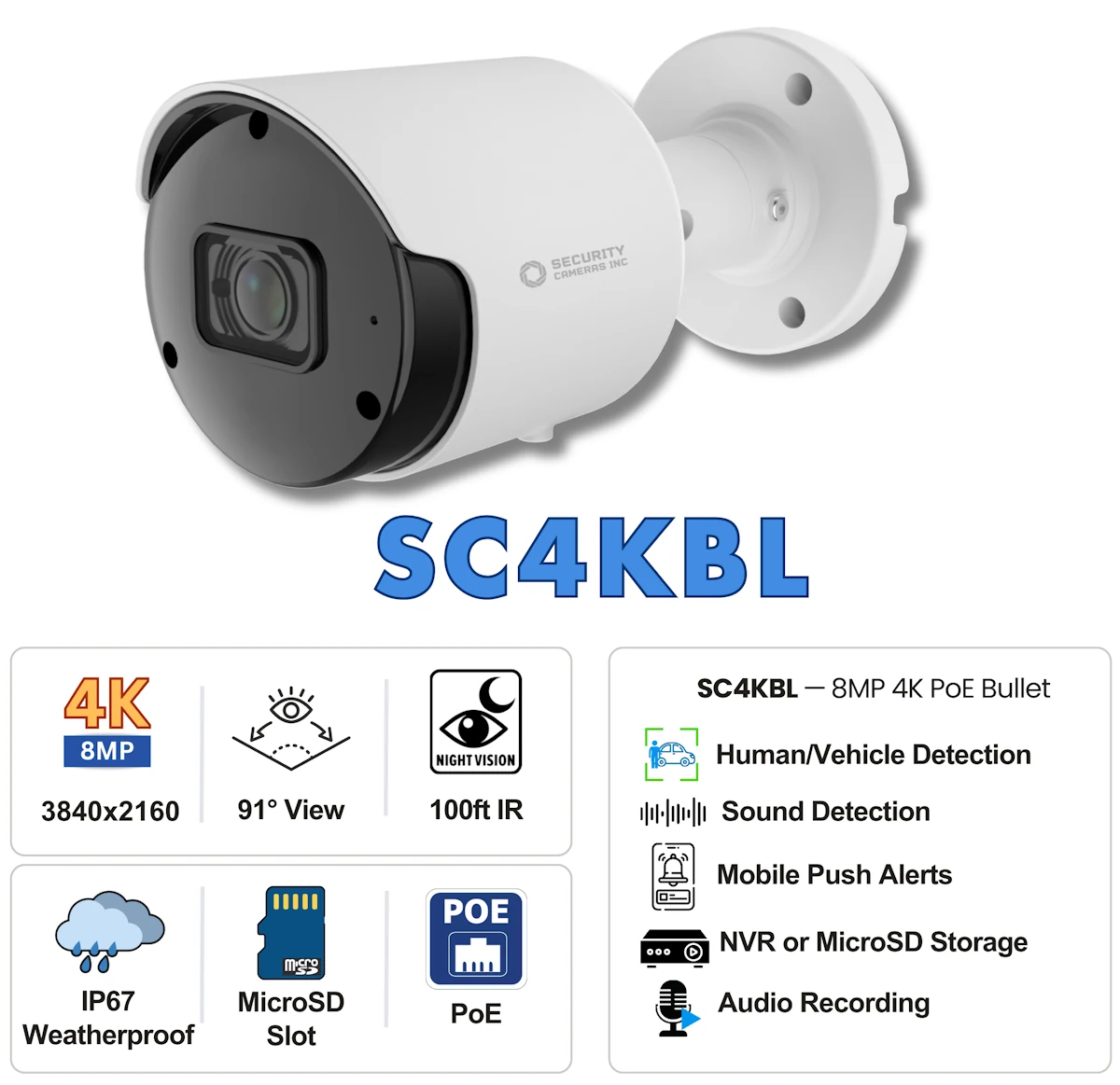
Like the SC5BL, the SC4KBL includes a wide range of Smart Detection analytics to cut down on false alerts and make notifications more useful. Features like human and vehicle detection, face detection, and perimeter protection rules help you focus on the events you actually care about, instead of constant motion triggers.
For recording, the best experience is pairing it with a compatible Security Cameras Inc NVR for continuous recording and longer retention. If you want to integrate it with third-party recorders, it has ONVIF-compatible video streams. If you only need a single camera, you can also run it standalone using a microSD card up to 256GB for local storage.
The SC4KBL is available for $99.99. If you prefer a dome-style form factor for a cleaner outdoor install, the SCI 4K PoE Turret Camera offers the same core features with a wider 110-degree view and facial detail up to about 40 feet. We cover it in more detail in the Best Outdoor section below.
Best Smart Detection Security Camera Without a Subscription
The most comprehensive camera of our top subscription-free picks is the Security Cameras Inc 4K Active Deterrence bullet camera, model SC4KBLADAI. It is a strong option if you want one camera that can do more than just record video locally. Instead of relying on cloud plans and app add-ons, it gives you a full-featured, professional setup that still works without monthly fees.
What makes the SC4KBLADAI different from most fixed-lens cameras is active deterrence built right into the housing. It includes police-style red and blue warning LEDs, a bright floodlight, and a built-in speaker. When customized or manually activated, these features can help you react to an intruder in real time and discourage someone from loitering on your property.
Why we picked the SC4KBLADAI
The SC4KBLADAI combines true 4K video with Smart Detection analytics and built-in active deterrence, making it one of the most capable subscription-free cameras in this guide. It is a great fit if you want more robust protection in a single camera without paying ongoing cloud fees.
Pros:
- 8MP 4K video resolution
- Smooth 30 frames per second
- Built-in microphone
- Smart Detection with AI
- White Light and Infrared
- Red-and-Blue Strobing Lights
- Speaker for Alerts and Two-way Audio
- IP67 weather-resistant
- Reliable wired PoE connection
- ONVIF Support
- No monthly fees or subscriptions
Cons:
- No optical zoom or PTZ features
- Not WiFi
- Not Battery-powered
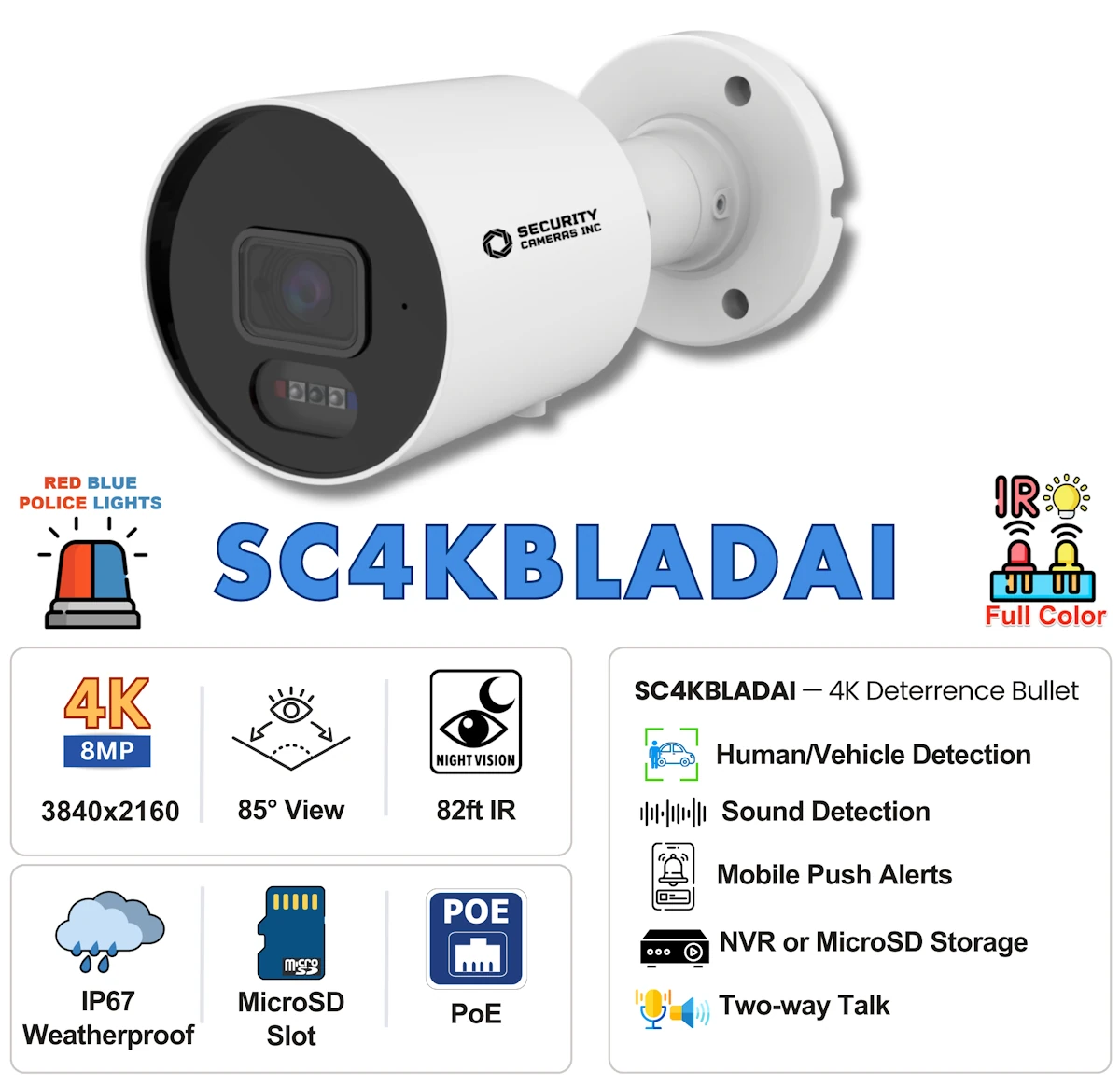
This camera also supports Smart Event Detection that can trigger the lights or audible alerts based on the rules you set, rather than basic motion alone. That means you can fine-tune how it reacts to activity and cut down on nuisance alerts. Whether you are setting up face detection or perimeter rules around a specific area, the goal is the same: fewer bogus events and more accurate triggers.
On the video side, the 8MP sensor captures true 4K video at up to 30 frames per second. Its 3.6 mm lens provides an 85-degree view and can capture facial detail up to about 50 feet in daylight. At night, you can choose between infrared for crisp black-and-white video up to about 82 feet or white light for full-color night vision up to about 66 feet. It also includes a built-in microphone for audio recording, plus a speaker for two-way audio.
If you prefer a turret dome form factor, the same core specs are available as the 4K Turret PoE Dome SC4KTADAI, with a wider angle and facial detail up to about 40 feet.
Best Outdoor Security Camera Without a Subscription
If you are shopping for an outdoor camera and want to avoid monthly fees, the Security Cameras Inc SC4KT is an easy pick. It is a 4K turret-style PoE camera that is built for local recording, so you can keep footage on a microSD card or record to an NVR without paying for cloud storage.
Where the SC4KT really earns its spot is coverage. Its wide 110-degree view and UltraHD 8MP 4K (3840x2160) video sensor make it a strong choice for porches, garages, side yards, and driveways, especially when you want one camera to see a larger area without constantly adjusting the mount. It is also IP67 weather resistant, so it is ready for permanent outdoor installations.
Why we picked the SC4KT
The SC4KT is our Best Outdoor pick because it gives you wide-angle 4K coverage in a clean turret form factor while being subscription-free. If you want a reliable exterior camera that feels like a proper system camera instead of a cloud gadget, this is the one.
Pros:
- 8MP 4K video resolution
- 20 frames per second
- Built-in microphone
- Weather-resistant for indoor or outdoor use
- AI Smart Detection features
- Wired PoE
- ONVIF Support
- No monthly fees or subscriptions
- Small form-factor
Cons:
- No optical zoom or PTZ features
- Not WiFi
- Not Battery-powered
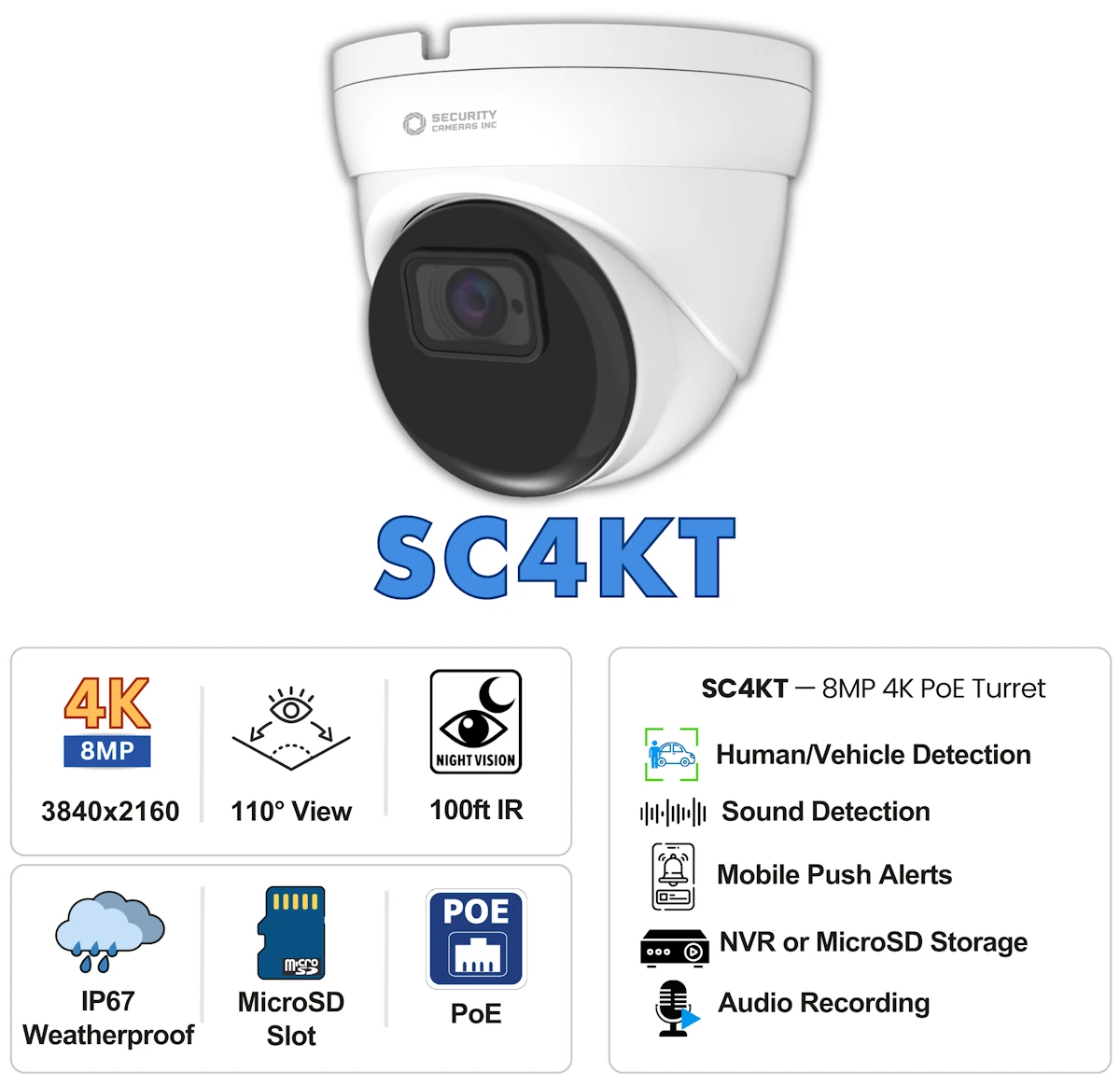
Like the other cameras in this guide, it also supports Smart Detection features to help reduce nuisance alerts, so you are not stuck with constant basic motion notifications. For recording, the best experience is pairing it with a compatible Security Cameras Inc NVR for 24/7 recording and longer retention, but it can also be used as a standalone camera with support for up to a 256GB microSD card.
What "No Subscription" Really Means
When most online companies say a camera works "without a subscription," they usually mean you can view live video for free from an app. That does not mean you can record or play back footage without paying. The main question is where your video gets saved and how long you can keep it.
In practice, subscription-free cameras fall into two categories: cameras that record locally to a microSD card and cameras that record to a local recorder (NVR). Some can do both. Local recording means your footage stays on your property, and it can keep recording even if your internet goes down.
The tradeoff is that cloud-free setups put the responsibility on local hardware. A microSD card has a limit on how much it can store, and it is easier to lose days of footage if the card fails. An NVR costs more up front, but it is designed for 24/7 recording, longer retention, and managing multiple cameras in one place.
One more thing to note if you plan on installing a complete system: even if a camera supports ONVIF or "third-party recording," features like smart detection events, two-way audio, and alerts do not always work between brands. To get the most out of a system, stick with cameras and an NVR that are designed to work together.
NVR vs Cloud Cameras: Which is better for avoiding subscriptions?
If your goal is avoiding monthly fees, local recording is the best answer. The choice comes down to whether you want standalone cameras that store video locally to a microSD card or a full system that records to an NVR.
- MicroSD recording is the simplest way to avoid cloud fees. The camera records to a microSD card, and you can review footage without paying monthly. The downsides are limited storage and shorter retention. How long footage is saved depends on card size, video quality, and how your recording settings are configured. Most cameras offer scheduled or event-based recording and automatically overwrite old footage when storage fills up.
- NVR recording is the best fit for 24/7 recording and multi-camera coverage. An NVR is designed for continuous recording, longer retention, and easier playback from multiple cameras. It costs more up front, but it is the most reliable way to avoid ongoing fees over the long run.
- Cloud cameras are usually easy to set up and great for live viewing. The catch is that recorded video history and storage often require a subscription. If you stop paying, you may still get live view, but you often lose the recording features that make the camera useful for security and surveillance. Also, many cloud cameras are wireless, so reliability depends heavily on your WiFi, how strong the signal is where the camera is mounted, and your internet speed.
If you want a single camera for a small area, microSD recording is usually enough. If you want wider coverage, 24/7 recording, or video storage for weeks instead of days, an NVR is the better long-term choice.
How we test subscription-free security cameras
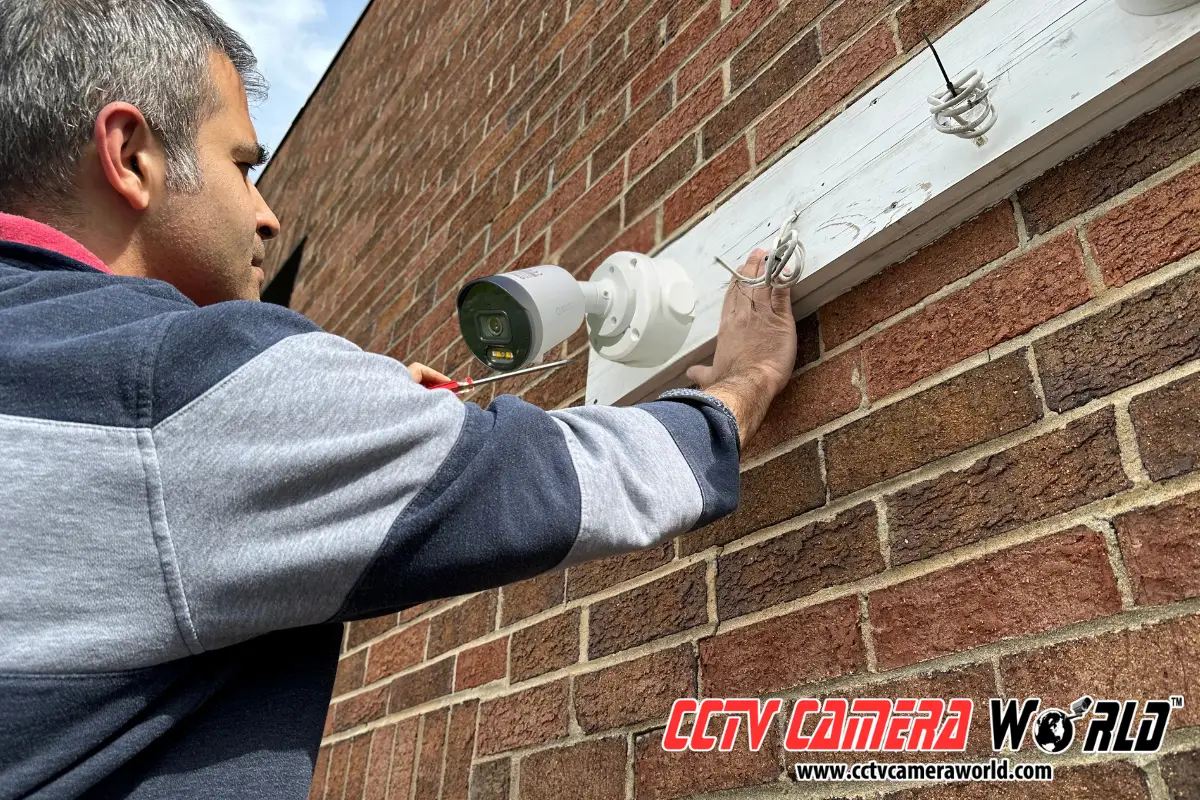
We test our security cameras without subscriptions the same way customers use them: not as spec sheets on a webpage, but as tools you rely on to protect your home or business. Testing focuses on three things:
- Video clarity: We check how usable the image is at real distances, not just how sharp it looks up close. This includes daytime clarity and nighttime performance (we use a Ron Burgundy cutout; yes, the Will Ferrell character).
- Recording and playback: We confirm local recording works as expected, then review how easy it is to find, export, and share footage, which is included without paying for cloud storage or a maintenance plan.
- Reliability: We pay attention to setup stability, app usability, alert behavior, and the kinds of limitations that are easy to miss.
The goal is simple: pick cameras that have local recording, not cameras that are incomplete unless you pay monthly or upgrade to another tier.
FAQ (Security Cameras Without Subscriptions)
What is the best security camera without a subscription?
It depends on how you plan to record. If you want a simple single-camera setup, choose a model that supports microSD recording. If you want 24/7 recording, longer retention, or multiple cameras, an NVR-based system is usually the better long-term choice.
Can I use a security camera without a subscription and without an NVR?
Yes. Many cameras can record to a microSD card without an NVR. This setup is a good fit for a single area, but storage is limited, and retention depends on card size and recording settings.
Where is video stored for subscription-free security cameras?
Video is stored either on a microSD card in the camera, on a hard drive in a local NVR, or both for redundancy. Local storage keeps footage on-site instead of uploading everything to a cloud server.
Do subscription-free cameras still send motion alerts to my phone?
Usually, yes. Most professional systems can send alerts without a paid plan. The difference is that some cloud brands may limit smart alerts or reviewing recorded clips unless you subscribe.
What happens if my internet goes down? Will the cameras still record?
If you are recording locally, yes. Cameras will keep recording to a microSD card or NVR even without internet. You will lose remote viewing and phone notifications until the connection is restored, but recording and local access will still work.
Are security cameras without subscriptions better for privacy?
Often, yes. Local recording means your footage stays on your property and you control access. Cloud storage can be convenient, but recordings are stored on a third-party server, and breaches involving cloud services have happened.
Is an NVR better than cloud cameras for long-term cost?
In most cases, yes. An NVR costs more up front, but it avoids ongoing monthly fees and usually provides longer retention and easier playback for multiple cameras.
Can I mix camera brands and still avoid subscriptions?
It is possible, but it is not ideal. Some cameras support a protocol called ONVIF and can record to third-party NVRs. However, features like smart detection events, two-way audio, and alerts often do not work reliably between brands.
Do no-subscription cameras still work with smart home systems like Alexa or Google Home?
Some do, but integration varies. If smart home compatibility matters, confirm support before buying, and only expect basic live viewing to work consistently.
How much microSD storage do I need for a subscription-free camera?
It depends on resolution, frame rate, and whether you record continuously or only on motion. Higher resolution video uses more storage. For most single-camera setups, microSD cards often provide 2 to 7 days of recording, but an NVR is a better choice if you need weeks of storage.
Do subscription-free cameras support 24/7 recording?
Yes. If you want consistent 24/7 recording, a wired camera connected to an NVR is usually the best option. Many cloud cameras are built using a battery or small solar panels and only allow for motion-based recording to save power.