
Wireless Security Cameras
Reliable WiFi Security Cameras Without Monthly Fees or Batteries
Wireless security cameras are one of the most popular ways to monitor a home or business without running long video cables. Instead of traditional wired systems, these cameras connect over WiFi while still delivering high-quality video, remote access, and real-time alerts.
At CCTV Camera World, our wireless cameras are built for reliability, not gimmicks. Unlike battery-powered cameras that depend on cloud subscriptions and inconsistent connections, these systems use stable plug-in power and local recording options for dependable, 24/7 monitoring.
Whether you are securing a home, office, warehouse, or retail space, wireless cameras provide a flexible solution when running Ethernet cables is not practical.
Shop Wireless Security Cameras
-
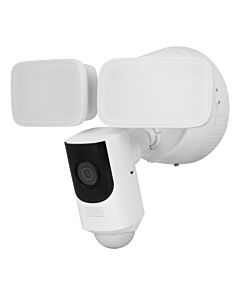 WiFi Floodlight Security Camera, 2K, Local Recording, No Monthly FeesSKU: FLOOD4MP
- IP
- 4MP
- Built-in mic
-
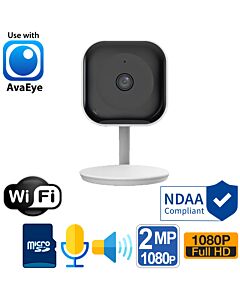
-
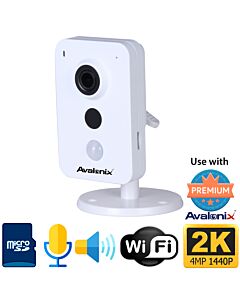
-
-

-
-
-
WiFi Mini PTZ Camera with Night Vision and Built-in MicrophoneSKU: IPD3X4MWIFI
- IP
- 4MP
- Mic + audio input
-
AvaEye 5MP WiFi Mini Pan Tilt Zoom with 2-Way Audio, 5X Zoom, Starlight, AvaEyeSKU: PTZ5MP5XS
- 5MP
- Mic + speaker
-
-
-
-
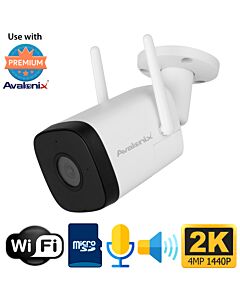
Avalonix 4MP 2K WiFi Bullet Camera System with Built-in Mic and NVRSKU: SYS4WC2
- 4MP
- Built-in mic
- WiFi


What is a Wireless Security Camera?
A wireless security camera transmits video over a WiFi network instead of using a physical video cable. They can also be paired directly with a Wireless NVR (Network Video Recorder). However, most professional-grade wireless cameras still require power through a plug-in adapter.
This is where many buyers get confused.
There are two main types of "wireless" cameras:
- WiFi Cameras (Plug-in Power): connect to your network wirelessly but use constant power, which allows for continuous recording, stronger connections, and better performance.
- Wire-Free Cameras (Battery or Solar): are fully wire-free, but they usually only record when there is motion, store data in the cloud, and need to be charged or get sunlight often.
Our wireless camera systems focus on reliability and performance, which is why they use continuous power from an adapter instead of batteries.
How to Choose a Wireless Security Camera
Before you buy a wireless camera system, think about the following:
- Power availability: Make sure that each camera location has access to a power outlet.
- WiFi signal strength: Weak WiFi can cause lag, disconnects, or poor video quality. In larger properties, additional access points may be needed.
- Storage preference: Decide between on-board SD card storage or add the cameras to a recorder for more storage.
- Number of cameras: Standalone cameras are good for 1 or 2 locations, but WiFi NVR systems are better for 4 to 6 cameras.
- Indoor vs outdoor use: Our cameras are rated for both indoor or outdoor use.
Key Wireless Security Camera Features
When choosing a wireless security camera, these are the features that actually impact performance:
- Video Resolution: Higher resolution cameras, such as 4MP, provide clearer detail for identifying faces, objects, and activity.
- Night Vision: Infrared night vision (IR) lets cameras see in complete darkness.
- Two-Way Audio: Use your smartphone or computer to talk and listen through the camera.
- Weather Resistance: Outdoor cameras are built to last in rain, dust, and temperature changes with at least IP66-rated housings.
- Remote Viewing: Use a mobile app or desktop browser to watch live and recorded video from anywhere.
Why Choose Our Wireless Cameras?
At CCTV Camera World, we focus on plug-in WiFi cameras because they are better suited for continuous recording, local storage, and dependable alerts than battery-powered consumer cameras. Before adding a wireless camera to our lineup, we look at how it performs in the areas that matter most, including WiFi range, app access, recording options, and video quality.
How Wireless Security Cameras Work
Wireless cameras connect to your WiFi network and send video to a mobile app, a local recorder over your computer network, or both. They can also be paired directly with a wireless NVR system for recording and remote access from a phone or computer.
There are four common ways WiFi security cameras are set up:
- Standalone Cameras with SD Card Storage: Each camera records directly to an internal memory card. This is simple to install but limited in storage and scalability.
- Wireless Cameras Added to a wired NVR: Cameras connect over WiFi to a wired network video recorder, allowing centralized storage, longer recording times, and easier system management.
- Wireless Cameras Paired to a wireless NVR: Cameras connect directly to a wireless network video recorder over WiFi, which gives you the same benefits as a wired NVR. However, the range of the connection is usually less than what a WiFi router or WiFi access point can provide.
- Hybrid Systems: Our security camera systems allow for both wired and wireless cameras in one system, which is useful for bigger or more complicated installations.
Wireless vs Wired Cameras
Wireless cameras are great when it's hard to run cables, but they're not always the best option for every security camera system.
| Wireless Security Cameras | Wired (PoE) Security Cameras | |
|---|---|---|
| Installation | Not as hard to install, and no video cables are needed | Needs Ethernet cables to work |
| Flexibility | Can be put in more places | Limited by how the cables are run |
| Connection Stability | It depends on how strong the WiFi is and how good the network is | A direct wired connection that is very stable |
| Power Source | Power that must be plugged near the camera location | Power sent over an Ethernet cable |
| Recording Options | SD card or NVR by itself | Usually saved to NVR |
| Best For | Homes, small businesses, and places where wiring is hard to do | More reliable, larger systems for businesses |
| Scalability | Moderate, depends on how much the network can handle | High, made for systems with more than 8 cameras |
Best Uses for Wireless Security Camera Systems
The best thing about wireless security cameras is that they can be used in a lot of different ways. These are some of the best ways to use WiFi security cameras.
| Use | Why Wireless Cameras Are a Good Choice |
|---|---|
| Houses, apartments, and rentals | No need to run wires through walls, which is great for finished spaces and rentals |
| Offices and small businesses | Quick installation with little effect on normal business operations |
| Garages and Other Buildings | Simple to set up in places where running Ethernet is hard or expensive |
| Stores | Flexible placement for watching entrances, aisles, and checkout areas, or for a more complete recording setup in areas with a lot of theft |
| Temporary Setups | Can be set up and moved without needing to be wired in permanently |
| Monitoring Inside | Great for watching kids, pets, or things happening inside |
| Construction Sites | Watch or record the progress of a building without using wires |
Frequently Asked Questions About Wireless Security Cameras
Most battery-powered cameras only record when they see movement to save battery life.