
16 Channel Tribrid DVR with 16 Audio - All Questions
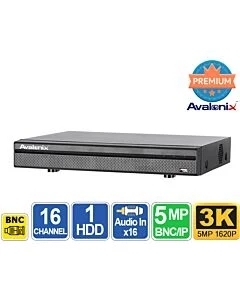
16 Channel Tribrid DVR with 16 Audio
Special Price $479.00 Regular Price $799.99 40% off
SKU
DVRCF16X
Does the unit allow for multiple logins from remote PC's to monitor the cameras?
Does the unit have the concept of different user accounts for monitoring and administration tasks?
Does the unit have the concept of different user accounts for monitoring and administration tasks?
Question asked at Hot Swap 64 Channel 4K NVR
Question by: Alan Brown on Feb 23, 2026, 10:49 AMYes, all Avalonix Premium Series recorders allow multiple remote logins using our free smartphone app as well as our Windows and Mac viewing software.
You can create multiple user accounts with different permission levels. The system supports both administrator and standard user roles, and you can assign access at a granular level per camera channel. For example, you can create a user account that only has live view and/or playback rights for specific cameras while restricting access to system settings.
The number of users who can log in simultaneously depends on your available network and internet bandwidth, as well as the number of camera streams and their resolution being viewed.
When viewing multiple cameras in grid view, the software automatically uses the sub-stream to reduce bandwidth usage. When a single camera is viewed full screen, it switches to the main stream for full-resolution viewing. The main stream is the camera’s full recording resolution, while the sub-stream is a lower-resolution stream (typically around 480P) used for efficient remote monitoring.
You can create multiple user accounts with different permission levels. The system supports both administrator and standard user roles, and you can assign access at a granular level per camera channel. For example, you can create a user account that only has live view and/or playback rights for specific cameras while restricting access to system settings.
The number of users who can log in simultaneously depends on your available network and internet bandwidth, as well as the number of camera streams and their resolution being viewed.
When viewing multiple cameras in grid view, the software automatically uses the sub-stream to reduce bandwidth usage. When a single camera is viewed full screen, it switches to the main stream for full-resolution viewing. The main stream is the camera’s full recording resolution, while the sub-stream is a lower-resolution stream (typically around 480P) used for efficient remote monitoring.
Answer by: CCTV Camera World on Feb 23, 2026, 11:02 AM
Will my Night Owl CM-DP2LSA-B 1080p AHD cameras work with this DVR?
Question by: Harvey on Feb 26, 2026, 2:26 PM
Night Owl sources many of their cameras from different OEM manufacturers, and not all of those models follow the same universal AHD standards used by most hybrid XVR recorders. We have plenty of customers successfully running AHD cameras from a variety of brands, including some Night Owl models, on our XVRs without any issue. However, the CM-DP2LSA-B appears to use a specific AHD revision that does not communicate properly with standard third-party XVR platforms.
After doing some research, we also found that the following Night Owl models are reported to be incompatible with third-party DVRs:
CM-DP2L-B
CM-PHDA30W-BU-SGS
CM-DP2BK-B
CM-DP2LSA-B-V2
Based on that information, this appears to be a camera-side compatibility limitation rather than a recorder issue.
After doing some research, we also found that the following Night Owl models are reported to be incompatible with third-party DVRs:
CM-DP2L-B
CM-PHDA30W-BU-SGS
CM-DP2BK-B
CM-DP2LSA-B-V2
Based on that information, this appears to be a camera-side compatibility limitation rather than a recorder issue.
Answer by: CCTV Camera World on Feb 26, 2026, 2:32 PM
How do I remotely view the Avalonix Premium Series DVR or NVR via iphone, ipad, android phone or tablet, laptop, etc?
Question asked at 8 Channel 4K Security DVR
Question by: Sanders on Apr 21, 2026, 5:15 PMYou can remotely view an Avalonix Premium Series DVR or NVR from an iPhone, iPad, Android phone, Windows PC, or Mac as long as the DVR is connected to the internet through your router.
For mobile remote viewing, including iPhone and iPad, please see this guide:
https://www.cctvcameraworld.com/dummies-guide-watching-security-camera-system-internet/
For Windows PC and Mac remote viewing software, please see this guide:
https://www.cctvcameraworld.com/cmsoftware/
In general, remote viewing works by connecting the DVR to your network, then using the free mobile app or computer software to scan the DVR’s QR code or add the system. Once set up, you can watch live video, play back recorded footage, and receive alerts remotely.
If you are using an Avalonix Premium Series DVR or NVR with compatible cameras, internet is optional for local recording, but it is required for remote viewing away from the property.
For mobile remote viewing, including iPhone and iPad, please see this guide:
https://www.cctvcameraworld.com/dummies-guide-watching-security-camera-system-internet/
For Windows PC and Mac remote viewing software, please see this guide:
https://www.cctvcameraworld.com/cmsoftware/
In general, remote viewing works by connecting the DVR to your network, then using the free mobile app or computer software to scan the DVR’s QR code or add the system. Once set up, you can watch live video, play back recorded footage, and receive alerts remotely.
If you are using an Avalonix Premium Series DVR or NVR with compatible cameras, internet is optional for local recording, but it is required for remote viewing away from the property.
Answer by: CCTV Camera World on Apr 22, 2026, 9:53 AM
Related Products
Check items to add to the cart or
-
 Motion Detector Camera, 1080P HDSpecial Price $89.00 Regular Price $125.00 29% off
- Outdoor Analog High Speed Pan Tilt Zoom, 4MP, Night VisionSpecial Price $999.99 Regular Price $1,499.99 33% off
- 3K Outdoor 5MP Analog Dome Camera with Mic, WhiteSpecial Price $109.99 Regular Price $179.99 39% off
- 3K Analog Bullet Camera with 200ft Night Vision and 4X Motorized ZoomSpecial Price $239.99 Regular Price $399.99 40% off
- 3K 5MP Outdoor Analog Turret Camera, Night VisionSpecial Price $89.99 Regular Price $109.99 18% off
- Avalonix Premium 32 Channel 5MP 3K Hybrid DVR XVR with AISpecial Price $770.00 Regular Price $999.99 23% off


