

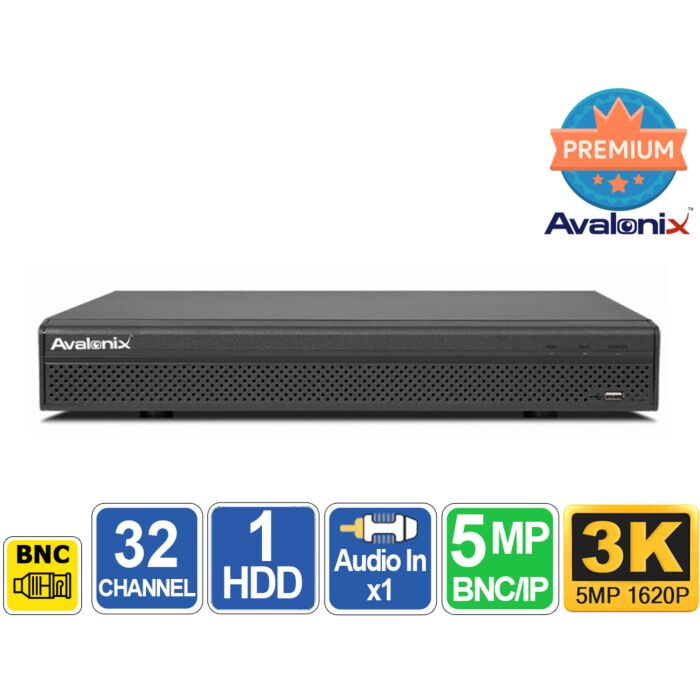

Avalonix Premium 32 Channel 5MP 3K Hybrid DVR XVR with AI
Special Price
$699.99
Regular Price
$999.99
30% off
Overview
32 Channel 5MP XVR DVR - Supports 32 BNC cameras plus 16 IP camera channels by default for large coax and hybrid security camera systems.
Coax and IP Flexibility - Works with HDCVI, TVI, AHD, CVBS analog, and compatible IP cameras. Accepts compatible coax camera signals up to 5MP and IP cameras up to 6MP.
AI Human and Vehicle Detection - Smart Motion Detection helps reduce false alerts, with tripwire, intrusion detection, face detection, face recognition, and intelligent search available on supported BNC channels.
2 SATA Storage Bays - Supports hard drives up to 16TB each for up to 32TB total internal recording capacity.
Remote Viewing and Clip Export - Includes 4K HDMI monitor output, VGA, BNC video output, mobile and browser access, plus USB and network export of selected recorded video clips.

32 Channel 5MP Hybrid DVR / XVR for Coax and IP Cameras
The Avalonix Premium DVRP32 is a 32 channel hybrid security camera DVR designed for large security camera systems that need to keep existing coax wiring while gaining modern recording, AI detection, and IP camera expansion. Its 32 BNC inputs support HDCVI, TVI, AHD, and traditional analog CVBS cameras, making it a practical replacement for an older DVR without requiring every camera and cable to be replaced at the same time.
As an XVR, the DVRP32 can also record compatible IP cameras over the local network. The normal hybrid configuration supports all 32 BNC camera inputs plus 16 IP camera channels, allowing up to 48 cameras on one recorder. If a system eventually moves primarily to IP cameras, analog channels can be converted to IP channels for a maximum configuration of up to 48 IP cameras.
Upgrade an Existing Coax Camera System Without Rewiring
Replacing an older DVR does not necessarily mean replacing the coax cable already installed throughout a home or business. The DVRP32 supports several generations of coax-based security cameras, including standard analog CVBS cameras as well as HDCVI, TVI, and AHD HD-over-coax cameras.
This makes the DVRP32 particularly useful for businesses, warehouses, retail stores, offices, schools, and other properties where dozens of coax cable runs may already be installed. Older cameras can remain in service where they are still useful while newer cameras are installed in areas where better image quality or newer features are needed.
Instead of replacing the entire surveillance system at once, cameras can be upgraded gradually while continuing to use one central recorder.
32 BNC Cameras Plus 16 IP Cameras by Default
The DVRP32 has 32 physical BNC camera inputs and provides 16 additional IP camera channels in its normal hybrid configuration. This allows a system with up to 32 coax cameras plus 16 compatible IP cameras at the same time.
IP cameras do not plug into the BNC inputs. They communicate with the DVR over the local Ethernet network. The DVRP32 does not contain a built-in PoE switch, so PoE IP cameras normally connect to a separate PoE switch. The DVR and IP cameras must be connected to the same local network so they can communicate.
See our guide for adding IP cameras to a security DVR for an example of how a PoE switch, IP cameras, and hybrid DVR connect together.
Accepts Compatible 5MP Camera Signals Over Coax
The DVRP32 accepts compatible HDCVI, TVI, and AHD camera signals up to 5MP through its BNC inputs. This makes it useful when upgrading from an older 720P or 1080P recorder while continuing to use existing coaxial cabling.
Camera input resolution and recorded frame rate are not the same thing. The recorder can accept supported 5MP camera signals, while its encoding modes and maximum frame rates vary by channel, camera format, resolution, and recorder configuration. Recording modes include 5M-N, 4M-N, 1080P, 1080N, 720P, 960H, D1, and CIF.
This recorder should not be confused with an 8MP 4K DVR. The DVRP32 can output its local display at up to 4K through HDMI, but it does not accept 8MP 4K coax camera input. Its maximum supported coax camera input is 5MP.
Add Compatible IP Cameras Up to 6MP
Compatible IP security cameras up to 6MP can also be added over the local network. This gives a coax-based system another way to add newer cameras in locations where a network camera is the better choice.
The recorder is rated for up to 192Mbps of total IP video bandwidth. For practical system planning on this XVR, IP camera streams should be configured at approximately 4Mbps per camera or less. The 192Mbps total corresponds to a maximum 48-IP-camera configuration at approximately 4Mbps per camera.
This is especially important with higher-resolution IP cameras. A compatible 6MP camera can be connected to the recorder, but its video stream must still be configured within the available per-camera bandwidth. H.265 compression can help maintain good image quality while keeping bandwidth within a reasonable range.
The recorder supports ONVIF Profiles S, G, and T for compatible IP cameras. For the easiest setup and the best feature compatibility, we recommend cameras purchased from CCTV Camera World.
AI Human and Vehicle Motion Filtering
Conventional motion detection can create events when rain falls, leaves move, shadows change, insects pass close to a camera, or lighting conditions suddenly change. The DVRP32 can use Smart Motion Detection (SMD) on up to 32 analog camera channels to distinguish human and vehicle targets from less important motion.
This can reduce unnecessary alerts and make recorded-event searches more useful. Instead of reviewing every motion event, the recorder can help focus attention on activity involving people or vehicles.
Our Smart Motion Detection guide includes a video demonstration showing how this type of human and vehicle filtering works on compatible Avalonix recorders.
Tripwire and Intrusion Detection
The DVRP32 also supports perimeter protection on selected analog channels. These tools are useful when simply detecting motion anywhere in the picture is too broad.
Digital Tripwire lets you draw a virtual line in the camera view and create an event when a supported target crosses that line. It can be useful for entrances, gates, driveways, restricted walkways, and other areas where crossing a specific boundary matters.
Intrusion Detection lets you draw a detection box or region in the camera view and monitor when a supported target enters or remains inside that area. This is useful for loading areas, fenced zones, stock rooms, parking areas, and other locations where activity inside a particular region matters.
- Smart Motion Detection: Human and vehicle filtering on up to 32 analog channels
- Perimeter Protection: Up to 8 analog channels in General Mode with up to 10 rules per channel
- Advanced Perimeter Mode: Up to 2 analog channels with up to 10 rules per channel
- Face Detection: Up to 2 analog channels
- Face Recognition: Up to 2 analog channels
- Face Database: Up to 10 databases containing up to 10,000 images
- Intelligent Target Search: Up to 2 analog channels
- Video Quality Analytics: Up to 32 channels
Face Detection and Face Recognition
Recorder-side face detection can be enabled on up to two supported analog camera channels. Face recognition can also be used on up to two supported analog channels and can compare captured faces against configured face databases containing up to 10,000 images.
Face recognition uses the recorder's AI processing resources and cannot operate at the same time as Smart Motion Detection or perimeter protection on the recorder. Choose the AI function that is most useful for the cameras and areas being monitored.
For more information about how face detection works in a surveillance system, see our face detection guide.
Up to 48 IP Cameras in IP Extension Mode
If an installation becomes primarily IP-based, the DVRP32 can convert its analog camera channels to IP channels and support up to 48 IP cameras total. This provides a migration path for a property that starts with coax cameras and gradually moves toward a network-based camera system.
Important: IP Extension mode disables the DVR's recorder-side AI analysis for the analog BNC channels. When IP Extension mode is enabled, the DVR itself will no longer perform Smart Motion Detection, tripwire or intrusion detection, face detection, face recognition, video quality analytics, scene-change detection, or intelligent target search on the analog channels.
If you want the DVR itself to perform AI human and vehicle filtering or other recorder-side analytics on your coax cameras, leave IP Extension mode disabled. Enable IP Extension mode when the additional IP camera capacity is more important than retaining those recorder-based analog analytics.
Flexible Recording and Playback
Each camera can be configured for continuous recording, scheduled recording, motion detection recording, or intelligent event recording depending on the requirements of the location. Different schedules can be created for different cameras, allowing important areas to record continuously while other areas record primarily when activity occurs.
Recorded footage can be reviewed using instant playback, general playback, event playback, tag playback, or smart playback. Up to 16 cameras can be played back simultaneously, which can be helpful when the same incident was captured from several viewpoints.
Export Short Video Clips for Evidence
When an important incident occurs, a selected section of recorded footage can be exported to a USB flash drive or downloaded over the network to a computer. This is useful for saving a short video clip to provide to law enforcement, an insurance company, management, or another authorized party.
The export function is intended for saving selected incident footage. It should not be considered a continuous archival system for automatically copying days or weeks of surveillance video every day. Long-term video retention should be planned using the DVR's internal hard drive capacity, recording schedule, frame rate, resolution, and compression settings.
Two Hard Drive Bays with Up to 32TB of Storage
The DVRP32 contains two internal SATA hard drive bays. Each SATA connection supports a surveillance hard drive up to 16TB for a maximum internal storage capacity of up to 32TB.
How long the recorder stores video depends on the number of cameras, resolution, frame rate, bit rate, compression method, amount of motion in the scene, and whether cameras record continuously or only during selected events.
Use our DVR and NVR recording time calculator to estimate how much storage a particular camera system may require.
Smart H.265+ Video Compression
The recorder supports AI Coding, Smart H.265+, H.265, Smart H.264+, and H.264 video compression. H.265-based compression can reduce the amount of storage and network bandwidth required compared with older H.264-only systems while maintaining useful recorded image quality.
AI Coding is supported on up to 16 channels and is designed to preserve more useful detail around important targets while reducing unnecessary storage and bandwidth use in less important portions of the scene.
Remote Viewing Without Required Monthly Fees
The DVR connects to a network through its Gigabit Ethernet port. Once remote access is properly configured, authorized users can view supported live and recorded video from iOS and Android mobile devices, supported web browsers, and compatible computer viewing software.
Internet access is not required for the DVR to record cameras locally. Internet service is only needed when you want to access the system from outside the local network.
Video is stored locally on the DVR's hard drives, so a monthly cloud storage subscription is not required for normal recording and playback.
Audio Recording and Two-Way Talk
The DVR supports audio from compatible security cameras with audio. Compatible coax cameras can transmit audio through the camera's coaxial connection, allowing video and sound to be recorded without a separate audio cable back to the DVR.
The DVR also provides one RCA audio input and one RCA audio output for supported external audio equipment.
If two-way communication is important for the installation, see our selection of two-way audio cameras. The DVR also supports two-way talk through its recorder audio input and output using compatible external microphone and speaker equipment.
PTZ Camera Control
The DVR includes an RS485 connection for compatible legacy PTZ security cameras that require a separate control connection. Compatible network PTZ cameras can also be controlled through supported network connections and recorder functions.
4K HDMI Monitor Output
The DVRP32 provides HDMI, VGA, and BNC/CVBS video outputs for local monitoring. The HDMI output supports display resolutions up to 3840 x 2160, allowing the recorder interface and multi-camera grid to be displayed on a compatible 4K television or monitor.
The VGA output supports resolutions up to 1920 x 1080. A BNC/CVBS video output is also provided for compatible displays or other video equipment.
The 4K HDMI specification refers only to the local monitor output. It does not mean that the DVR records 8MP 4K coax cameras. The maximum supported coax camera input is 5MP.
Features
- 32 channel Avalonix Premium hybrid DVR / XVR
- 32 physical BNC camera inputs
- Supports HDCVI, TVI, AHD, and CVBS camera formats
- Accepts compatible coax camera signals up to 5MP
- 16 IP camera channels in the normal hybrid configuration
- Supports up to 32 BNC cameras plus 16 IP cameras simultaneously
- Supports up to 48 IP cameras when analog channels are converted in IP Extension mode
- Compatible IP camera resolution up to 6MP
- Up to 192Mbps total IP bandwidth
- Plan IP camera streams at approximately 4Mbps per camera or less
- Smart Motion Detection human and vehicle filtering on up to 32 analog channels
- Tripwire and intrusion detection on supported analog channels
- Face detection on up to 2 analog channels
- Face recognition on up to 2 analog channels
- Up to 10 face databases with 10,000 images
- Intelligent target search on up to 2 analog channels
- AI video quality analytics on up to 32 channels
- AI Coding on up to 16 channels
- Smart H.265+, H.265, Smart H.264+, and H.264 compression
- 2 internal SATA hard drive bays
- Supports hard drives up to 16TB each
- Up to 32TB total internal storage
- Up to 16-channel simultaneous recorded video playback
- Selected evidence clips can be exported by USB flash drive or over the network
- 4K HDMI local monitor output
- 1080P VGA local monitor output
- BNC/CVBS video output
- Gigabit Ethernet network port
- Mobile access for iOS and Android
- Supported browser and computer remote viewing
- 1 RCA audio input
- 1 RCA audio output
- Coaxial audio support with compatible cameras
- Two-way talk support
- RS485 connection for compatible legacy PTZ equipment
- ONVIF Profiles S, G, and T support
- No built-in PoE camera ports
Connectors
- (32) BNC camera inputs
- (1) RCA audio input
- (1) RCA audio output
- (1) HDMI video output
- (1) VGA video output
- (1) BNC/CVBS video output
- (1) Gigabit RJ45 Ethernet port
- (1) RS485 connection
- (1) Front USB 2.0 port
- (1) Rear USB 3.0 port
- (1) 12V DC power input
What's Included?
- (1) Avalonix Premium DVRP32 32 Channel Security DVR
- (1) Power Cord
- (2) SATA Cables
- (1) USB Mouse
Specifications
| Main Processor | Industrial-grade processor | ||||||||||||||||||||||||||||||||||||||||||||||||||||||||||
| Operating System | Embedded Linux | ||||||||||||||||||||||||||||||||||||||||||||||||||||||||||
| Operating Interface | Web, Local GUI | ||||||||||||||||||||||||||||||||||||||||||||||||||||||||||
| BNC Camera Inputs | 32 channels | ||||||||||||||||||||||||||||||||||||||||||||||||||||||||||
| Supported Coax Signals | HDCVI, TVI, AHD, CVBS, auto-detect | ||||||||||||||||||||||||||||||||||||||||||||||||||||||||||
| Coax Camera Input |
HDCVI: up to 5MP at supported frame rates; 4MP, 1080P, and 720P also supported. TVI: up to 5MP at supported frame rates; 4MP, 1080P, and 720P also supported. AHD: up to 5MP at supported frame rates; 4MP, 1080P, and 720P also supported. |
||||||||||||||||||||||||||||||||||||||||||||||||||||||||||
| IP Camera Input | 16 IP channels by default in addition to the 32 BNC inputs; up to 48 IP channels when analog channels are converted to IP | ||||||||||||||||||||||||||||||||||||||||||||||||||||||||||
| Maximum IP Camera Resolution | Up to 6MP per IP channel | ||||||||||||||||||||||||||||||||||||||||||||||||||||||||||
| Practical IP Stream Bit Rate | Plan for approximately 4Mbps per IP camera or less | ||||||||||||||||||||||||||||||||||||||||||||||||||||||||||
| Total IP Bandwidth | Up to 192Mbps total; equivalent to approximately 48 IP camera streams at 4Mbps each | ||||||||||||||||||||||||||||||||||||||||||||||||||||||||||
| BNC Encoding Capacity - Standard Mode |
Channels 1-4 and 17-20: 5M-N at 1-25fps; other channels: 5M-N at 1-12fps. Channels 1-4 and 17-20: 4M-N/1080P at 1-30fps; other channels: 4M-N/1080P at 1-15fps. 1080N/720P/960H/D1/CIF at 1-30fps. Sub stream: D1/CIF at 1-15fps. |
||||||||||||||||||||||||||||||||||||||||||||||||||||||||||
| BNC Encoding Capacity - Encode Enhancement |
Channels 1-8 and 17-24: 5M-N at 1-20fps; other channels: 5M-N at 1-12fps. Up to 4 channels can be configured for 5MP at 6fps. Channels 1-8 and 17-24: 4M-N/1080P at 1-25fps; other channels: 4M-N/1080P at 1-15fps. 1080N/720P/960H/D1/CIF at 1-30fps. Sub stream: D1/CIF at 1-15fps. |
||||||||||||||||||||||||||||||||||||||||||||||||||||||||||
| Video Bit Rate | 32Kbps to 6144Kbps for supported recorder-encoded video streams; IP camera streams should be planned at approximately 4Mbps per camera or less | ||||||||||||||||||||||||||||||||||||||||||||||||||||||||||
| Video Compression | AI Coding, Smart H.265+, H.265, Smart H.264+, H.264 | ||||||||||||||||||||||||||||||||||||||||||||||||||||||||||
| Audio Compression | G.711a, G.711u, PCM | ||||||||||||||||||||||||||||||||||||||||||||||||||||||||||
| Smart Motion Detection by Recorder | Up to 32 analog channels with human and vehicle filtering | ||||||||||||||||||||||||||||||||||||||||||||||||||||||||||
| Smart Motion Detection by Camera | Up to 48 channels with compatible cameras | ||||||||||||||||||||||||||||||||||||||||||||||||||||||||||
| Perimeter Protection | General Mode: up to 8 analog channels with 10 rules per channel; Advanced Mode: up to 2 analog channels with 10 rules per channel | ||||||||||||||||||||||||||||||||||||||||||||||||||||||||||
| Face Detection | Up to 2 analog channels, up to 12 face images per second per channel | ||||||||||||||||||||||||||||||||||||||||||||||||||||||||||
| Face Recognition | Up to 2 analog channels; conflicts with Smart Motion Detection and perimeter protection | ||||||||||||||||||||||||||||||||||||||||||||||||||||||||||
| Face Database | Up to 10 face databases with up to 10,000 images | ||||||||||||||||||||||||||||||||||||||||||||||||||||||||||
| Intelligent Target Search | Up to 2 analog channels | ||||||||||||||||||||||||||||||||||||||||||||||||||||||||||
| AI Video Quality Analytics | Up to 32 channels; supports detection of brightness levels, color cast, defocus, overexposure, contrast levels, and black-and-white image conditions | ||||||||||||||||||||||||||||||||||||||||||||||||||||||||||
| Scene Change Detection | 1 channel | ||||||||||||||||||||||||||||||||||||||||||||||||||||||||||
| Irregular Privacy Masking | 1 channel | ||||||||||||||||||||||||||||||||||||||||||||||||||||||||||
| IP Extension Mode | Supports up to 48 IP channels. Recorder-side video quality analytics, scene-change detection, face recognition, face detection, Smart Motion Detection, perimeter protection, and intelligent target search are unavailable while IP Extension mode is enabled. | ||||||||||||||||||||||||||||||||||||||||||||||||||||||||||
| Encode Enhancement AI Limitation | Video quality analytics, scene-change detection, face recognition, face detection, perimeter protection, and intelligent target search are unavailable while Encode Enhancement is enabled. | ||||||||||||||||||||||||||||||||||||||||||||||||||||||||||
| Video Outputs | 1 HDMI, 1 VGA, 1 BNC/CVBS | ||||||||||||||||||||||||||||||||||||||||||||||||||||||||||
| HDMI Output Resolution | 3840 x 2160, 1920 x 1080, 1280 x 1024, 1280 x 720 | ||||||||||||||||||||||||||||||||||||||||||||||||||||||||||
| VGA Output Resolution | 1920 x 1080, 1280 x 1024, 1280 x 720 | ||||||||||||||||||||||||||||||||||||||||||||||||||||||||||
| Main Screen Display | 1, 4, 8, 9, 16, 25, 36 cameras | ||||||||||||||||||||||||||||||||||||||||||||||||||||||||||
| Sub Screen Display | 1, 4, 8, 9, 16 cameras; conflicts with IP Extension mode | ||||||||||||||||||||||||||||||||||||||||||||||||||||||||||
| Recording Modes | General, motion detection, intelligent event, alarm | ||||||||||||||||||||||||||||||||||||||||||||||||||||||||||
| Playback | 1, 4, 9, or 16 channels | ||||||||||||||||||||||||||||||||||||||||||||||||||||||||||
| Playback Modes | Instant playback, general playback, event playback, tag playback, smart playback | ||||||||||||||||||||||||||||||||||||||||||||||||||||||||||
| Evidence Clip Export | Selected recorded video segments can be exported to a USB storage device or downloaded over the network | ||||||||||||||||||||||||||||||||||||||||||||||||||||||||||
| Audio Input | 1 RCA input plus coaxial audio from up to 32 compatible BNC camera channels | ||||||||||||||||||||||||||||||||||||||||||||||||||||||||||
| Audio Output | 1 RCA output | ||||||||||||||||||||||||||||||||||||||||||||||||||||||||||
| Two-Way Talk | Yes; shares the recorder audio input with the first channel | ||||||||||||||||||||||||||||||||||||||||||||||||||||||||||
| Internal Hard Drives | 2 SATA hard drive bays | ||||||||||||||||||||||||||||||||||||||||||||||||||||||||||
| Maximum Hard Drive Capacity | Up to 16TB per drive, up to 32TB total; maximum supported capacity can vary with the operating environment | ||||||||||||||||||||||||||||||||||||||||||||||||||||||||||
| Disk Group | Yes | ||||||||||||||||||||||||||||||||||||||||||||||||||||||||||
| Network Port | 1 x RJ45 10/100/1000Mbps Gigabit Ethernet | ||||||||||||||||||||||||||||||||||||||||||||||||||||||||||
| Built-In PoE Ports | None; IP cameras connect through the network | ||||||||||||||||||||||||||||||||||||||||||||||||||||||||||
| ONVIF | ONVIF 24.06, Profiles S, G, and T | ||||||||||||||||||||||||||||||||||||||||||||||||||||||||||
| Browser Support | Chrome, IE, Safari, Edge, Firefox | ||||||||||||||||||||||||||||||||||||||||||||||||||||||||||
| Mobile Access | iOS, Android | ||||||||||||||||||||||||||||||||||||||||||||||||||||||||||
| USB | 2 total: 1 front USB 2.0 port and 1 rear USB 3.0 port | ||||||||||||||||||||||||||||||||||||||||||||||||||||||||||
| RS485 | 1 | ||||||||||||||||||||||||||||||||||||||||||||||||||||||||||
| Physical Alarm Inputs / Outputs | None built in | ||||||||||||||||||||||||||||||||||||||||||||||||||||||||||
| Power Supply | 12V DC, 5A | ||||||||||||||||||||||||||||||||||||||||||||||||||||||||||
| Power Consumption | Less than 16W without hard drives | ||||||||||||||||||||||||||||||||||||||||||||||||||||||||||
| Operating Temperature | 14°F to 131°F (-10°C to +55°C) | ||||||||||||||||||||||||||||||||||||||||||||||||||||||||||
| Storage Temperature | -4°F to 140°F (-20°C to +60°C) | ||||||||||||||||||||||||||||||||||||||||||||||||||||||||||
| Operating Humidity | 10% to 90% RH, non-condensing | ||||||||||||||||||||||||||||||||||||||||||||||||||||||||||
| Dimensions | 14.76 x 11.40 x 2.09 inches | ||||||||||||||||||||||||||||||||||||||||||||||||||||||||||
| Net Weight | 4.20 lb without hard drives | ||||||||||||||||||||||||||||||||||||||||||||||||||||||||||
| Installation | Desktop / shelf | ||||||||||||||||||||||||||||||||||||||||||||||||||||||||||
| Certifications | CE, FCC Part 15 Subpart B | ||||||||||||||||||||||||||||||||||||||||||||||||||||||||||
Frequently Asked Questions
What types of cameras work with the DVRP32?
The DVRP32 supports HDCVI, TVI, AHD, and traditional analog CVBS cameras through its 32 BNC inputs. Compatible IP cameras up to 6MP can also be connected over the local network.
Can I replace an older DVR and keep my existing coax cameras?
Yes. The DVRP32 supports several generations of coax cameras, making it a good choice for upgrading an existing system without replacing all of the installed coax cabling at the same time.
How many cameras can the DVRP32 support?
In its normal hybrid configuration, the DVR supports up to 32 BNC cameras plus 16 IP cameras for up to 48 cameras total. It can also be configured for up to 48 IP cameras by converting the analog channels to IP channels.
Is the DVRP32 a 4K DVR?
No. The DVR accepts compatible coax camera signals up to 5MP and compatible IP cameras up to 6MP. Its HDMI output supports up to 4K monitor resolution, but the recorder does not support 8MP 4K coax camera input.
What should I know when using 6MP IP cameras with this DVR?
The DVR can accept compatible IP cameras up to 6MP, but the IP video stream should be configured at approximately 4Mbps per camera or less. The recorder has up to 192Mbps of total IP bandwidth, which corresponds to approximately 48 IP camera streams at 4Mbps each.
Does the DVRP32 have built-in PoE ports?
No. IP cameras connect to the DVR over the local network. PoE IP cameras normally require a separate PoE switch or another compatible method of providing power and network connectivity.
Does Smart Motion Detection work on all 32 coax camera channels?
The DVR can perform human and vehicle Smart Motion Detection on up to 32 analog channels in supported operating modes. Recorder-side Smart Motion Detection is unavailable when IP Extension mode is enabled and cannot be used at the same time as recorder-side face recognition.
Does the DVR support tripwire and intrusion detection?
Yes. Perimeter protection supports tripwire and intrusion rules on up to 8 analog channels in General Mode or up to 2 analog channels in Advanced Mode. Up to 10 rules can be configured per supported channel.
What happens when IP Extension mode is enabled?
IP Extension mode allows the DVR to support up to 48 IP cameras, but it disables the DVR's recorder-side AI processing for the analog channels. Smart Motion Detection, tripwire and intrusion detection, face detection, face recognition, video quality analytics, scene-change detection, and intelligent target search are unavailable from the recorder while IP Extension mode is enabled.
How much hard drive storage does the DVRP32 support?
The DVR has two SATA hard drive bays. Each bay supports a hard drive up to 16TB for up to 32TB of total internal storage. Actual recording time depends on camera count, resolution, frame rate, bit rate, compression, and recording schedule.
Can I export video to give to law enforcement?
Yes. A selected section of recorded footage can be exported to a USB flash drive or downloaded over the network to a computer. This is intended for saving short incident clips for law enforcement, insurance, management, or another authorized party rather than continuously archiving days or weeks of video.
Does the DVR require a monthly subscription?
No. Recorded video is stored locally on the DVR's internal hard drives, so a monthly cloud storage subscription is not required for normal recording and playback.
Can I view the DVR remotely?
Yes. When the DVR is connected to a properly configured network and internet connection, authorized users can access supported live and recorded video using compatible mobile apps, web browsers, and computer viewing software.
Can the DVR record audio and support two-way talk?
Yes. The DVR supports coaxial audio from compatible BNC cameras and also provides one RCA audio input and one RCA audio output. Two-way talk is supported through the recorder's shared audio connection using compatible equipment.
| Recording Resolutions | IP up to 6MP; BNC up to 5MP / 5M-N, 4MP / 4M-N, 1080P / 1080N, 720P, 960H, D1, CIF |
|---|---|
| Total Incoming IP Bandwidth | 192 Mbps |
| Total IP Recording Bandwidth | 192 Mbps |
| eSATA Port | None |
| USB Ports | (1) USB 2.0, (1) USB 3.0 |
| Video Outputs | (1) HDMI, (1) VGA, (1) BNC |
| Power Input | 12V DC |
| Rackmountable | No |
| BNC Recording Frame Rate | 5M-N up to 25fps; 4M-N/1080P up to 30fps; 1080N/720P/960H/D1/CIF up to 30fps, varies by channel and mode |
| Number of Audio Inputs | 1 RCA |
| Encoding Supported | H.265+, H.265, H.264+, H.264 |
| Number of PoE Inputs | None, uses network for connection |
| Max Hard Drive Capacity | 2HDD, 32TB |
| Hot Swap HDD | No |
| RAID Redundancy | No |
| Warranty | 1 Year |
| Recorder Type | DVR Pentabrid Type XVR |
| CPU | Embedded Industrial-Grade Processor |
| Total Cameras Supported | 64 |
| Supported Camera Signals | Analog, HDCVI, TVI, AHD, IP |
| Number of BNC Inputs | 32 |
| Number of IP Cameras Supported | 48 |
| Total PoE Power | No Built-in PoE Ports |
| Return Policy | 30 Days Return Policy |
| Brand | CCTVCameraWorld |
| Series | Avalonix |
Write Your Own Review
Product Questions
How do I remotely view the Avalonix Premium Series DVR or NVR via iphone, ipad, android phone or tablet, laptop, etc?
Question by: Sanders on Apr 21, 2026, 5:15 PM
You can remotely view an Avalonix Premium Series DVR or NVR from an iPhone, iPad, Android phone, Windows PC, or Mac as long as the DVR is connected to the internet through your router.
For mobile remote viewing, including iPhone and iPad, please see this guide:
https://www.cctvcameraworld.com/dummies-guide-watching-security-camera-system-internet/
For Windows PC and Mac remote viewing software, please see this guide:
https://www.cctvcameraworld.com/cmsoftware/
In general, remote viewing works by connecting the DVR to your network, then using the free mobile app or computer software to scan the DVR’s QR code or add the system. Once set up, you can watch live video, play back recorded footage, and receive alerts remotely.
If you are using an Avalonix Premium Series DVR or NVR with compatible cameras, internet is optional for local recording, but it is required for remote viewing away from the property.
For mobile remote viewing, including iPhone and iPad, please see this guide:
https://www.cctvcameraworld.com/dummies-guide-watching-security-camera-system-internet/
For Windows PC and Mac remote viewing software, please see this guide:
https://www.cctvcameraworld.com/cmsoftware/
In general, remote viewing works by connecting the DVR to your network, then using the free mobile app or computer software to scan the DVR’s QR code or add the system. Once set up, you can watch live video, play back recorded footage, and receive alerts remotely.
If you are using an Avalonix Premium Series DVR or NVR with compatible cameras, internet is optional for local recording, but it is required for remote viewing away from the property.
Answer by: CCTV Camera World on Apr 22, 2026, 9:53 AM
Does the unit allow for multiple logins from remote PC's to monitor the cameras?
Does the unit have the concept of different user accounts for monitoring and administration tasks?
Does the unit have the concept of different user accounts for monitoring and administration tasks?
Question by: Alan Brown on Feb 23, 2026, 10:49 AM
Yes, all Avalonix Premium Series recorders allow multiple remote logins using our free smartphone app as well as our Windows and Mac viewing software.
You can create multiple user accounts with different permission levels. The system supports both administrator and standard user roles, and you can assign access at a granular level per camera channel. For example, you can create a user account that only has live view and/or playback rights for specific cameras while restricting access to system settings.
The number of users who can log in simultaneously depends on your available network and internet bandwidth, as well as the number of camera streams and their resolution being viewed.
When viewing multiple cameras in grid view, the software automatically uses the sub-stream to reduce bandwidth usage. When a single camera is viewed full screen, it switches to the main stream for full-resolution viewing. The main stream is the camera’s full recording resolution, while the sub-stream is a lower-resolution stream (typically around 480P) used for efficient remote monitoring.
You can create multiple user accounts with different permission levels. The system supports both administrator and standard user roles, and you can assign access at a granular level per camera channel. For example, you can create a user account that only has live view and/or playback rights for specific cameras while restricting access to system settings.
The number of users who can log in simultaneously depends on your available network and internet bandwidth, as well as the number of camera streams and their resolution being viewed.
When viewing multiple cameras in grid view, the software automatically uses the sub-stream to reduce bandwidth usage. When a single camera is viewed full screen, it switches to the main stream for full-resolution viewing. The main stream is the camera’s full recording resolution, while the sub-stream is a lower-resolution stream (typically around 480P) used for efficient remote monitoring.
Answer by: CCTV Camera World on Feb 23, 2026, 11:02 AM
Related Products
-
32 Channel 4K XVR DVR, Supports 64 CamerasSpecial Price $1,599.99 Regular Price $2,099.99 24% off