

Designed for legitimate safety and monitoring applications
Explore professionally designed discreet cameras used for security, monitoring, and safety in homes and businesses when installed responsibly.
Shop Discreet Cameras
It’s no secret; technology keeps getting smaller and smarter. In just over fifty years, we've transitioned from computers the size of classrooms to powerful devices we carry in our pockets. Unfortunately, cameras have followed this relentless trend toward miniaturization, resulting in an alarming rise of hidden cameras invading our privacy, especially in sensitive areas like bathrooms, changing rooms, hotels, and Airbnb rentals.
As experts in security, we've created this guide to help you recognize the types of hidden cameras that exist and teach you methods to detect them.
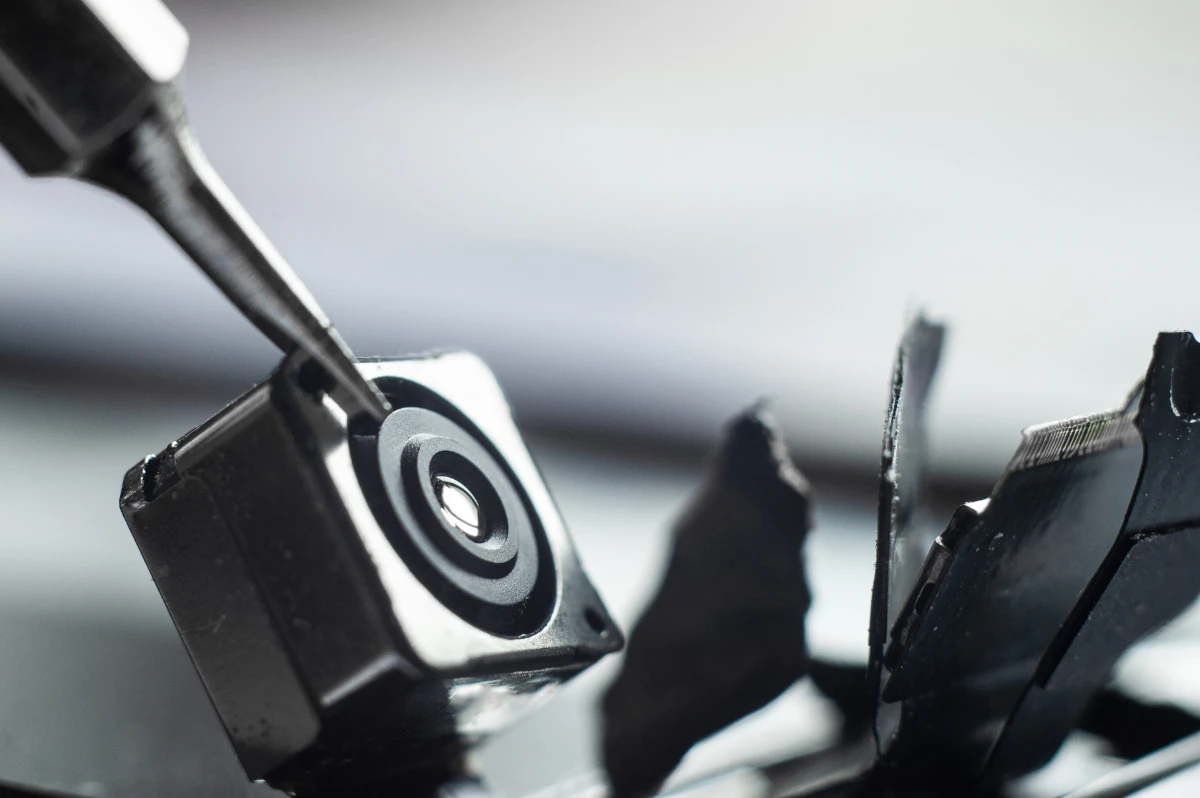
While hidden cameras can be abused, they are also widely used for legitimate security and safety purposes when installed correctly.

Designed for legitimate safety and monitoring applications
Explore professionally designed discreet cameras used for security, monitoring, and safety in homes and businesses when installed responsibly.
Shop Discreet CamerasThe risks associated with hidden security cameras are almost immediately apparent. These tiny devices can store recordings directly onboard and seamlessly connect to nearby WiFi networks or mobile hotspots, allowing playback and remote viewing at any time. Unfortunately, voyeurs and predators easily abuse this convenience, gaining unrestricted, unauthorized access to people's visuals in spaces where people expect privacy. While cameras may be intended for security, their increasing miniaturization and widespread availability pose serious threats to personal privacy.
There are two primary abuses related to hidden cameras invading otherwise private spaces:
The greatest concern surrounding hidden cameras is their misuse by sexual predators, deviants, or blackmailers aiming to view or record private moments, even activities as routine as using a restroom or trying on clothes in a store. For instance, a disturbing British study revealed that operators of the UK’s public CCTV systems abused access, targeting women simply for voyeuristic reasons. Given technological advancements since the study in 1998, it's safe to assume this issue has only intensified.
Law enforcement agencies have installed cameras without authorization or oversight as recently as February 2025. Such actions have raised significant concerns about constitutional rights violations and unwarranted breaches of personal privacy.
Given these examples of documented privacy invasions, actively safeguarding your privacy is more important than ever:
Stay Informed: Keep reading to better understand the types of cameras commonly used and where they're typically hidden. With this knowledge, you'll be empowered to identify, report, and potentially disable them when found.
Know Your Rights: Familiarize yourself with local privacy and surveillance laws relevant to your state, county, and city. Being informed ensures you're ready to act if you suspect a violation of your privacy or that of others.
Take Preemptive Measures: Be proactive by regularly inspecting your surroundings for unusual devices. Equip yourself with reliable detection tools to identify hidden cameras, ensuring your privacy remains intact.
Before diving into detection, it's important to understand where cameras are typically concealed.
As unsettling as it is, public and shared spaces often present the highest risk for hidden camera installations.
Unfortunately, cameras can also be found in personal and domestic spaces, including:
Hidden cameras, which are also called spy and covert cameras, are designed to be as small as possible. This small size allows them to be hidden in otherwise harmless or everyday objects that you wouldn’t notice otherwise. Some are so small that they simply go unnoticed in places like toilets, showers, and on counters. Understanding how hidden cameras work will help you learn how to quickly identify them.
Although hidden cameras vary in shape and size, they all have the same basic parts.
There are two main types of covert spy cameras out there:
Live video and footage from hidden cameras is usually easily accessible through:
Ordinary objects frequently conceal cameras, making them incredibly difficult to spot.
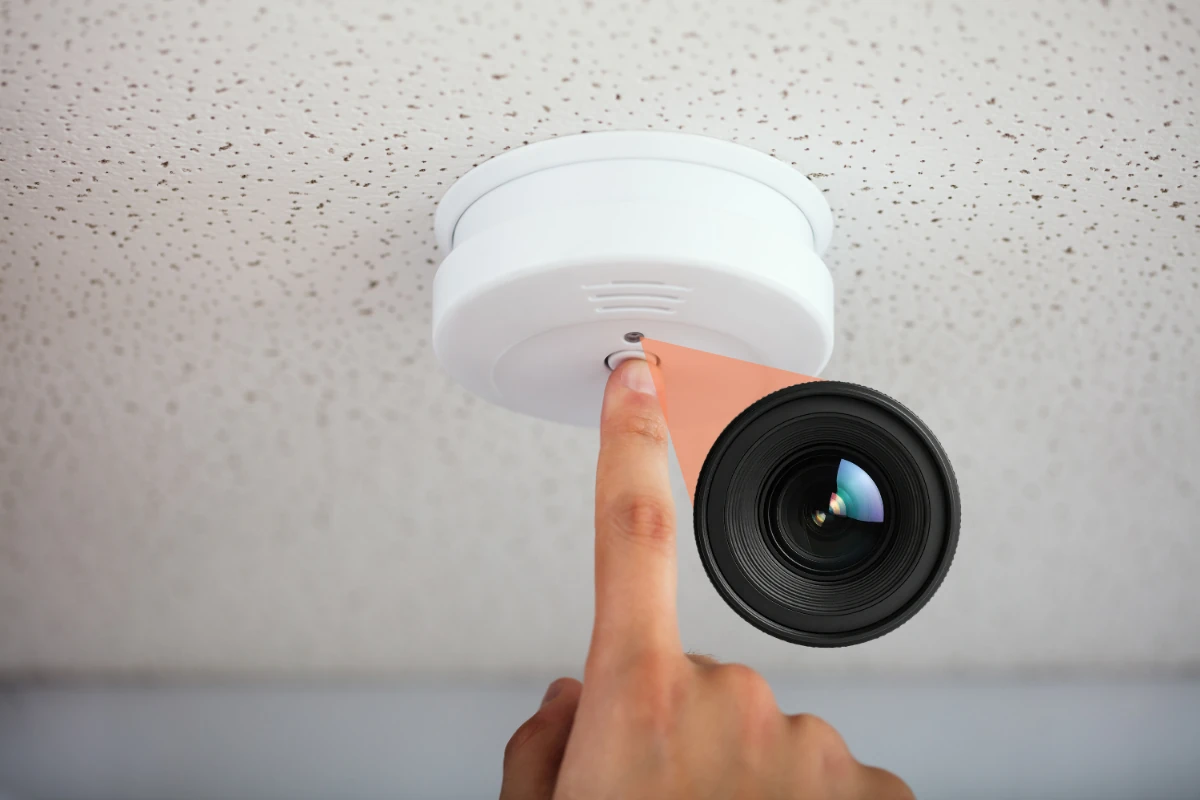
Although it can be challenging to identify hidden cameras, there are subtle clues that can tip you off. Watch out for some of the following common signs:
If you suspect hidden cameras might be watching you, here are several reliable detection methods you can use. Carefully follow these actionable steps to safeguard your privacy.
Begin your detection process with a careful visual inspection of your surroundings. Often, people hastily place hidden cameras, which you can spot fairly quickly with some vigilance. Here’s how to perform a visual inspection for hidden cameras:
Because camera lenses are reflective, a flashlight is a really effective detection tool. You can use your smartphone's flashlight app even if you don't have a flashlight. Using a flashlight to scan for hidden cameras:
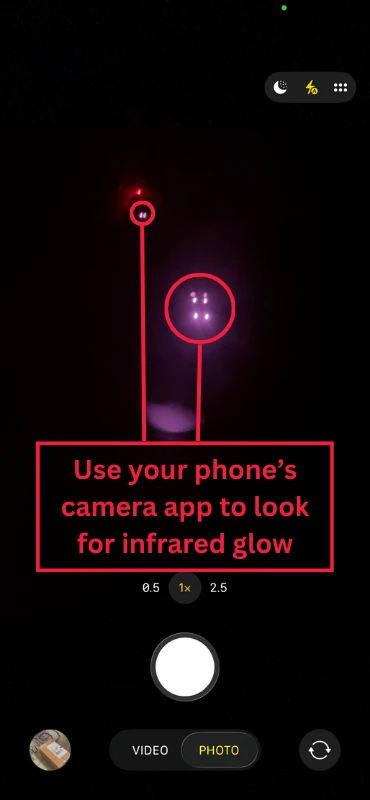
Most hidden cameras use infrared (IR) LEDs to record in darkness. Although IR light is not visible to the human eye, your smartphone camera can easily detect it. Use your smartphone to detect IR signals:
Note: Infrared LEDs also have a red and sometimes purple glow that is visible to the human eye, but this glow is more prominent and visible on normal security cameras.
Wireless hidden cameras often broadcast their signals over Wi-Fi, making them easier to detect digitally. You can use your smartphone to identify hidden camera Wi-Fi signals:
Note: If you have a laptop computer, there are several WiFi analyzer programs that you can download and use to scan the area for networks and cameras.
Wireless hidden cameras emit radio-frequency (RF) signals. RF detectors are specialized devices built specifically to find hidden signals and are among the most effective detection tools available. Using an RF detector:
Tip: Affordable RF detectors can be purchased online, making them a valuable tool for travelers. Be sure to follow the manual for your specific detector for the best results.
Thermal imaging cameras detect heat generated by hidden electronic devices, making them useful for spotting hidden cameras powered by electricity. However, thermal cameras can be expensive, so they’re not the most cost-effective method for hidden camera detection. How to use thermal imaging effectively:
For high-stakes privacy concerns, professional detection services, also known as Technical Surveillance Countermeasure or TSCM sweeps, offer comprehensive hidden-camera detection. Consider a professional sweep for cameras:
If you discover a hidden camera:
While these methods can help you detect hidden cameras, they don’t prevent them from being installed in the first place.
While detecting hidden cameras is important, preventing unauthorized surveillance in the first place is even better. Professionally installed security cameras act as a strong deterrent and give you full visibility and control over your space without relying on cloud services or monthly fees.
If you're looking for a reliable way to monitor your home or business, explore our range of discreet and professional-grade security cameras designed for legitimate use.
