PTZ cameras pan, tilt and zoom, and most of what you'll want from them (presets, tours, patterns and auto tracking) is set up from the NVR, the DVR or a network controller. These guides cover those settings, along with connecting analog and HDCVI PTZ cameras, changing a camera's ID and running a PTZ camera more than 300 feet without an extender.
See how the AvaEye KB110E joystick controls an AvaEye PTZ camera while also switching channels and changing the grid displayed through a compatible NVR’s HDMI output.
Want to stream a professional outdoor PTZ camera directly to YouTube Live without leaving OBS, a capture card, or a dedicated streaming computer running? In this hands-on video, Ray from CCTV Camera World shows how the Avalonix LIVECAMPTZ sends its own RTMP stream to YouTube while preserving remote pan, tilt, and true 16X optical zoom […]
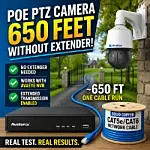
Most installers are taught that PoE cameras cannot run beyond 328 feet without adding a PoE extender somewhere in the middle of the cable run. In this real-world demo, we show how we successfully ran an AvaEye PTZ camera over approximately 650 feet of solid copper Cat5e cable without using any PoE extenders. The […]
In this test, we show an AvaEye PTZ camera running over approximately 654 feet of solid copper Cat5e without any PoE extenders. The video demonstrates that with a compatible AvaEye NVR and the correct settings enabled, you can carry power, video, audio, and PTZ control over one long cable run. This is especially useful […]
Most PoE Cameras hit a wall at about 328 feet, or 100 meters. Once you go past that, the usual advice is to add a PoE extender somewhere in the middle of the run. That is normally true, especially with cameras that require more power, like PTZ cameras. But in our bench test, we ran […]
Pan-Tilt-Zoom security cameras are powerful tools for surveillance and internet live streaming. Unlike standard fixed-lens surveillance cameras, PTZ cameras offer precision control and a wider range of features for unmatched flexibility. One of those advanced features is auto tracking, available on some of our PTZ models. In this guide, we’ll cover everything you need to […]
To receive commands over a coax cable or RS485 wire HD PTZ cameras have IDs that tell a DVR or controller where to send the commands. If two PTZ cameras are set to the same ID then they will receive the same commands. This causes both cameras to move in the same direction at the […]
A great feature that’s often overlooked on PTZ or pan tilt zoom cameras is the ability to set presets and tours. By setting presets and tours you can avoid having to actively watch and control cameras to monitor your property. A PTZ camera that’s scanning your home or business can be the best way to […]
CCTV Camera World has simplified the configuration and setup for controlling HDCVI and IP PTZ cameras. Using a network PTZ joystick controller, you can control PTZ cameras by simply connecting the controller to a security video recorder with a single network cable. This provides hands-on control over your PTZ camera with a setup that takes […]
PTZ cameras are an important tool in a security camera system that allows for easy surveillance using manual commands from a PTZ keyboard controller, security video recorder, or our computer based monitoring software. To automate surveillance, most of our Pan Tilt Zoom cameras allow the user to set memorized positions of interest that account for […]
We carry several security cameras with motorized zoom lenses that allow control of the optical zoom lens at the touch of a button from the recorder, our PC software or mobile app. You can control the zoom and focus of the camera when you are watching the camera in live view and adjust the camera’s […]
In order to install a PTZ camera and have its features work generally you will need to connect two additional leads for RS485 Serial Data. RS485 will control the Pan/Tilt/Zoom functions on your PTZ. With HDCVI there is an alternative, you can send video and PTZ controls over the same line with this technology. Today […]
Installing an analog Pan Tilt Zoom Camera (PTZ Camera) has a little more complexity to it than a regular camera alone. There are 2 RS485 leads that also need to be wired to the DVR or PTZ Controller. Using Video/Power/Data Cable can be costly. However there is an alternative. If you use a pair of […]