


Run a PTZ Camera Over 300 Feet, No Extender Needed
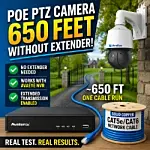
Most PoE Cameras hit a wall at about 328 feet, or 100 meters. Once you go past that, the usual advice is to add a PoE extender somewhere in the middle of the run. That is normally true, especially with cameras that require more power, like PTZ cameras. But in our bench test, we ran an AvaEye PoE PTZ camera over roughly 650 feet of solid copper network cable with no extender at all. The key was using a compatible AvaEye NVR and enabling its extended transmission mode.
Summary: Most PoE cameras top out at 328 feet, but in our test, a compatible AvaEye PTZ camera ran roughly 650 feet over solid copper cable with no PoE extender. This guide explains why it worked, how Extended Transmission on a compatible AvaEye NVR changes the equation, what cable to use, and when you still need a traditional PoE extender setup.
Extended transmission makes this setup especially useful for long driveway entrances, gates, detached buildings, barns, and other areas where one camera needs to sit much farther away from the recorder than normal. Instead of adding a device in the middle of the run, you may be able to pull one uninterrupted cable back to the NVR and keep the install much simpler and cleaner.

Why PoE Cameras Usually Stop at 300 Feet
PoE cameras normally top out at about 328 feet because both power and data have to travel over the same Ethernet cable. As distance increases, voltage drop becomes more of a problem, and the signal is no longer reliable.
That limit matters even more with motorized zoom cameras and PTZ cameras because they draw more power than a typical fixed lens camera. A pan-tilt-zoom camera is not just sending video, it is also powering servo motors, zoom movement, and infrared lighting. That is why many people assume a PTZ on a 500 feet or 600 feet run needs to use an extender. Using a compatible Avaeye NVR with extended transmission, it did not need a PoE extender.
The Camera and Test Setup
The camera used in the test was the compact AvaEye 2K PTZ (sku PTZIR2K25) with 25x optical zoom and infrared night vision rated up to 300 feet. It was connected with a single Cat5e cable, which handled power, video, PTZ controls, and data all at once. No extra connections were used for the test.
You can replicate the same result with any of the AvaEye PTZ cameras that are 25X Zoom power or less.-
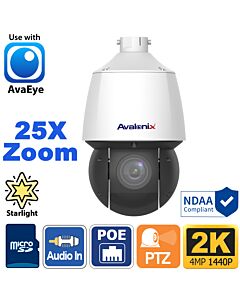 AvaEye 4MP 25X Zoom Pan Tilt Zoom Dome Camera, Auto Tracking, Starlight VideoSKU: PTZIR2K25$949.99 $1,131.00 16% off
 -
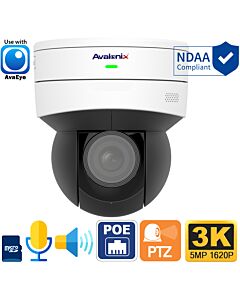 AvaEye 5MP WiFi Mini Pan Tilt Zoom with 2-Way Audio, 5X Zoom, Starlight, AvaEyeSKU: PTZ5MP5XS$488.73 $599.99 19% off
 -
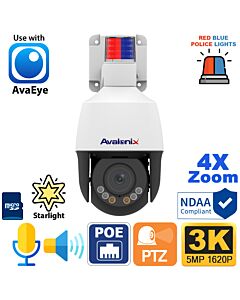 Outdoor 2-Way Audio Mini PTZ with Active Deterrence, Auto Tracking, AvaEyeSKU: PTZ5MP4X$529.99 $659.99 20% off
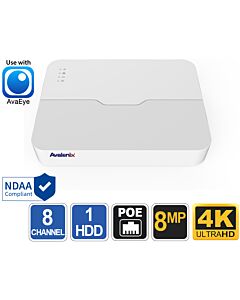
The recorder was a compatible AvaEye 8 Camera NVR with built-in PoE ports, sku NVR208P. The test cable itself was about 650 feet of UL-listed solid copper Cat5e. The cable was plugged directly from port 1 on the NVR to the camera. There were no PoE extenders, no PoE switch in the middle, and no high-wattage injector.
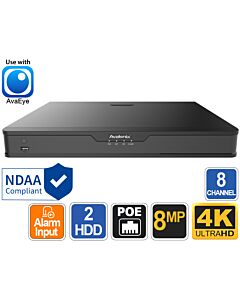
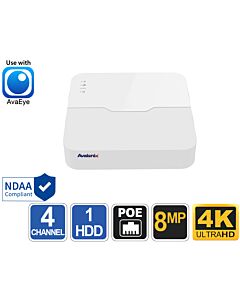
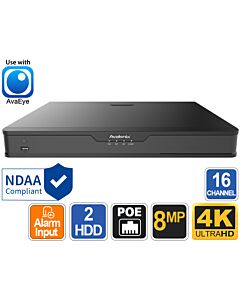
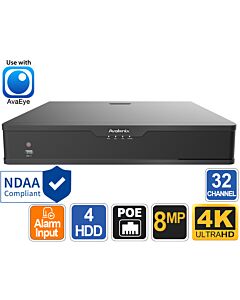
You can also use the 16 channel and higher capacity PoE NVRs from AvaEye as they all offer extended PoE transmission compatibility with compatible AvaEye cameras.You can also choose the AvaEye 4, 8, 16 or 32 channel NVR options below.
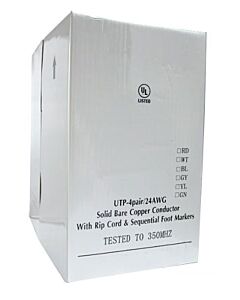
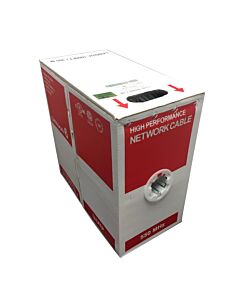
We used CAT5e solid copper in our test, CAT6 solid copper can also be used.
This was not just a link-light test either. The camera was fully functional over the long run.
What Worked Over the 650 Foot Run
During the bench test, the camera streamed live video normally. It could pan, tilt, and zoom without issue. It also switched into infrared mode and kept moving while the IR was active. On screen, the video remained stable, including when the camera was aimed down the warehouse and zoomed in.
That is an important point because a PTZ camera is a much better stress test than a fixed camera with low power draw. If a PTZ can power up, stream video, move, zoom, and run IR over a 650 foot cable, that tells you the setup is doing real work and not just barely holding a connection.
The Secret: Extended Transmission on a Compatible AvaEye NVR
The reason this worked was not just the cable length or cable quality. It was the recorder.
On a compatible AvaEye NVR, you can go into Camera Config and enable Extended Transmission. Once that setting is turned on, the camera should populate and connect even on a much longer cable run than most people expect. We want to make it clear that this is a compatibility feature, not a universal trick that works on any random NVR. If you try the same thing with an unrelated recorder, you should not expect the same result.
That is what separates this setup from the more traditional long-distance PoE method shown in our previous post on how to run PoE cameras beyond 300ft. In that post, longer runs are achieved by adding a high-power PoE 60W injector and one or more PoE extenders in the line. Here, the long run works directly from the NVR because the recorder itself supports a long-distance transmission mode.
How to Set It Up
If you are trying to duplicate this kind of install, the basic process is straightforward.
1. Use a compatible AvaEye PoE PTZ and AvaEye NVR
This is the foundation of the whole setup. Without a compatible AvaEye NVR you will not have access to the extended transmission setting, and this means your NVR likely doesn’t support extended PoE.
2. Use good quality solid copper cable
The test used about 654 feet of UL-listed solid copper Cat5e. For any long run, cable quality matters. The example article also stresses that solid copper cable is important and warns against lower quality aluminum-based cable.
3. Connect the camera directly to a PoE port on the NVR
In the test, the camera was connected directly to a PoE port on the back of the recorder.
4. Open the NVR menu and go to Camera Config
If the camera does not show up right away, do not assume the setup failed.
5. Enable Extended Transmission
In the Camera List page you can edit the entry for the camera and tick the “Extended Transmission” checkbox and then save it. After Extended Transmission is enabled, the camera should connect and populate automatically within minutes. If it doesn’t, try disconnecting the camera and reconnecting it to the port you updated the setting for.
6. Confirm video, movement, and night vision
After the camera appears, test all it’s features. Make sure the camera pans, tilts, zooms, and stays stable when the infrared turns on at night. That is the easiest way to verify the run is truly solid.
Cable Quality Is a Big Deal
If there is one place you do not want to cut corners, it is the cable.
Solid copper Cat5e is what makes extended transmission possible. Cheap cable that is thinner than 24awg or copper clad aluminum (CCA) can cause voltage drop, unstable performance, and reduced signal quality. If you are trying to place a PTZ at a gate or another remote area, bad cable will ruin the whole plan before the camera even powers up.
For especially long runs or higher-wattage cameras, we recommend solid copper Cat6 as an even safer option. That is worth keeping in mind if you are planning a more demanding install or running farther than 600 feet.
A Good Fit for Gates and Property Edges
One of the most practical use cases is a gate camera. A front gate is one of the most common places where a single camera ends up much farther away than the rest of the system. In those situations, it is easy to end up stuck between two bad choices: add extra hardware in an outdoor junction box half-way to the camera, or give up on the camera location you really want.
This kind of long-run PTZ setup gives you a cleaner option. If the hardware is compatible and the cable is good, you may be able to run one cable straight to the NVR and avoid placing an extender or other device somewhere on the way. That means no components to protect from weather, less connections, and fewer things to troubleshoot later.
Can You Run More Than One PTZ Like This?
Possibly, but power draw is where you need to be careful.
A setup like this may support two long-run PTZ cameras, depending on the total PoE budget of the NVR and what other cameras are connected. Trying to run three or four PTZs this way is not something we would recommend. If the rest of the system uses lower-draw fixed lens cameras, you may have more room to work with. If you are planning multiple PTZs over extended cable runs, it is smarter to stay conservative.
This is not just a numbers-on-paper issue. Longer PoE runs increase power demand, so it is better to leave headroom rather than push the system to its theoretical limit.
How to Check Power Draw on the NVR
To check how much power a camera is using, open the AvaEye NVR menu and go to Maintenance > Network Info > PoE Port Status. In our test, the PTZ connected to port 1 was drawing 17 watts, while the NVR had a total PoE budget of 130 watts. That screen gives you a much clearer picture of available capacity than rough estimates alone. If you are planning to add another long-run camera, this is the first place to check before assuming the recorder can handle it.
When You Still Might Need Extenders
This setup does not mean extenders are obsolete. It just means they are not always required.
A more traditional way to extend PoE beyond 300 feet is to use a high-power PoE injector, add a PoE extender, and continue the run in roughly 100 meter segments. That approach can work well with a wider range of cameras and system types, especially when the recorder does not support a built-in long-distance transmission mode.
You may still need an extender if:
- Your NVR is not from AvaEye
- Your camera is not supported by the recorder
- You are trying to push even farther distances
- Your camera requires too much power
- You are mixing hardware from different vendors
So the better takeaway is not "never use extenders." The better takeaway is "some compatible AvaEye PTZ and NVR combinations eliminate the need for them on runs of around 650 feet."
Final Thoughts
If you have been assuming a PoE PTZ camera has to stop at 300 feet unless you add an extender, this test shows that the answer is more nuanced.
With a compatible AvaEye NVR, Extended Transmission turned on, and good quality solid copper Cat5e, an AvaEye PTZ camera was able to run over roughly 650 feet on a single uninterrupted cable. It streamed video, moved normally, zoomed normally, and worked with infrared enabled.
For gate monitoring, long driveways, detached buildings, and other remote camera locations, that can make installation a lot cleaner. You still need to respect power limits and use proper cable, but in the right setup, you may be able to skip the extender entirely and still get the PTZ location you want.
Frequently Asked Questions
Can a PoE PTZ camera run more than 300 feet without an extender?
Yes. In our test, an AvaEye PTZ camera ran over roughly 650 feet of solid copper Cat5e cable without a PoE extender. That setup depended on using a compatible AvaEye NVR with Extended Transmission enabled.
Will this work with any NVR?
No. This type of long-run setup depends on the recorder and camera working together properly. In our case, it required a compatible AvaEye NVR with the correct setting enabled, so it should not be treated as a universal result for every NVR.
What kind of cable should I use for a long PTZ run?
Use good quality solid copper cable. Our test used UL-listed solid copper Cat5e, and for more demanding long-distance runs, solid copper Cat6 is often the better choice. Avoid low-quality cable if you want stable power delivery and signal over longer distances.
Can I run two long-distance PTZ cameras from one NVR?
Possibly, but it depends on the total PoE budget of the NVR and what other cameras are connected. Two may be realistic in some setups, but trying to run three or four PTZs this way is not something we would recommend. If the rest of the system uses lower-draw fixed lens cameras, you may have more room to work with.
How do I check whether my NVR has enough power left?
On the AvaEye NVR, go to Maintenance > Network Info > PoE Port Status. In our test, that screen showed the PTZ on port 1 drawing 17 watts, while the NVR had a total PoE budget of 130 watts. That gives you a much better way to judge remaining capacity before adding another long-run camera.