
Not All 4K Security Cameras Are the Same: Video and Audio Test
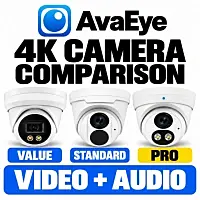
Three security cameras can all say 4K on the box and still give you a different picture and a different audio recording. For this comparison, I recorded video and sound with three AvaEye security cameras from our Value, Standard, and Pro tiers so you can see and hear the differences yourself.
I start about 10 feet from the cameras, move back to 20 feet, and then play music in the background while speaking. If you're comparing 4K security cameras for your home or business, these samples give you more to work with than a resolution number alone.
Watch the 4K Camera Video and Audio Comparison
The video switches between the IP4KEYELHT, IP4K2T, and AE4KTDL. Select the highest available playback quality to compare the picture, and use headphones if you want to listen closely to the microphone samples.

Read the full video transcript
Transcript edited for readability from the supplied captions. Model names and obvious caption errors have been corrected. One unclear phrase is marked below.
0:00 — Comparing Three AvaEye 4K Cameras
Hi, thanks for tuning in to a new video by CCTV Camera World. My name is Ray. I'm the manager. I'm going to be comparing 4K PoE cameras, or 4K security cameras, that you can buy from us at CCTV Camera World.
They're all part of the AvaEye brand, and I have three different tiers that I'm recording this video segment from.
0:19 — IP4KEYELHT: AvaEye Pro
Right now, what you're watching is from the highest segment or series that we have, which is the AvaEye Pro series. It's recording audio at about 48 kilohertz and using the AAC audio codec. That's why this audio may seem pretty clear to you compared to other security camera footage you may have seen.
Also, the image sensor is pretty clear as well. The model number of this camera is IP4KEYELHT.
0:45 — IP4K2T: Standard AvaEye
Now I'm going to bring in video from our second camera in this lineup, which is the IP4K2T. This is the standard AvaEye series of cameras that we have here.
Its audio is being recorded using G.711U at about 8 kilohertz, so 40 kilohertz less than the prior one. This is what its video quality looks like, too. Both cameras are being filmed at 10 feet away right now.
1:12 — AE4KTDL: AvaEye Value
Now I'll bring in video from the third camera, the AE4KTDL. This is our Value series of AvaEye cameras. Its audio quality may be a little bit different, and so is its video quality as well.
It's a budget camera but works with our AvaEye Pro series of NVRs. It's a great choice for customers looking for a decent 4K camera.
1:39 — Comparing the Tiers and NVR Options
Now I've shown you video footage from three different 4K cameras, and audio footage along with it as well. It's for you to judge which 4K security camera is best for you. We carry three different flavors for three different price segments.
I'm going to bring in footage back from the main camera, the IP4KEYELHT, that offers the best audio quality.
You can mix and match these cameras on the same NVR, and you can do motion detection and view them on your phone, on your PC, or on your monitor. Or you can just use them as standalone cameras.
2:15 — Not All 4K Security Cameras Are the Same
So keep in mind, not all 4K security cameras are the same. I just showed you video and audio footage from three different kinds of cameras and how different it may seem from 10 feet away.
2:27 — Microphone Comparison at 20 Feet
Now let me also show you what the audio quality sounds like for internal microphones on our cameras. I'm going to stand about 20 feet away.
At 20 feet, this is what the audio quality sounds like from the IP4KEYELHT, the one with the better mic and audio quality recording capabilities.
Here is what audio quality sounds like from the IP4K2T. This is the standard series of AvaEye cameras.
This is what the audio quality sounds like from the AE4KTDL, which is the Value series of AvaEye cameras, at 20 feet away.
3:05 — Viewing the Video at Full Quality
You can also judge the video quality while you're watching on YouTube or on our website. Just make sure you're watching at full quality, too, to get the best picture quality you can over the internet. Of course, the best picture quality is on the NVR.
3:21 — Setting Up the Background-Noise Test
Now, while you're listening to me, I'm going to go to the IP4KEYELHT. I'm going to do this audio sample with something else playing in the background.
I'm going to play a song in the background, and I want you to judge how the audio quality is. I'll mix in the other video footage as well.
3:43 — IP4KEYELHT with Background Music
Now I'm talking in a normal voice at about 20 feet away. This is what the audio sounds like from the better camera, the IP4KEYELHT.
3:55 — IP4K2T with Background Music
I'll repeat. Now, go over to the IP4K2T that's doing 8 kilohertz at G.711U. This is what that sounds like at 20 feet away with background noise.
4:07 — AE4KTDL with Background Music
Here's the audio quality from the Value series, the AE4KTDL, with background noise, being recorded using G.711U at 8 kilohertz as well.
4:18 — Final Thoughts
I hope that gives you a good idea of what to expect from different kinds of 4K security cameras that you can buy from us.
Also, keep in mind, we carry the highest-quality 4K security camera products in the market. If you're looking for reliable products, make sure you check out CCTV Camera World.
We sell products for homeowners, business users, and installers. Find us at CCTV Camera World dot com. Thanks for watching. If you're watching on YouTube, don't forget to like, comment, and subscribe.
The Three Cameras Used in This Test
These are the tiers and recording settings used in the video. The audio settings describe this comparison; they are not a complete list of every setting each camera supports.
| Camera | Tier in this video | Audio codec used | Sampling rate used |
|---|---|---|---|
| IP4KEYELHT | Pro | AAC | 48 kHz |
| IP4K2T | Standard | G.711U (µ-law) | 8 kHz |
| AE4KTDL | Value | G.711U (µ-law) | 8 kHz |
IP4KEYELHT — Pro Tier
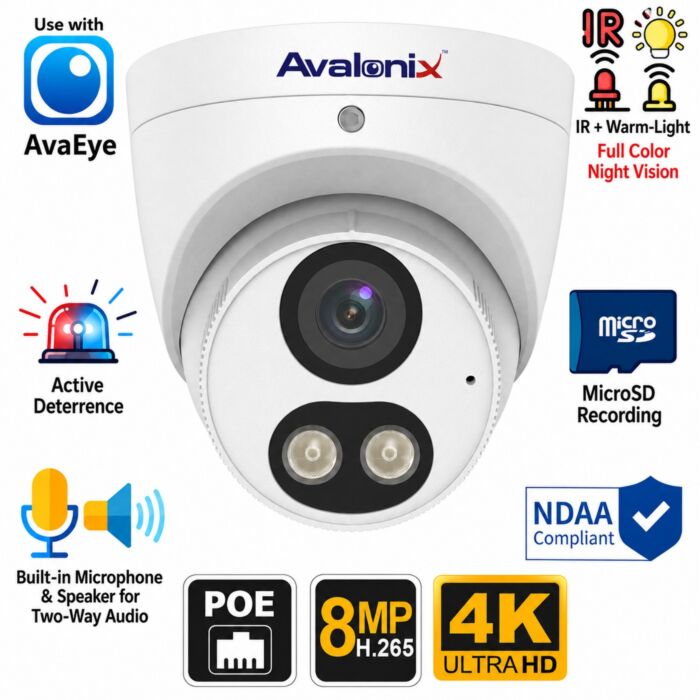
The IP4KEYELHT is the camera I use at the beginning of the video and return to during the later tests. In this setup, it records AAC audio at 48 kHz. If recorded speech matters to you, pay particular attention to its samples at 20 feet and with music playing.
4K 8MP PoE Turret Camera, AI Human and Vehicle Detection, Two-Way Audio, Active Deterrence, AvaEye
The AvaEye 4K PoE camera used for the AAC audio samples at 48 kHz. Compare its picture and built-in microphone recordings at 10 and 20 feet.
IP4K2T — Standard Tier
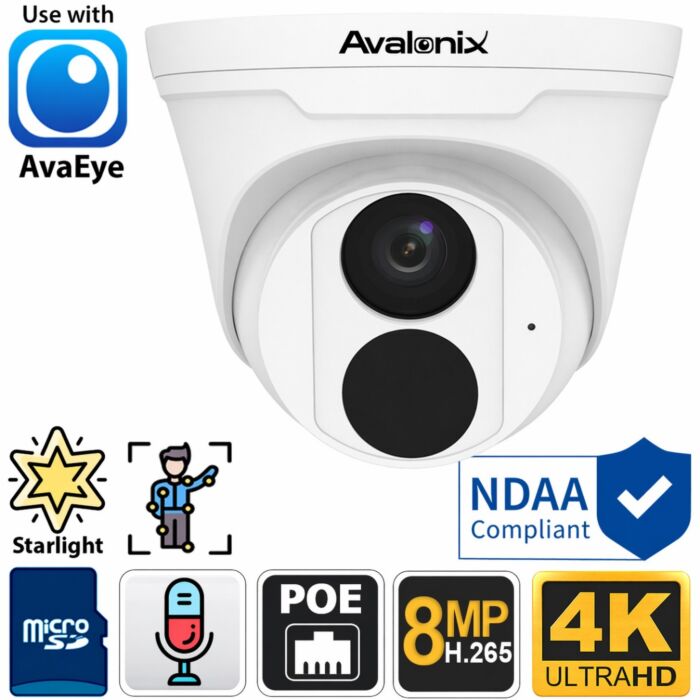
The IP4K2T provides the middle comparison in this lineup. I use G.711U audio at 8 kHz for its recordings. Listen to how my voice sounds when the video switches from the Pro camera to this model, then compare the same transition during the background-music test.
AvaEye 4K Starlight PoE Turret Camera with Mic
The standard AvaEye 4K PoE camera featured in the comparison, with a built-in microphone and G.711U audio recorded at 8 kHz in this test.
AE4KTDL — Value Tier
The AE4KTDL is the budget option featured in this video. It gives you a third picture and audio sample to compare before deciding how much to spend. Its background-noise sample also uses G.711U at 8 kHz. You can browse our AvaEye camera and recorder lineup for available models.
What to Look for at 10 and 20 Feet
At the beginning, I'm about 10 feet from the cameras. Look at the detail in my face and clothing as the view changes, and listen to how clearly you can understand the words. When I move to 20 feet, repeat the comparison. A sample from the distance you expect to use is more helpful than judging only a close-up recording.
The footage also lets you consider picture and sound separately. You may be satisfied with a camera's image but prefer the microphone recording from another model. That is why I included both in the same demonstration.
Listening with Background Music Playing
For the final test, I speak in a normal voice from about 20 feet away with a song playing in the background. Listen for how easily you can follow my speech, how prominent the music is, and whether words become harder to make out when the camera changes.
This is one room and one test setup, so use the samples to compare what you hear here. If audio is a priority for your installation, our security cameras with audio category is a useful place to compare other options.
Using Different Camera Tiers on the Same System
As I explain in the video, these cameras can be mixed on a compatible AvaEye Pro NVR. You could choose the Pro camera for an area where you want its audio capabilities and use another tier elsewhere. You do not have to choose the same camera for every location.
Start with the cameras and features you need, then select a compatible network video recorder. If you're planning the wiring as well, browse our PoE security cameras to compare the available options.
Which Camera Fits Your Setup?
Use the video to decide which picture and audio samples meet your needs, then review that model's product page for the rest of its features. If you're unsure which camera or recorder to choose, contact CCTV Camera World with your intended mounting location, the distance you want to cover, and whether you need recorded audio. Include the model of any existing NVR so we can help you check compatibility.