


No Built-In Mic? Add Audio to a PoE Security Camera
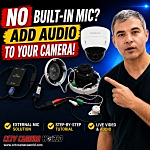
Some professional PoE security cameras do not have a built-in microphone, especially vandal-resistant dome cameras. That does not always mean you are stuck without audio. In this video, I show how to add an external microphone to a compatible PoE/IP security camera that has audio input and power terminals inside the camera body.

The camera I use in this demo is an Avalonix Premium Series PoE dome camera. It is a sealed vandal-resistant dome, which is one reason a built-in microphone is not included. Instead, this model has terminal block connections for external audio input and 12VDC power, allowing a separate microphone to be wired into the camera.
This type of setup can be useful for security recording, business entrances, sports facilities, livestreaming, or any location where you need video and audio from a professional IP camera. Before recording audio, make sure you understand the laws in your area, since audio recording rules vary by state and situation.
Products Used in the Video
- 12MP 30fps Dome Camera, SKU IPC4K22D
- 4MP 60fps Dome Camera
- 4MP 60fps Bullet Camera
- PoE Power Splitter
- Outdoor Security Camera Microphone
- RCA Male Audio Balun
- Female Power Connector for 12VDC
- Male Power Connector for 12VDC
- RJ45 Coupler
- 6ft Ethernet Cable
- 100ft Extensedion Wire
Why This Camera Needs an External Microphone
Many vandal-resistant dome cameras are built with a sealed housing to protect the camera from weather and tampering. That design is good for outdoor and commercial installations, but it can make a built-in microphone difficult. A microphone needs a way to pick up sound, and that is not always practical inside a sealed dome.
On compatible cameras, the better option is to use the camera's external audio input. The camera still handles the audio stream, but the microphone is mounted and wired separately.
How the Setup Works
A normal PoE camera usually needs one Ethernet cable for power and data. In this setup, I use a PoE power splitter to separate the incoming PoE connection into network data and 12VDC power. The 12VDC power is used for the microphone and camera power connection, while the audio signal from the microphone is wired into the camera's audio input terminal.
The microphone has an RCA audio output, but the camera uses terminal block wiring. That is why I use an RCA audio balun. It lets the RCA audio signal run over two-lead wire, which can then be connected to the camera's audio input and ground terminals.
The main parts of the setup are:
- PoE splitter for 12VDC power
- External security camera microphone
- RCA audio balun
- Two-lead wire for the audio signal
- Power connectors for the 12VDC wiring
- Short Ethernet cable and RJ45 coupler for the network connection
Important Wiring Notes
The camera shown in the video has small terminal block connections inside the dome. I use the audio input and ground terminals for the microphone signal, and the 12VDC power terminals for power. Make sure the wire ends are clean, tight, and not touching other terminals. Exposed copper or loose wiring can cause shorts or intermittent problems.
For outdoor installations, do not leave the splitter, coupler, power connections, or audio wiring exposed. Use a compatible camera junction box, wall mount, or weather-resistant electrical box so the connections are protected from moisture and physical damage.
Enable Audio in the Camera Settings
After the microphone is wired, audio still has to be enabled in the camera interface. In the video, I enable audio on the camera stream and adjust the microphone settings. On the Avalonix Premium Series camera shown, AAC audio is available for higher quality sound. Other cameras may use G.711 instead, depending on the model.
If the audio sounds too loud or distorted, lower the gain on the microphone. The outdoor microphone used in the demo has a small gain adjustment on the back. Turning the gain down helped keep the sound from being blown out.
Can Any PoE Camera Use an External Microphone?
No. The camera must support audio input. Some PoE cameras have a built-in microphone, some have external audio input terminals, and some do not support audio at all. If you know you need audio, browse our security cameras with audio or IP cameras with audio.
Related Guides and Products
- How to Add a Microphone to an IP Camera
- Best Practices for Two-Way Audio Security Cameras
- How to Set Up Audio Detection on a Security Camera System
- PoE Security Cameras
- Security Camera Microphones
- Complete Security Camera Systems
Frequently Asked Questions
Can I add a microphone to any security camera?
No. The camera must support audio input. Some PoE security cameras have a built-in microphone, some have external audio input terminals, and some do not support audio at all. Check the camera specifications before buying an external microphone.
Why do some vandal dome cameras not have microphones?
Many vandal-resistant dome cameras are sealed for weather resistance and tamper protection. That design is good for outdoor and commercial installs, but it can make a built-in microphone impractical because the microphone needs a way to pick up sound through the housing.
What does the PoE splitter do in this microphone setup?
The PoE splitter separates the incoming PoE connection into network data and 12VDC power. In this setup, the 12VDC power is used for the external microphone and camera power connection.
Why is an RCA audio balun used with the microphone?
The external microphone has an RCA audio output, while the camera shown in the video uses terminal block audio input. The RCA audio balun lets the audio signal run over two-lead wire so it can be connected to the camera's audio input and ground terminals.
Do I still need to enable audio in the camera settings?
Yes. After the microphone is wired, audio still has to be enabled in the camera interface or recorder settings. If audio is not enabled, the camera may show video but not pass the microphone audio stream.
Why does my security camera microphone sound distorted?
The microphone gain may be set too high. Lower the gain on the microphone and test the live audio again. The outdoor microphone used in the video has a small gain adjustment on the back that can help prevent blown-out or distorted sound.
Can this setup be used for livestreaming?
Yes, if the camera and streaming setup support audio from the camera stream. A compatible IP camera with external audio input can be used for security recording or livestreaming applications, including a properly configured live streaming camera setup.